Changelog

All the latest updates, improvements, and fixes to Adstudio.

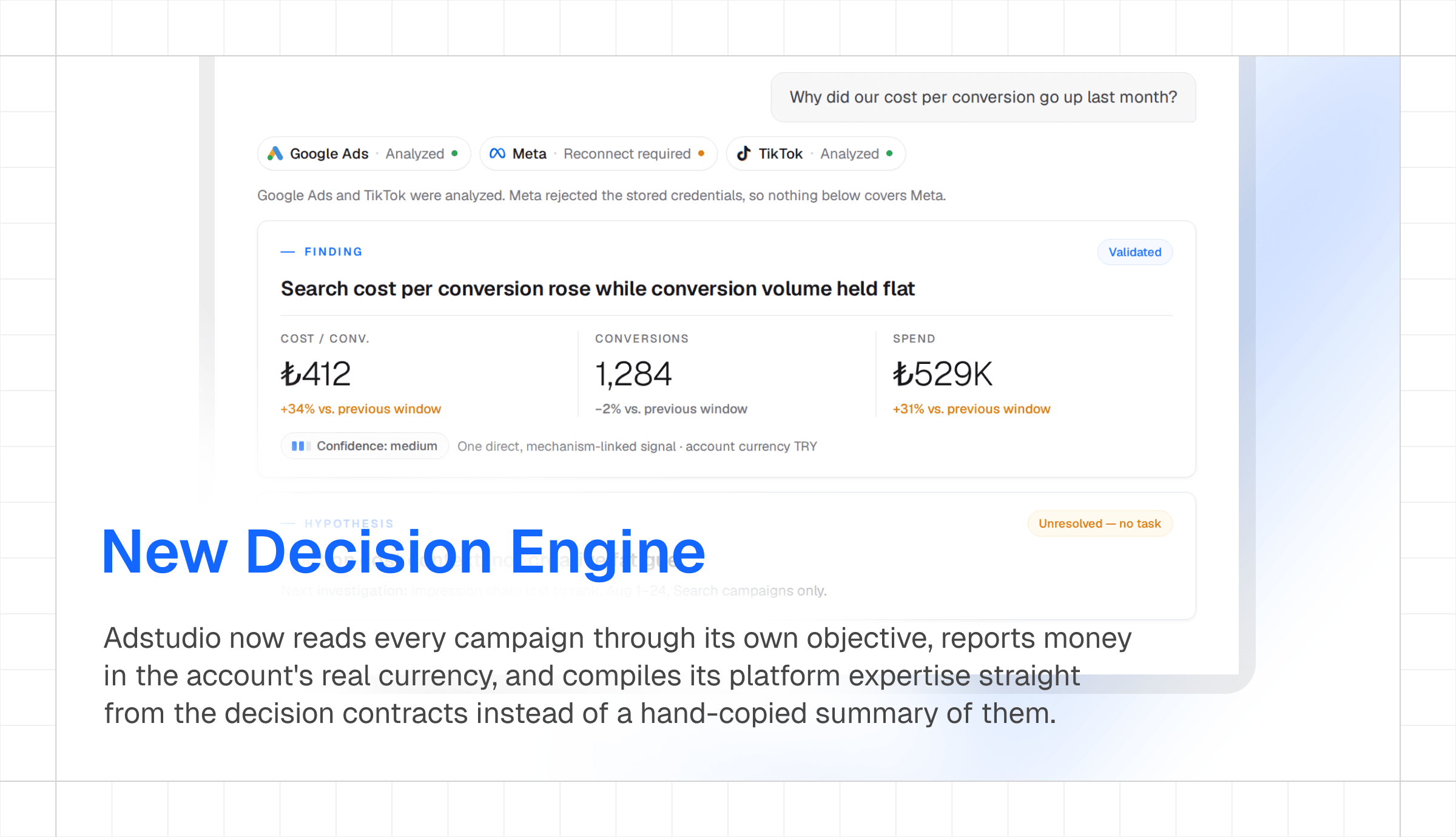
The AI Assistant Becomes a Decision Engine

The Adstudio AI assistant was rebuilt from the ground up as a Performance Marketing Decision Engine: platform-agnostic reasoning, deterministic analysis, and honest evidence handling. Adstudio now runs the same disciplined analysis across Google Ads, Meta, and TikTok.

Performance Marketing Decision Engine

  • One Reasoning Core: A single decision engine reasons over every platform — findings, hypotheses, and tasks follow the same disciplined structure whether the data comes from Google, Meta, or TikTok
  • Analysis Library: 13 analysis lenses — correlation, forecasting, contribution, comparability, and more — implemented as deterministic code, not prompt guesswork
  • Google Ads Decision Intelligence: Campaign-type-aware expertise loads automatically and runs a deterministic multi-stage analysis of your campaigns
  • TikTok Joins the Engine: TikTok Ads is now a first-class analysis platform alongside Google and Meta
  • No Fabricated Numbers: Data-integrity guardrails ensure every metric in an answer traces back to real platform data — the assistant says "could not look" instead of guessing

Assistant Workflow Upgrades

  • File & Image Attachments: Drop briefs, spreadsheets, or screenshots into the chat and analyze them alongside your ad data
  • Assistant on Your Task Board: The Adstudio assistant can create and update tasks and workspace notes — turn an analysis into an action plan without leaving the chat
  • Slash-Command Skills: Trigger predefined analysis workflows with slash commands
  • Share Chats with Your Team: Share any conversation read-only with teammates in the same workspace
  • CSV Export: Download any Adstudio assistant table as CSV
  • Ad Creative Previews: Meta ad creatives render directly in answers with thumbnails and details
  • Budget Pacing & Day-of-Week Analysis: Month-to-date spend projections and weekday performance breakdowns as dedicated tools
  • Full Account Audit: A six-check Google Ads account audit in a single prompt

Notes: Comments, Sharing & a Better Editor

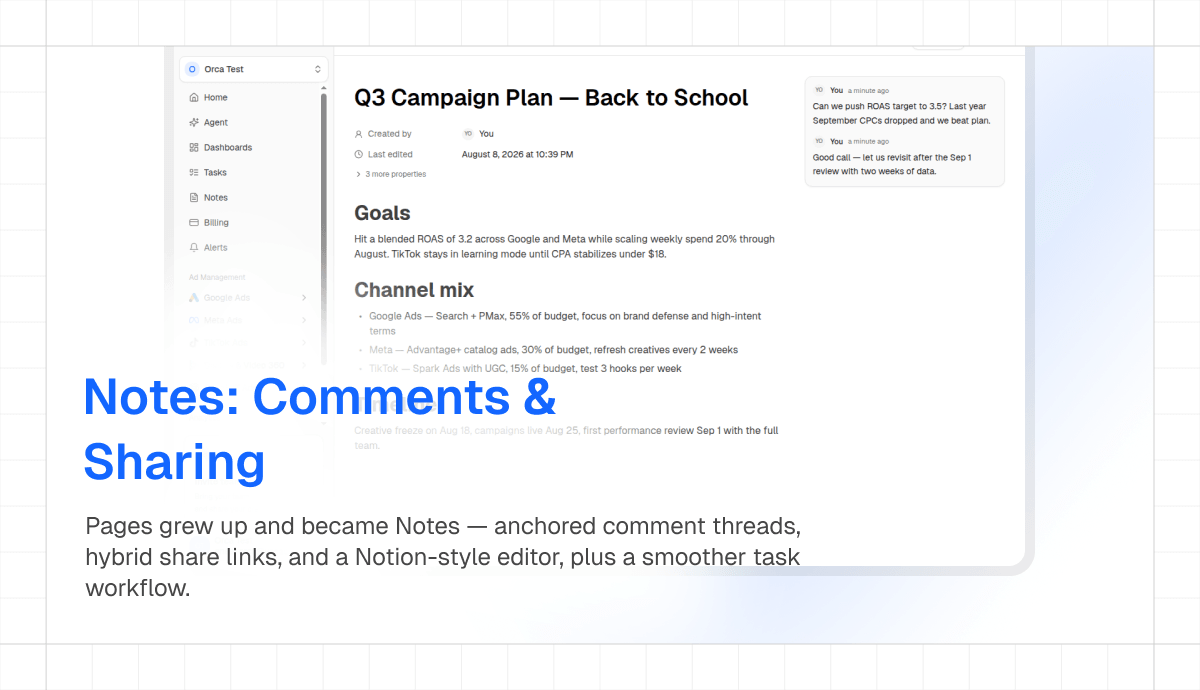
Adstudio Pages grew up and became Adstudio Notes — with anchored comments, hybrid share links, and a refined Notion-style editing experience, plus a smoother task workflow across the workspace.

Adstudio Notes editor with an anchored comment thread open next to a marketing strategy document

Notes (formerly Pages)

  • Anchored Comments: Adstudio now supports inline comments — select any text in a note and start a comment thread pinned to that exact passage — with mentions and resolution
  • Notion-Style Selection: Block selection, drag handles, and editor chrome polished to feel like the tools your team already knows
  • Hybrid Share Links: One link that renders a clean public snapshot for external viewers and deep-links workspace members straight into the live note

Tasks

  • New Create Dialog & Task Drawer: A borderless create dialog and a right-side drawer for viewing and editing tasks without losing your board context
  • Smoother Drag & Drop: Board cards now show exactly where they will land while dragging

Microsoft Sign-In & Security Hardening

Adstudio now supports signing in with Microsoft, and the auth stack underneath gets a serious hardening pass.

Login with Google and Login with Microsoft buttons on the Adstudio sign-in screen

Sign In with Microsoft

  • New Social Provider: Microsoft accounts join Google as a one-click way to sign in to Adstudio on login and signup
  • Last-Used Badge: The sign-in screen remembers and badges the method you actually used last time

Security & Reliability

  • Bot Protection on Auth: Invisible Turnstile verification plus application-level rate limiting on all auth endpoints
  • Tenant Isolation Hardening: Row-level security tightened across Adstudio as part of a proactive security review
  • API Error Monitoring: Every API route is now monitored end-to-end, so failures surface to us before they surface to you
  • Cleaner Invites: Inviting someone who is already a member is now caught up front

TikTok Ads Full Parity, Flexible Billing & MCC Support

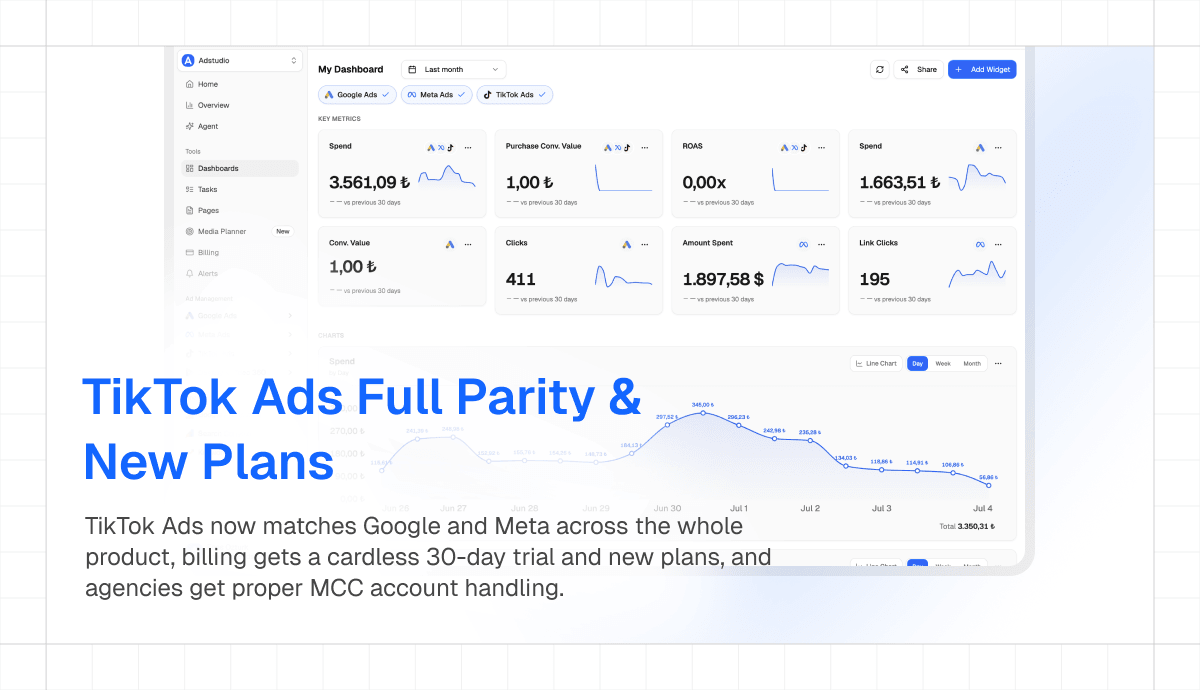
Adstudio now gives TikTok Ads full parity with Google and Meta across the whole product. Adstudio billing adds a cardless 30-day trial and new plans, and agencies get proper Google Ads MCC account handling.

Adstudio dashboard with TikTok Ads widgets side by side with Google Ads and Meta metrics

TikTok Ads Everywhere

  • Dashboard Parity: Every Adstudio dashboard widget — scorecards, charts, tables — now supports TikTok metrics alongside Google and Meta
  • Per-Event Conversions: Each conversion event reports separately, mirroring the Google and Meta metrics experience
  • Column Settings: A Meta-parity columns dialog with reactive column settings for TikTok tables
  • Accurate Reporting: Correct currency, date windowing, and honest handling of unsupported conversion metrics — no more silent zeros
  • AI Analysis: The Adstudio assistant analyzes TikTok Ads data, and TikTok signals appear on the Adstudio home dashboard

Billing & Plans

  • Cardless 30-Day Trial: Start a full trial without entering a card
  • New Plan Lineup: Hobby becomes a purchasable tier, and Business and Enterprise plans join the upgrade dialog

Google Ads for Agencies

  • MCC-Aware Account Picker: Manager accounts render as a searchable hierarchy tree, and client accounts under an MCC now work correctly

Quality & Speed

  • Faster App Boot: Startup waterfall removed and dashboard cold loads sped up
  • Full-Width Tables: A user-controlled full-width toggle on all platform tables
  • Spend-First Sorting: Google and Meta campaign tables default-sort by spend
  • Currency-Correct Formatting: Dashboard numbers follow the ad account currency
  • Invite Teammates from the Sidebar: A one-click invite widget, plus an in-app Contact Us page

ChatGPT Ads Integration

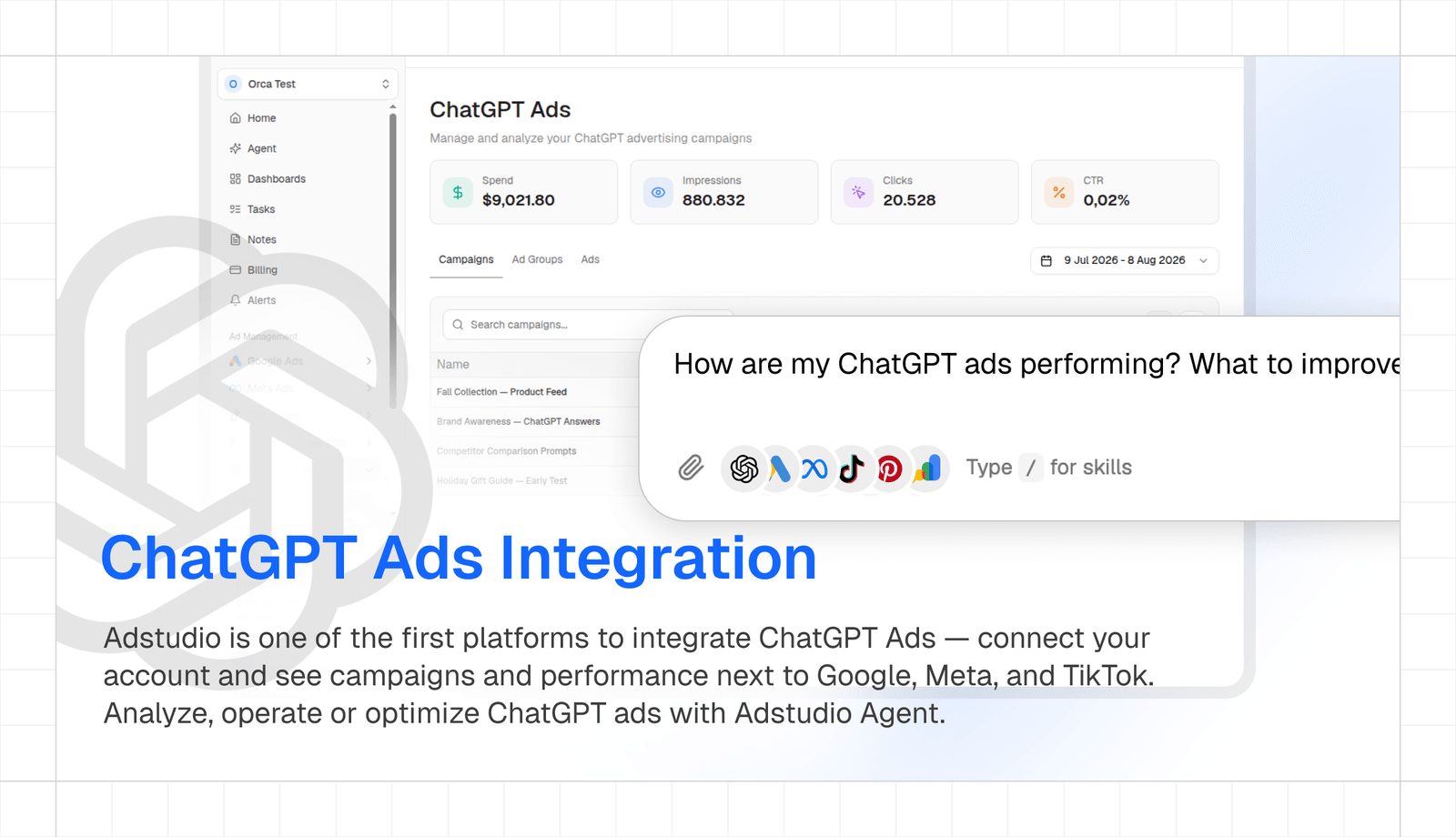
Adstudio is one of the first platforms to integrate ChatGPT Ads — connect your OpenAI Ads account and see campaigns and performance next to Google, Meta, and TikTok.

ChatGPT Ads campaigns and metrics in the Adstudio dashboard, with the Adstudio Agent prompt bar asking about ChatGPT ads performance

ChatGPT Ads (Read-Only v1)

  • Connect Your Account: Connect ChatGPT Ads to Adstudio via the OpenAI Ads API from Settings → Integrations
  • Campaigns & Metrics: Campaign list with spend, impressions, clicks, and conversions in your account currency
  • Unified View: ChatGPT Ads data sits beside your other platforms in the same Adstudio tables and date ranges
  • Setup Guide: A step-by-step blog guide covers API access and connection

Tasks, Pages & Shareable Dashboards

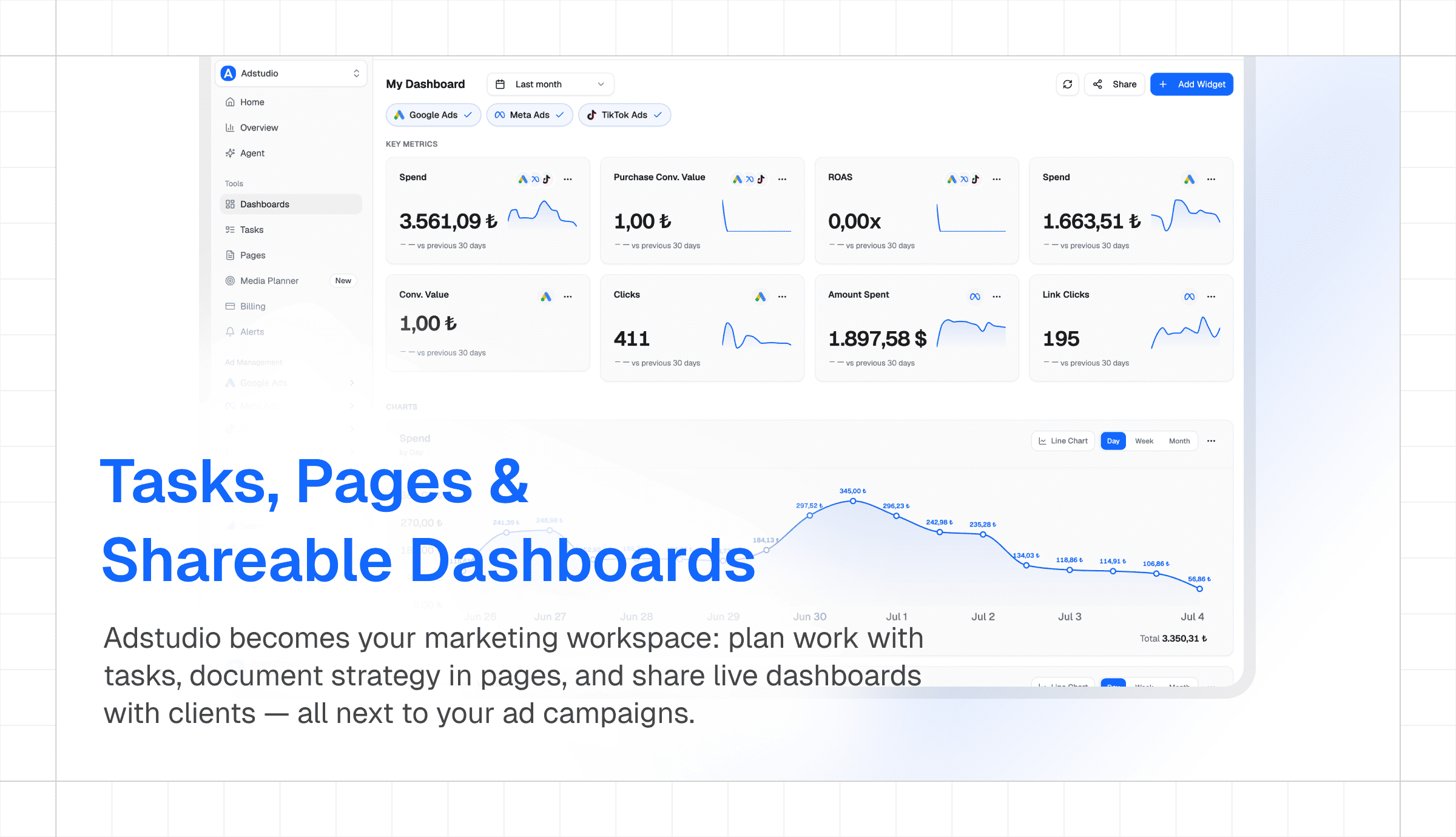
The biggest update since launch: plan work with tasks, document strategy in pages, and share live dashboards with clients — all next to your ad campaigns.

Custom marketing dashboard in Adstudio with cross-platform KPI widgets and a daily spend chart for Google Ads, Meta Ads, and TikTok Ads

New Home Dashboard

  • Marketing Overview at a Glance: Your workspace home now opens with blended Ad Spend, ROAS, Revenue, and Purchases KPIs aggregated across Google Ads and Meta for any date range
  • Performance Signals: Automatic highlights for what changed — ROAS swings, spend spikes, best and worst performing campaigns
  • Recommended Actions: Scale, review-budget, and monitor suggestions derived from your real campaign performance
  • Top Campaigns: A cross-platform campaign table ranked by spend with health status per campaign

Task Management for Marketing Teams

  • Kanban & List Views: Plan campaign launches and optimization work with drag-and-drop boards, assignees, due dates, priorities, labels, and checklists
  • Linked Ad Objects: Attach the actual Google Ads or Meta campaign, ad set, or ad a task is about — no more pasting IDs into descriptions
  • Comments & Activity Timeline: Discuss work in context with a full audit trail of every change
  • Notifications & Reminders: In-app notification bell, assignment emails, and scheduled reminder emails so nothing slips through

Workspace Pages

  • Notion-Style Docs: Write briefs, plans, and meeting notes in a block editor with slash commands, @mentions, page links, callouts, and file embeds
  • Auto-Save: Changes save automatically as you type
  • Public Page Sharing: Share a read-only snapshot of any page with a public or password-protected link, with 24-hour, 7-day, or non-expiring links

Custom Dashboards with Live Sharing

  • Widget Builder: Compose scorecards, bar, line, and donut charts and tables from Google Ads, Meta, and TikTok metrics — per platform or unified cross-platform
  • Global Filters: One date range and platform filter drives every widget on the dashboard
  • Share with Clients: Publish a dashboard as a public or password-protected link — layout and filters freeze at share time while metrics stay live, ideal for client reporting

Platform & Reliability

  • Meta Marketing API v25: All Meta Ads requests across the product — campaigns, insights, reporting, alerts — now run on Graph API v25.0 with a single pinned version
  • Security Hardening: Share links use salted PBKDF2 password hashing, snapshot-scoped public queries, and workspace-scoped access checks on every dashboard endpoint
  • Fixes: Meta Ads refresh button refetches live data instead of returning cached results, and Google Ads status toggles work reliably across workspaces

AI Agents for Google & Meta Ads, and Adstudio in Slack

Purpose-built AI agents that actually know your ad accounts — now reachable from Slack, powered by our latest model upgrade.

Platform AI Agents

  • Google Ads AI Agent: A dedicated agent for Google Ads work — audit campaigns, analyze search terms and keywords, adjust budgets and statuses, all with confirm-before-apply proposals
  • Meta Ads AI Agent: The same agent experience for Meta — campaign analysis, audience insights, and safe guided changes to your ad sets and ads
  • Smarter Model: All AI endpoints upgraded to our latest-generation model for noticeably better analysis and recommendations

Slack Integration

  • Apps in Settings: A new Apps section in workspace settings with authenticated Slack connect
  • Ask Adstudio in Slack (Beta): Tag the Adstudio agent in any Slack channel and ask about your ad accounts — spend summaries, campaign status, performance questions — answered with live data from your connected platforms

Infrastructure

  • Faster, More Reliable Deploys: Deployment pipeline reworked for consistent releases

AI Media Planner, Custom Report Upgrades & a New Look

Meet the AI Media Planner — plan budgets and channel mixes with an agent — plus a redesigned custom reports experience and a brand-new landing page.

AI Media Planner

  • Agent-Driven Planning: Describe your goals and budget, and the media planner agent proposes a channel mix and plan you can iterate on in chat
  • Plan Versioning: Every revision is kept — compare and restore earlier versions of a plan
  • Streaming Responses & Persistent Chats: Plans build up in real time and your planning conversations are saved per workspace

Custom Reports

  • Redesigned Report Tables: Cleaner table layout with sticky headers and better column controls
  • Footer Totals: Campaign tables now show aggregate totals in the footer
  • Flexible Pagination: Choose 10, 25, or 50 rows per page, with page numbers that stay valid when data shrinks

Alerts

  • Entity-Scoped Alerts: Alerts can now target specific ad sets and ads, not just campaigns

Landing & Content

  • Redesigned Landing Page: New four-pillar story — Planning, Analytics, Operation, Optimization — with an AI showcase and team sections
  • New on the Blog: A practical guide to Google's AI optimization recommendations and how to act on them

Security & Polish

  • Hardened Share Passwords: Salted PBKDF2 hashing with constant-time comparison for all shared-link passwords
  • Navigation Cleanup: Sidebar regrouped for faster access to tools

Campaign-Scoped Alerts, AI Chat Improvements & New Dashboard

A wide-ranging update centered on a redesigned home dashboard with live cross-platform insights, a new message queue for the AI assistant, a refreshed landing page and pricing, and a Next.js 16 + Turbopack upgrade.

Redesigned Dashboard

  • Live Insights Cards: New Spend, Impressions, Revenue, and ROAS cards aggregated directly from your connected ad platforms — no GA4 dependency required
  • AI Prompts on Home: The dashboard now picks up ?prompt= URL params on mount so links can deep-link straight into a chat with a pre-filled question
  • Alerts Section: A new Alerts panel surfaces active campaign alerts right on the dashboard, cached via React Query for faster loads
  • Unified Integrations View: Connected platforms are now shown together in one place on the home view
  • Stable Layout: Insights and Alerts sections stay mounted while workspace data hydrates — no more layout flicker on first paint

AI Chat & Assistant

  • Message Queue: Type a follow-up while the AI is still streaming — your next messages queue up (max 3) with smooth animations above the input and send automatically when the model finishes
  • Inline Report Previews: createCustomReport now renders a data preview inside chat with "Copy Link" and "Go to Report" buttons in the card footer
  • Better Action Cards: Keyword pause and negative keyword actions now use the same ChangeProposalCard as other actions, with proper currency formatting, full platform names, and a list of affected campaigns with platform icons
  • Bulk Pause Fixes: Bulk pause flows always show a ChangeProposalCard and no longer create duplicate cards mid-stream
  • Waste Explanations: When listing wasteful campaigns, the AI now explains why each one is flagged
  • Thinking Indicator: A compact thinking indicator shows up while the model reasons, and tool-call indicator badges are auto-width instead of stretched
  • Mobile Chat History: Toggle conversation history on mobile and a shorter textarea so the chat fits properly on small screens
  • EU Political Flag Fix: Google Ads campaigns now correctly set DOES_NOT_CONTAIN for the EU political content flag
  • Demo Mode: Search Console added to connected platforms in demo mode; TikTok and GA4 also appear as connected

Meta Ads

  • Conversion Actions Column: The Conversion Actions list in the columns dialog now populates correctly
  • Date Picker Polish: "Uygula" button translated to "Apply" and the date picker is properly aligned to its trigger

Landing Page & Pricing

  • AI-Native Workspace Positioning: Refreshed hero and value prop around finding money you're losing in your ad accounts
  • Product Demo Video: The interactive demo in the hero has been replaced with a product video, with use-case tabs mapped to individual demo videos and preloading to avoid flash on switch
  • Mobile Menu: Public header now has a working mobile menu with Sign In / Sign Up / Go to App actions — previously unreachable on small screens
  • Working Forms: Contact and Enterprise forms actually report success/error status now
  • Pricing on Landing: A full pricing section was added to the landing page (Hobby/Starter/Business) with a monthly/yearly billing toggle moved into the section header
  • Hobby Plan: New entry-level Hobby plan at $19/mo ($16/mo on yearly) — Starter and Business updated to $39/$32 with cleaner copy and "Everything in Hobby" callout on Business
  • FAQ + Polish: Updated FAQ content, added feature icons next to pricing rows, and the Business plan limit is clearly set to 3 workspaces

Alerts

  • Campaign-Scoped Alerts: Alerts can now be scoped to specific campaigns, with intervals restricted to daily and longer to keep noise down

Workspace & Account

  • Soft Delete: Workspaces are soft-deleted, and the workspace switcher caps its list height so long lists scroll properly
  • Smart "Go to App": The Go to App button now redirects you to your last visited workspace instead of resetting
  • Password Reset Fix: Password recovery now uses the PKCE flow end-to-end — clicking a reset link reliably lands you on the update-password page with a valid session

Branding & Docs

  • AI Docs: New Adstudio AI documentation pages in English and Turkish

Sharing & SEO

  • Facebook Sharing Fixed: og:image is now served from S3 (Facebook couldn't process the previous source), fb:app_id is set with the correct property attribute, and public pages are excluded from auth middleware so Facebook's crawler stops getting 403s
  • Privacy Alias: /privacy now works as an alias for /privacy-policy

Platform & Infrastructure

  • Next.js 16 + Turbopack: Upgraded to Next.js 16 with Turbopack as the bundler, and bumped the Cloudflare adapters to match
  • React Query Caching: /api/platform-analytics calls are deduped via React Query, and /api/alerts is now cached on the dashboard — fewer redundant requests, snappier UI
  • GTM + GA4: Added Google Tag Manager and GA4 analytics across the app

Redesigned Landing Page, New Blog & AI Chat Polish

A major update bringing a completely redesigned landing page, a new blog with SEO-optimized content, and significant improvements to the AI chat experience.

AI Chat Improvements

  • Dynamic Campaign Columns: AI can now choose which metrics to display in campaign tables based on your question — ask for budget and conversions, and that's what you see
  • Demo Mode: Try the AI assistant with realistic mock data — no ad account connection required
  • Upgraded Chat UI: New prompt-kit components with cleaner message bubbles, better streaming indicators, and polished conversation flow
  • Choice Cards Fix: Fixed a bug where selecting an option while the AI was still streaming caused duplicate messages
  • Dark Mode Fix: Selected choice card icons are now visible in both light and dark mode
  • GA4 & Search Console: Connected platform icons now show Google Analytics and Search Console alongside Google Ads, Meta, and TikTok
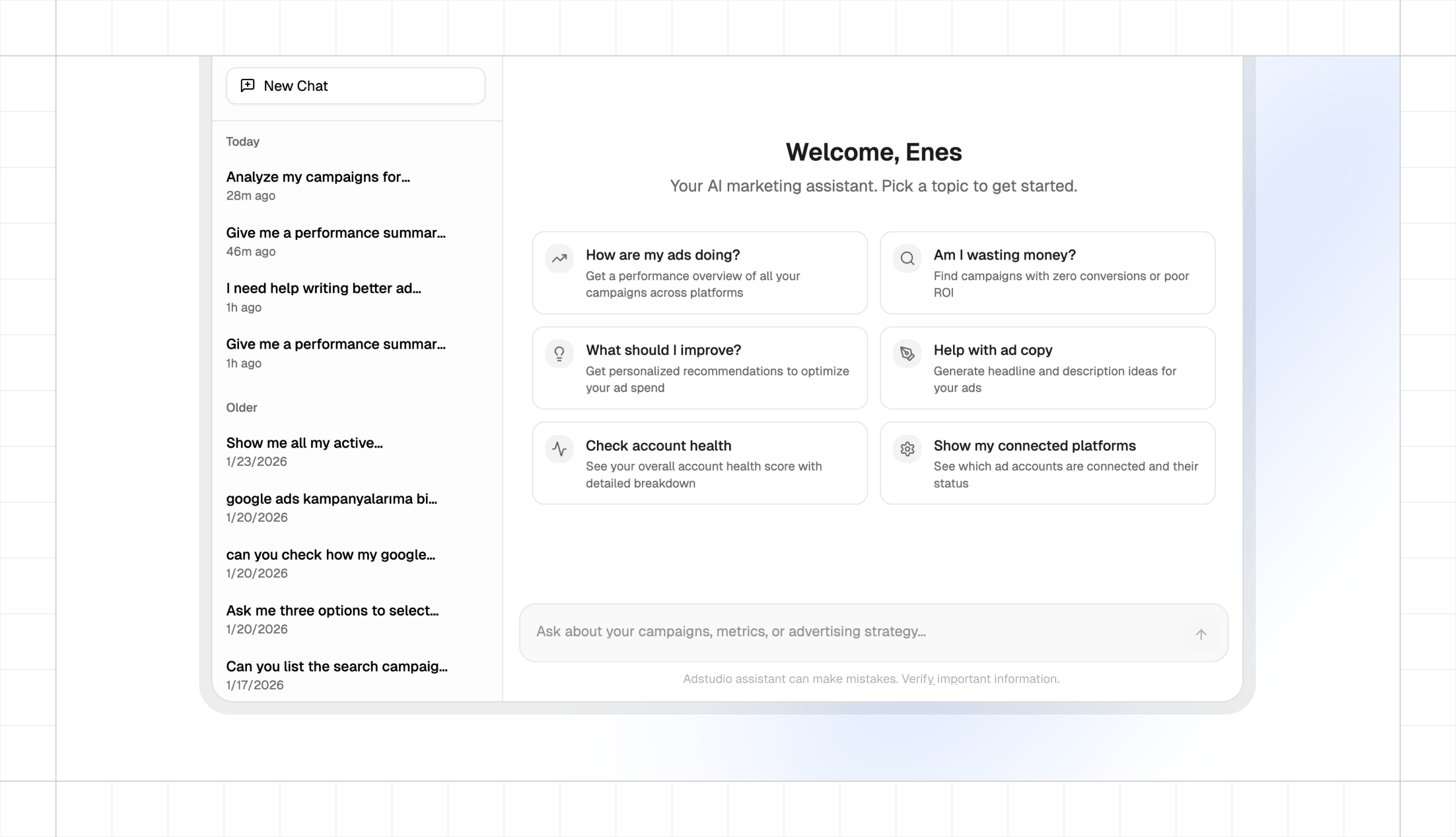
  • Quick Reply Cards: Suggestion cards for common actions appear in the chat onboarding

Redesigned Landing Page

  • New Hero: "AI that makes digital marketing effortless" — with an interactive AI chat demo showing 5 real use cases (Analyze, Detect, Optimize, Act, Report)
  • Features Section: Masonry grid highlighting Ad operations, Ad analysis, Report generation, Team workspaces, Smart alerts, and Billing management
  • Before/After Section: Real marketer pain points — from spreadsheet reports and manual budget checks to AI-powered alternatives
  • Simplified How It Works: Two steps (Connect + Talk to your ads) with a built-in CTA
  • Platform Icons: Google Ads, Meta, TikTok, GA4, and Search Console shown in the hero

Enterprise Page Updates

  • Fixed Layout Issues: Feature card visuals no longer overlap with titles
  • Streamlined Features: Removed sections that aren't ready yet (API Access, Roadmap, Security badges)

Blog

  • New Blog System: SEO-optimized blog with structured data, Open Graph tags, and dynamic sitemap entries
  • First Post: "Meta's New Location Fees: What Advertisers Targeting Europe Need to Know" — covering the 2-5% surcharges coming to European ads in July 2026

Platform & Infrastructure

  • Google Tag Manager: Added GTM tracking across all pages
  • Performance Fixes: Fixed slow page loads for logged-in users on public routes
  • API Auth Fix: Switched to getSession() for more reliable API authentication
  • Business Plan: Fixed workspace creation limits for Business plan subscribers
  • Meta Ads: Removed "Coming Soon" badge — Meta Business integration is now fully available

Smarter Agent, Campaign Operations & Team Billing

Changelog Banner

A major update to the Adstudio Agent with 10 new tools, rich interactive cards, and full campaign management — plus workspace-level integrations, per-seat billing, and Meta Ads improvements.

Adstudio Agent

  • Faster & More Reliable: Upgraded AI engine for quicker responses, better tool usage, and built-in web search
  • Conversation History: Your chats are saved and reloaded — pick up right where you left off
  • Suggestion Cards: New onboarding experience with quick-start prompts for common tasks
  • Rich Interactive Cards: Tool results now render as polished UI cards with dark mode support, consistent styling, and compact badges

New Agent Tools

  • Campaign Operations: Pause or activate campaigns, ad sets, ad groups, and ads — on both Google and Meta
  • Bulk Actions: Select multiple campaigns and pause or enable them all at once
  • Budget Management: Update campaign budgets (Google) and ad set budgets (Meta) with daily or lifetime options
  • Custom Reports: Create reports with specific dimensions and metrics, then open them directly in the app
  • Cross-Platform Spend: See a unified spend summary across Google Ads and Meta Ads
  • Ad Spend Breakdown: Detailed per-platform spend with daily breakdown and invoice history
  • Subscription Info: Check your current plan, billing status, and renewal date from chat
  • Ad Copy Editing: Update Google RSA headlines/descriptions and Meta ad text through the Agent
  • Account Health Score: Get an overall health score with detailed breakdown of your ad accounts
  • Audience Insights: See performance by age, gender, device, and location with ROAS indicators

Meta Ads Improvements

  • Instagram Support: Added instagram_basic scope for proper Instagram account access
  • Catalog & Product Sets: Simplified catalog fetching with better account filtering
  • Save As New: Duplicate ad creatives with the "Save As New" button
  • Optimistic Updates: Status toggles for campaigns, ad sets, and ads now update instantly in the UI
  • Improved Tables: Unified table UI with better filtering, refresh reliability, and English translations

Google Ads Improvements

  • Image Editing: Aspect ratio validation and cropping for Performance Max asset groups
  • Better Error Handling: Improved API error messages and Responsive Display Ad updates
  • Unified Table UI: Consistent table styling and translated UI across all Google Ads pages

Workspace & Team

  • Workspace-Level Integrations: Ad accounts are now connected per workspace — team members share access automatically
  • Per-Seat Billing: New pricing model at $8/$10 (Starter) and $12/$14 (Business) per user per month
  • Subscription Gating: Features are gated by workspace plan with upgrade prompts
  • Role-Based Access: Viewer role with appropriate UI restrictions for non-admin team members
  • Improved Invitations: Better invite dialog, email sending via AWS SES, and error handling

Platform & UX

  • Dark Mode: Full dark mode support across all Agent UI cards and components
  • Unified Dashboard: Dashboard moved to workspace root for faster access
  • Platform Header: Replaced breadcrumbs with clean platform icon + page title
  • Public Pages: Landing, pricing, about, and contact pages force light mode
  • Cloudflare Workers: Full compatibility with fetch-based HTTP clients for Stripe and AWS

AI Agent Capabilities & Ad-Level Insights

We've expanded the AI Agent with powerful new capabilities and introduced detailed ad-level metrics.

New AI Agent Capabilities

  • Keyword Intelligence: Analyze keyword performance with Quality Score breakdown, expected CTR, ad relevance, and landing page experience ratings
  • Search Term Analysis: See exactly what users searched to trigger your ads, with conversion tracking
  • Keyword Opportunities: AI identifies high-potential search terms to add, irrelevant terms to block, and underperforming keywords to pause
  • Take Action: Add negative keywords or pause underperforming keywords directly through the AI Agent

Asset-Level Metrics

  • Google RSA Performance: See how each headline and description performs with BEST, GOOD, or LOW labels
  • Creative Analysis: View performance metrics for images and videos in display campaigns
  • Meta Ad Details: Full creative breakdown including headlines, descriptions, and call-to-action performance

Improvements

  • Enhanced ad group and ad set tables with improved filtering
  • Better campaign detail views with all metrics at a glance
  • Faster data loading across all platforms

Introducing Adstudio

Adstudio Launch

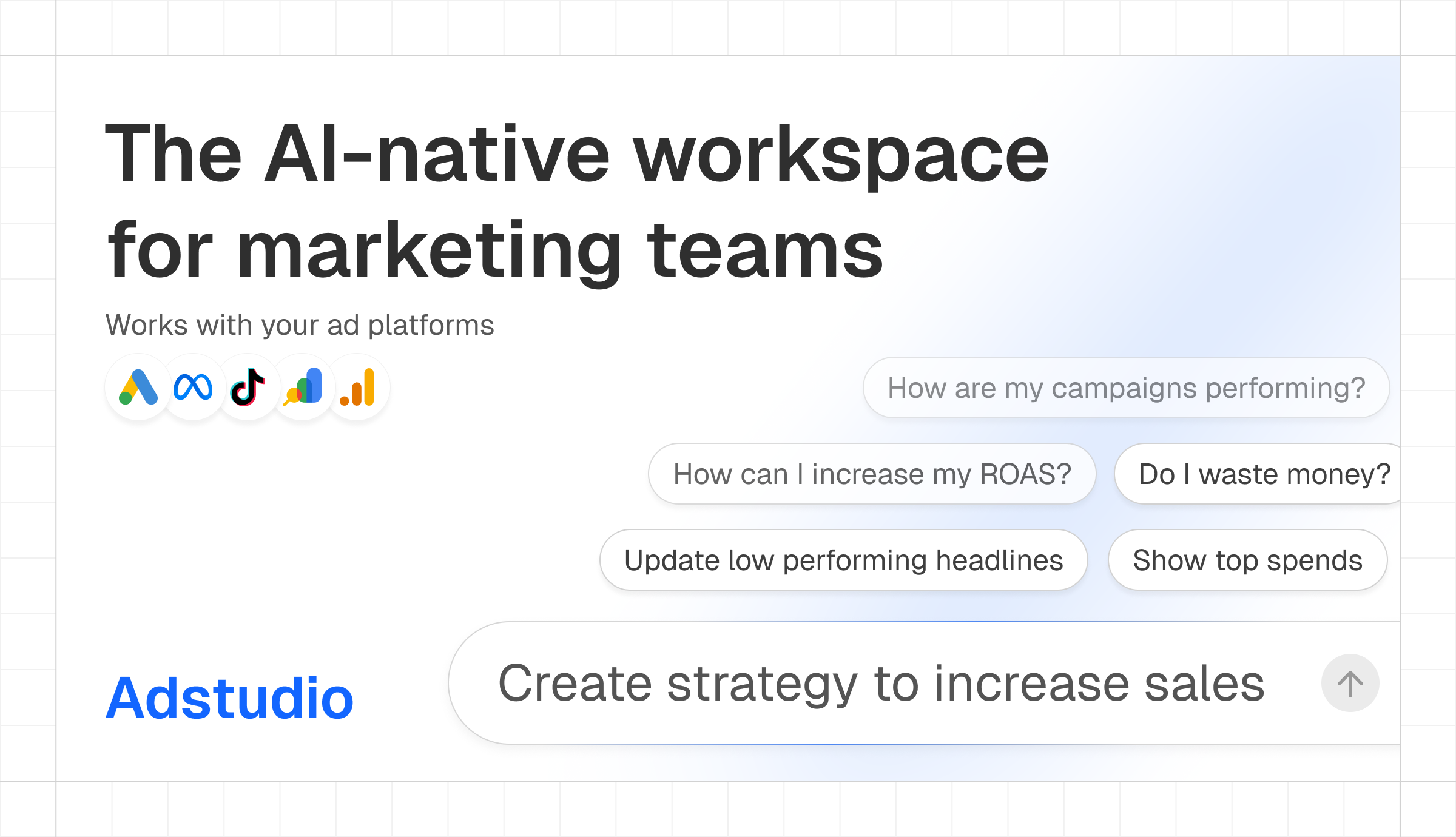
We're thrilled to launch Adstudio—the AI-native workspace for marketing teams. Manage all your ad platforms from one place with intelligent assistance built in.

Connect All Your Platforms

  • Google Ads: Full support for Search, Performance Max, Demand Gen, Display, and Shopping campaigns
  • Meta Ads: Manage Facebook and Instagram campaigns with complete creative control
  • TikTok Ads: Connect and monitor your TikTok advertising campaigns
  • Google Analytics 4: Track website performance and user behavior
  • Google Search Console: Monitor organic search performance alongside paid campaigns

Adstudio Agent

Your AI-powered marketing assistant that understands your ad platforms:

  • Chat with Your Data: Ask questions about your campaigns in natural language
  • Custom Reports: Generate reports tailored to your needs
  • Find Low Performers: Identify underperforming campaigns and wasted spend
  • Take Actions: Pause keywords, add negatives, and optimize directly through chat
  • Strategy Insights: Get recommendations to improve your advertising performance

Unified Dashboard

  • One View: See performance across all platforms in a single dashboard
  • Customizable Tables: Sort, filter, and customize columns to see the metrics that matter

Campaign Management

  • View Performance: Track spend, impressions, clicks, conversions, and ROAS
  • Detailed Insights: Drill down from campaigns to ad groups to individual ads
  • Cross-Platform Comparison: Compare performance across Google and Meta side by side

Custom Alerts

  • Set up notifications for important performance changes
  • Get alerted when campaigns exceed budgets or underperform

Built for Teams

  • Workspaces: Organize accounts and campaigns by client or project
  • Collaboration: Invite team members and work together

Welcome to a better way to manage your advertising.