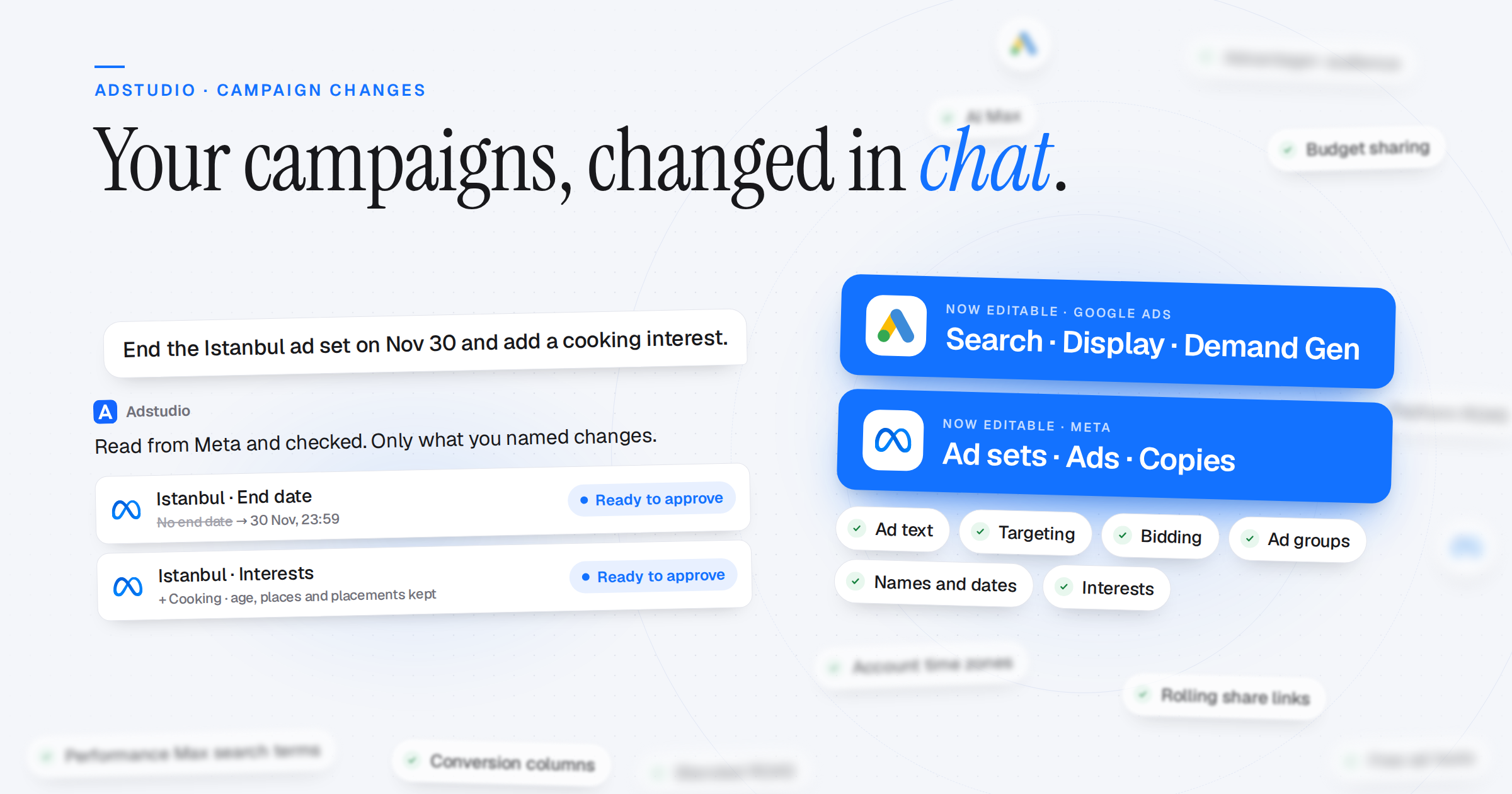
The Adstudio assistant now changes the campaigns you already run, not only new ones. Name the campaign, ad group or ad the way you would say it. The assistant reads it from the platform, changes only what you named, has the platform check the change, and applies it once you approve. Dashboards now show each platform's own sales, and dates follow each ad account's time zone.
Change Existing Campaigns From Chat
- Google Search: Add ad groups, ads and keywords, and change bids, negatives and shared negative lists. Change bidding, the conversion goal, audiences, AI Max and its settings, and radius targets
- Google Display: Edit an ad's text, images, logos and landing page, add an ad or an ad group, change an ad group's audiences, topics, keywords and websites, and change the campaign's bidding, dates, schedule, devices, frequency cap and exclusions
- Google Demand Gen: Change bidding, view-through conversions, schedule and devices; an ad group's channels, places, languages and audience; and an ad's texts, images, videos, carousel cards and landing page
- Meta Ad Sets: Change age, gender, languages, placements, interests and Advantage+ audience. Rename a campaign, ad set or ad, set an ad set's end date or performance goal, and turn budget sharing or ad set spend limits on or off
- Meta Ads: Change an ad's primary text, headline, description, landing page, button and display link. Meta reviews the changed ad again
- Exact Copies: Copy a Meta campaign, an ad set or an ad exactly as Meta holds it. The copy starts paused
- Only What You Named: The rest of the campaign is read and sent back unchanged, and the result is read back from the platform. An ad set or ad name that matches nothing, or several, stops the card instead of widening the change to the whole campaign. Nothing deletes a campaign, ad group or ad
Building Campaigns: Nothing Dropped
- Google Search, Complete: Several ad groups with pinned ads, every bidding strategy with its targets, languages, a total budget, devices, schedule, negatives, portfolios, radius targets, demographics, Dynamic Search Ads and ad customizers. Anything that can't be built is listed under Not done on the card
- Google Display and Demand Gen, Complete: The setup card shows every ad group and every ad and lets you edit them, with images from the Creative Library, an upload or the Google Ads account
- Meta Traffic and Engagement: Every conversion location Ads Manager offers, including Calls, plus carousels, existing Instagram posts and different media per placement
- Meta Awareness Budgets: A campaign spending limit, budget scheduling and ad set budget sharing, as on Traffic
Numbers That Match the Platform
- Each Platform's Own Sales: Home and dashboards show the same purchase value as Google Ads, Ads Manager and TikTok Ads Manager. The cross-platform total is called Platform-reported revenue, because more than one platform can count the same sale
- Blended ROAS: Your store's real revenue, from Shopify or GA4, divided by your ad spend on every platform
- No Mixed Currencies: Amounts in different currencies are never added up. Each platform's figure is shown in its own currency instead
- Your Account's Currency, Your Browser's Format: Every amount uses the ad account's currency, with numbers formatted the way your browser formats them
- Missing Is Not Zero: A platform that couldn't be loaded, or that doesn't report a figure, is named and left out instead of counting as 0
Dates and Sharing
- Account Time Zones: "Last 7 days" covers the same days the platform shows, in each ad account's own time zone
- Saved Ranges That Roll: A saved "Last 30 days" stays the last 30 days; a custom range stays fixed
- Share Links That Stay Current: Shared dashboards and reports roll forward with today by default. Turn on "Fix the dates" to freeze them
Tables and Reports
- Performance Max Search Terms: The Search Terms table now includes the terms your Performance Max campaigns matched, and has a campaign type filter
- Conversion Action Columns: Move and hide each conversion action's columns on every Google and Meta table
- New Meta Columns: Outbound clicks, outbound CTR, website CTR, landing page views and the attribution setting, plus region and hour-of-day breakdowns
- Show Removed Campaigns: Removed Google campaigns are hidden by default and come back with one switch. The totals row always matches the rows on screen
- Dashboard Widgets: Reorder, resize and duplicate widgets, and undo a delete
Free Ad Tools
- ROAS Calculator, Budget Pacing Calculator and API Version Tracker: Free on the Adstudio site, no account needed