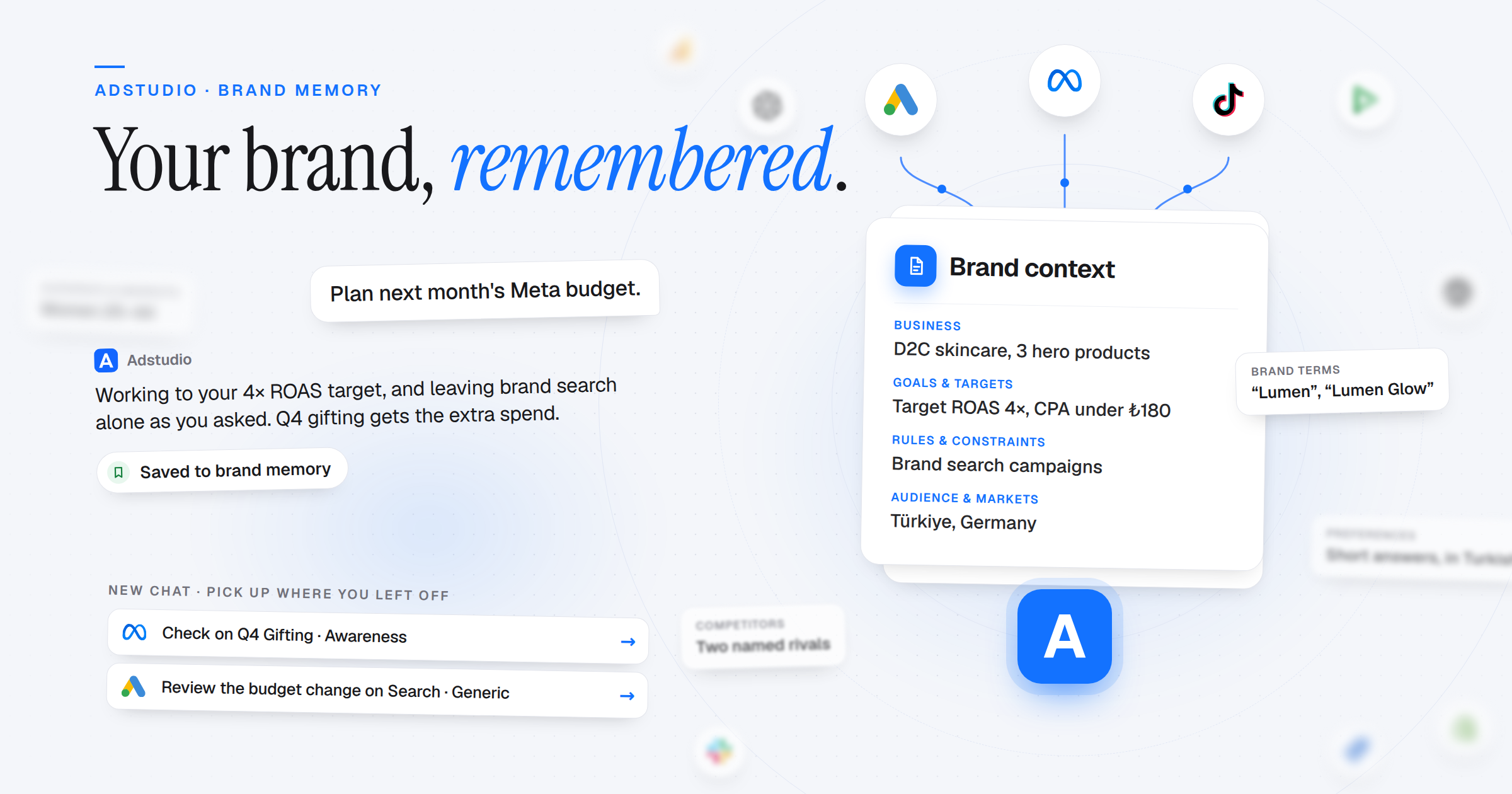
The Adstudio assistant no longer starts every chat from zero. It remembers your business, your targets and the rules you gave it, picks up earlier conversations, and suggests where to continue. Meta campaigns can now be created, started, paused and rebudgeted from the chat, and Google Demand Gen joins Search and Display.
Brand Memory
- Remembered Across Chats: Tell the assistant your business, audience and markets, goals and targets, brand terms, rules, competitors or preferences once. Every later chat starts with them
- Shared With Your Team, or Just for You: Brand facts are shared across the workspace, so every teammate's assistant works to the same targets. Personal preferences stay yours; teammates never see them
- Only What You Said: Memory is taken from what you tell the assistant, after it replies, and a single "Saved to brand memory" line shows when something was kept. From a page, file or note it reads, it offers a few facts and saves them only if you agree
- Settings → Memory: See everything the assistant remembers, grouped by category, and remove anything that is wrong or out of date
- Earlier Chats, Recalled: Ask about something you discussed last week and the assistant searches your own past conversations in the workspace. It never reads a teammate's chats
Pick Up Where You Left Off
- New-Chat Suggestions: A new chat suggests checking on campaigns you created in the last two weeks, reviewing recent budget and status changes, and overdue tasks. If no target is on record yet, it asks you to set one
- Workspace Activity: Campaigns, budget and status changes, notes, tasks, reports and Jira or Trello items created through Adstudio are logged, so the assistant knows what changed and when
Meta Campaigns From Chat
- Create Awareness, Traffic and Engagement Campaigns: The assistant fills in the whole plan, from campaign to ad set to ad. Budget and targeting you didn't state arrive as proposals with a reason for you to confirm. Every campaign is created paused
- Traffic and Engagement Destinations: Website, Instagram profile, Messenger and Instagram Direct for Traffic; messages, video views, post engagement, reach and Page likes for Engagement. Destinations Adstudio can't build yet are shown as locked, with the reason
- Start, Pause and Change Budgets: Pause a Meta campaign, start it again, or raise a budget by an amount or a percent. Adstudio reads the current budget from Meta first, and nothing changes until you confirm
Google Ads Campaign Building
- Demand Gen Campaigns: Create Demand Gen campaigns from the assistant, alongside Search and Display
- Proposals, Not Guesses: Budget, bidding, locations and languages come as proposals with a reason, and you confirm each one
- Display, Exactly as Approved: Google's automatic image enhancements and auto-generated videos are switched off on responsive display ads, target CPA is applied as given, and a duplicate campaign name is caught before anything is created
Creatives
- Creative Library: One place for your workspace's images and videos. Upload new ones or import them from Meta and Google, filter by ratio and source, and see whether each one fits the slot before you use it. Nothing is cropped
- Images and Videos in Chat: Ask to see an ad's creative and it appears in the chat, from Meta, Google, TikTok, your Creative Library, your attachments or YouTube. The assistant can also look at it and comment
Everywhere Else
- Shopify: Connect your store in Settings → Integrations to compare platform-reported ROAS with the revenue that actually landed in your store. Only order totals are read, no customer data
- Your Language, Every Time: The assistant answers in the language of your latest message, even mid-conversation
- Billing Fixes: The billing page only loads connected platforms, a 100% promotion code skips the card step, and next billing and cancellation dates are shown correctly