To turn off AI Max in Google Ads, open the campaign's Settings, select the AI Max section, switch the toggle off and save; to keep AI Max but drop one part, clear Search term matching, text customization or Final URL expansion in that same section instead. This matters more since Google Ads Editor 2.14, which switches AI Max on by default for every new Search campaign. Adstudio shows you which of your Search campaigns have AI Max on, and changes the setting after you approve.
TL;DR
- Google Ads Editor 2.14 (November 2026) turns on AI Max, text asset automation and Final URL expansion by default when you create a new Search campaign, per Google's release notes.
- The web interface also opens new Search campaigns with AI Max selected, per Set up AI Max for Search campaigns.
- Off for the whole campaign: Campaigns → Settings → AI Max → toggle off → Save. Turning it back on restores your earlier choices.
- Off for one part: Search term matching (campaign or ad group), text customization or Final URL expansion. Final URL expansion depends on text customization.
- Decide on evidence: compare AI Max traffic with your keyword traffic on cost per conversion before you switch anything off.
What changed in Google Ads Editor 2.14?
Google released Google Ads Editor version 2.14 in November 2026. Among its ten changes, one changes the starting point of every Search campaign you build in Editor: AI Max, text asset automation and Final URL expansion are now activated by default when you create a new Search campaign.
The release notes describe this for new Search campaigns. They do not mention existing campaigns, and they do not explain how to switch the features off. That gap is why the question keeps coming up.
Editor is not the only place with this default. Google's setup guide says that when you create a Search campaign in the web interface, the AI Max option is selected by default and you choose which features to keep. So whether you build campaigns in bulk in Editor or one at a time in the browser, AI Max is now the setting you have to opt out of, not opt into.
What does AI Max turn on in a Search campaign?
AI Max for Search campaigns bundles three features, per Google's AI Max overview:
| Feature | What it does | Where you control it |
|---|---|---|
| Search term matching | Reaches queries beyond your keywords, using broad match and keywordless matching based on your landing pages and assets | AI Max → Search term matching (campaign), or per ad group |
| Text customization | Google writes headlines and descriptions tailored to the query, next to yours | AI Max → Asset optimization |
| Final URL expansion | Sends the click to a different page on your domain when Google judges it more relevant | AI Max → Asset optimization |
Editor's release notes list the switches as AI Max, text asset automation and Final URL expansion. In the web interface, the Asset optimization panel calls the Google-written text feature text customization.
There is one dependency to remember: Final URL expansion requires text customization. Turning off text customization switches Final URL expansion off as well, per the setup guide.
How do I turn off AI Max for a whole campaign?
Google's steps in the setup guide are short:
- In Google Ads, open the Campaigns menu.
- Select the Settings tab and tick the campaign or campaigns.
- Select AI Max.
- Switch the toggle to opt out of all AI Max settings.
- Select Save.
Two things happen when you do this. All AI Max features stop, and Google warns in its AI Max FAQ that campaign performance may change. Your configuration is also kept: turning AI Max back on restores the features as you had set them. URL inclusions and exclusions stay on file but are ignored while AI Max is off.
To change several campaigns at once in the web interface, select them on the Settings page, choose Edit, then Change AI Max settings, make your change and select Apply.
How do I turn off AI Max when I create a Search campaign in Editor?
The safest habit with Editor 2.14 is to treat AI Max as a setting you review before you post, every time:
- Create the Search campaign in Editor as usual.
- Select the new campaign in the campaign list and look at its AI Max setting in the edit panel. Editor has carried a campaign-level AI Max toggle since version 2.10, with Search term matching, brand list inclusions and location targets at the ad group level.
- Switch AI Max off, or keep it on and turn off only the parts you do not want.
- Post the changes, then open the campaign in the Google Ads web interface, go to Settings → AI Max, and confirm the state is what you meant.
That last step is not paranoia. The release notes do not say whether the new default also applies to campaigns brought in through a spreadsheet import, so check campaigns you created that way too. If several people build campaigns in the account, the change history shows who switched what; see how to see who changed a Google Ads campaign.
Can I keep AI Max but turn off only one part?
Yes, and for many accounts this is the better answer than all or nothing. The setup guide gives each part its own control:
- Search term matching, campaign level: the Search term matching panel inside the campaign's AI Max section.
- Search term matching, one ad group: go to Ad groups, select the ad group, select Search term matching and switch it off. This only works when Search term matching is on at the campaign level. It is the cleanest way to keep a brand or exact-match ad group tight while letting AI Max expand elsewhere.
- Text customization: the Asset optimization panel. When it is off, Google-written assets are reported as "Removed" and stop serving.
- Final URL expansion: the same Asset optimization panel. Turn it off when every click has to land on the page you chose, such as regulated offers or campaign-specific landing pages.
Some controls stop you from having to switch anything off. URL exclusions (campaign level) keep Final URL expansion away from pages like careers, blog or support. Brand exclusions keep AI Max off competitor or reseller queries. URL inclusions (ad group level) point AI Max at the pages you want used. Negative keywords keep working with AI Max on, per the FAQ.
Pinned headlines need a note of their own. Google's FAQ says pins may not be respected when text customization and Final URL expansion are both on, or when URL inclusions are set. If your legal or brand team depends on pins, turn off Final URL expansion at the very least.
Should I keep AI Max on or turn it off?
Google's case for keeping it: its overview says advertisers who activate AI Max in Search campaigns typically see 14% more conversions or conversion value at a similar CPA or ROAS, citing Google internal data from 2025 for non-retail advertisers. That is Google's own figure about its own feature, so test it in your account rather than taking it on trust.
Our opinion: the default is a starting point for a test, not a decision. A few rules of thumb:
- Check your bidding first. Google's setup guide says AI Max features need conversion-based Smart Bidding to work effectively, and the FAQ says search term matching does not work with Manual CPC. On Manual CPC, AI Max adds risk without the signal it needs.
- Check your conversion tracking second. Every AI Max judgment is a cost-per-conversion comparison. If conversions are miscounted, the comparison is noise; check your Google Ads conversion tracking before deciding.
- Give it time. Google's AI Max reporting page recommends at least two weeks after turning it on before changes such as new negatives.
- Then compare like with like. In the Keywords report, the "Total: AI Max expanded matches" and "Total: AI Max landing page matches" rows sit next to your keyword rows. If AI Max traffic converts at or near your target, keep it and prune with negatives and URL exclusions. If it spends without converting, turn off the part responsible, not necessarily all of AI Max. Our guide to seeing what AI Max is doing walks through each report.
If your cost per click rose after a new campaign went live, AI Max reaching broader queries is one cause worth ruling out; see why Google Ads CPC goes up.
How do I see AI Max clicks in my own analytics?
Google's ValueTrack parameters page now has a section on tracking AI Max matches. Add {matchtype}, {targetid}, {keyword} and {search_term_matchtype} to your tracking template, and you can split traffic in your own analytics:
| Traffic | {matchtype} | {search_term_matchtype} | {targetid} |
|---|---|---|---|
| Your keywords, standard match | e, p or b | e, p or b | kwd- + keyword ID |
| AI Max broad expansion of a keyword | e, p or b | a | kwd- + keyword ID |
| AI Max keywordless match | a | a | starts with kwl- |
Clicks where {search_term_matchtype} is a are AI Max. Comparing their conversion rate with the rest in your own analytics is a second, independent check on the Google Ads reports. Google notes that tracking template changes can take 24 to 48 hours to reach your serving ads.
How do I check and change AI Max with Adstudio?
Adstudio connects to your Google Ads account, and to Meta Ads and TikTok Ads if you run them, so the AI Max review becomes a conversation:
- Check the setup. Ask "Is AI Max on in my Brand Search campaign, and which parts of it?" Adstudio reads the campaign's settings, including AI Max, alongside its bidding, budget, locations and negatives.
- Find the cost. Ask "Which search terms spent the most last month without converting?" Adstudio lists the terms with spend, clicks and conversions, so the keep-or-cut decision rests on numbers.
- Make the change. Ask "Turn off Final URL expansion in the Brand Search campaign." Adstudio drafts the change and shows it on a card, and Google Ads is changed only after you approve. Adstudio then reads the campaign back from Google to confirm the change landed.
- Build new campaigns your way. When you create a Search campaign in Adstudio, say whether you want AI Max. The setup card shows the AI Max setting before anything is created in Google Ads.
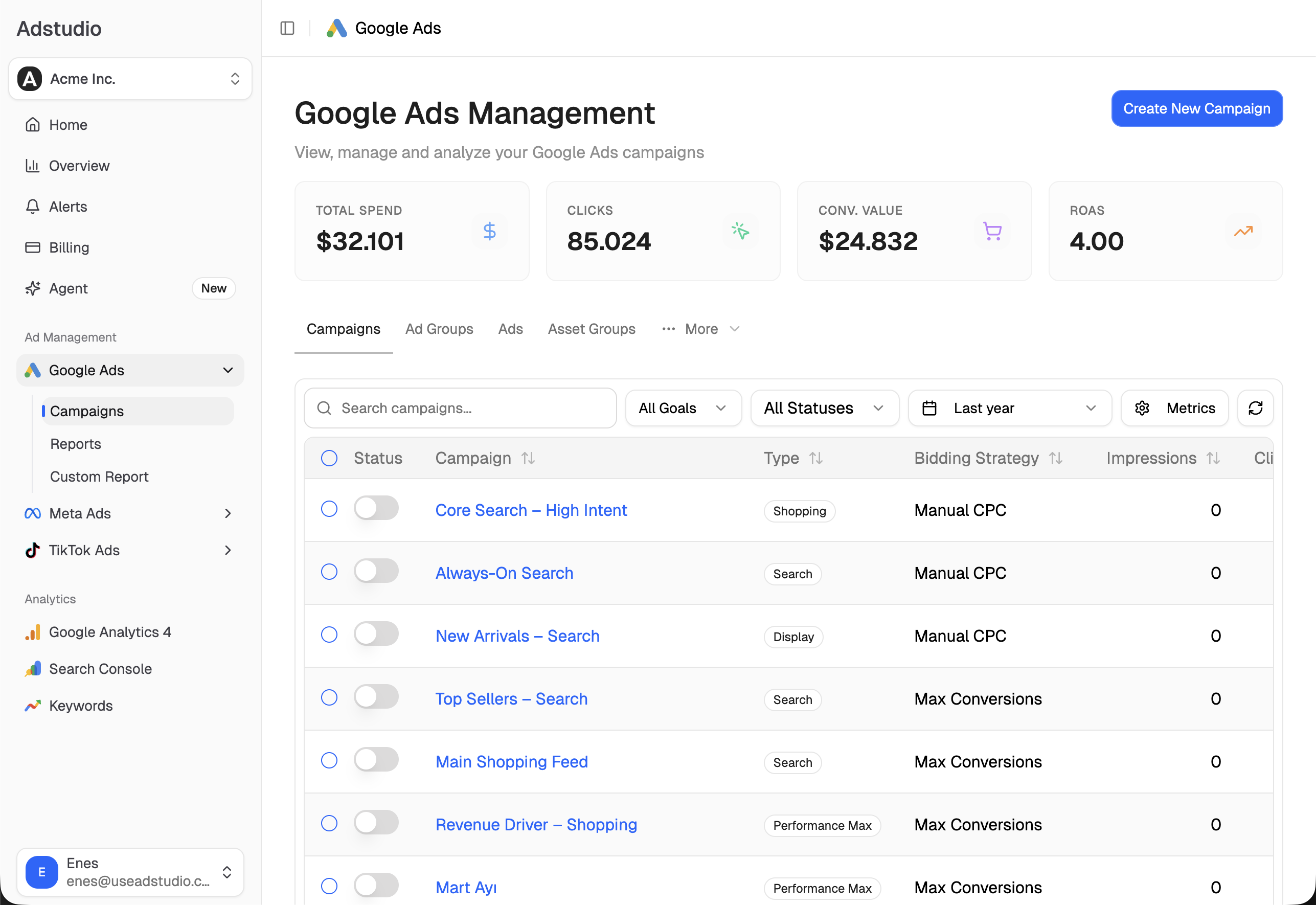
For a broader clean-up, see how to find wasted ad spend in Google Ads and how to add negative keywords to many campaigns at once. Adstudio plans start at $19/month.
FAQ
Does Google Ads Editor 2.14 turn on AI Max in my existing campaigns?
The release notes describe the new default for new Search campaigns. Nothing in them says existing campaigns change. To check a campaign, open its Settings in Google Ads and look at the AI Max section.
Is AI Max on by default in the Google Ads web interface too?
Yes for new Search campaigns. Google's setup guide says the AI Max option is selected by default when you create a Search campaign, and you choose which features to keep.
Will turning off AI Max delete my URL exclusions and brand settings?
No. Google says turning AI Max back on restores the settings as they were. While AI Max is off, existing URL inclusions and exclusions are kept but ignored.
Can I turn off AI Max for just one ad group?
You can turn off Search term matching for a single ad group, as long as it is on at the campaign level. Text customization and Final URL expansion are set in the campaign's Asset optimization panel.
Do negative keywords still work when AI Max is on?
Yes. Google's AI Max FAQ says negative keywords are respected with AI Max turned on. Brand exclusions and URL exclusions add further control.
Can an AI assistant turn AI Max on or off for me?
Yes. In Adstudio you ask in plain language, review the change on a card, and Google Ads is updated only after you approve, with the result read back from Google.
Steps and setting names reflect Google Ads Help and the Google Ads Editor 2.14 release notes as of November 2026.