How Do I See What AI Max Is Doing in My Search Campaigns? (2026)
To see what AI Max is doing in a Google Search campaign, open the Search terms report, switch the view to "Search terms and ad combinations", and add the Source column: every query AI Max matched carries the "AI Max" match type, next to the headline it showed and the landing page it chose. The Keywords, Landing pages and Asset reports fill in the rest. Each one answers a different question about AI Max, and Adstudio puts the follow-up question, "which of this is worth the money?", in plain language next to your other campaigns.
TL;DR
- AI Max does three things: search term matching, text customization and Final URL expansion. Each has its own place in Google Ads reporting, per Google Ads Help.
- Search terms → "Search terms and ad combinations" view, filtered to the "AI Max" match type, with the Source column added.
- Landing pages → the Landing pages report's "Selected by" column, and the "Expanded final URL assets" tab in the asset report.
- Headlines and descriptions → the asset reports, where Google-written text is marked "Google AI" in the "Added by" column.
- Wait at least two weeks after turning AI Max on before you add negatives, then exclude what does not convert. Adstudio lists the expensive terms with their spend and conversions and adds the negatives or URL exclusions after you approve.
What does AI Max actually change in a Search campaign?
AI Max for Search campaigns is a set of features you switch on at the campaign level. Google's AI Max overview lists three that change what serves:
- Search term matching. AI Max reaches queries outside your keyword list, using broad match and keywordless matching based on your landing pages and assets.
- Text customization. Google writes headlines and descriptions tailored to the query, alongside the ones you wrote. Google's help pages note it was formerly known as automatically created assets.
- Final URL expansion. Google can send a click to a different page on your domain than the final URL you set, when it judges that page more relevant to the query, per About Final URL expansion in Search.
That is why "what is AI Max doing?" has three answers. The traffic, the words and the destination each change, and each shows up in a different report.
Where do I find the search terms AI Max added?
Start in the Search terms report, which sits under the Campaigns menu. Google's AI Max reporting page describes the steps:
- Open the Search terms dropdown above the table and pick Search terms and ad combinations. Google notes this view was formerly called "Search terms and landing pages from AI Max". It shows the query together with the headline and the landing page served, plus the campaign and ad group.
- Filter the Match type column to AI Max. These are the queries your own keywords would not have matched.
- Add the Source column. It tells you how AI Max matched the query: through broad match expansion of your keywords, or keywordless matching based on your landing pages and assets.
Two things trip people up here. First, Google says the AI Max filter leaves out the "Other search terms" row, so AI Max totals can look lower in this view than they really are. Second, Google notes that the view opens on landing pages by default, so switch the toggle at the top right if you expected one row per query.
For the totals, open the Keywords report. At the bottom of the table, two summary rows add up the AI Max traffic:
- Total: AI Max expanded matches is traffic from broad match keywords that AI Max created.
- Total: AI Max landing page matches is traffic from queries matched through your landing pages or assets, outside your keywords.
Compare those two rows with your keyword rows on cost per conversion and conversion value. That comparison is the honest version of "is AI Max working for me?". The share of spend it takes matters less than what each euro or dollar of that spend returns.
How do I see which landing pages AI Max sent people to?
Final URL expansion is the part of AI Max that is easiest to miss, because the ad looks the same and only the destination changes. Two places show it:
- The Landing pages report shows statistics for every landing page, the URLs you set and the ones Final URL expansion chose. The Selected by column tells you whether AI Max picked the URL.
- The campaign asset report, on its Expanded final URL assets tab, shows the asset and URL combinations Final URL expansion built.
Read these two together with your conversion data. A blog article, a careers page or a store-locator page drawing paid clicks is the classic sign of expansion going somewhere you did not intend. The same report is where you act on it: from the Landing pages report you can add a URL as an exclusion directly.
How do I see which headlines AI Max wrote?
Text customization shows up in the asset reports:
- The campaign asset report, on the Associations and Performance tabs, lists the assets serving across one or more campaigns. Google-created text is marked Google AI in the Added by column.
- The ad-level asset report lists every headline and description of a responsive search ad, including the ones text customization added.
The "Search terms and ad combinations" view adds the context the asset reports lack: which headline appeared for which query. That is where you catch a claim you would never make, a product you do not sell, or a tone that is not yours.
If a Google-written asset has to go, you can remove it from the asset report by clicking its status icon and choosing Remove. Google notes that customized text assets cannot be removed in bulk in the Google Ads interface; Google Ads Editor and the Google Ads API can do it.
What is the new AI Max reporting Google announced in September 2026?
On September 23, 2026, Google announced a new AI Max reporting feature: one unified view of the Search ads journey that shows the search term that triggered the ad, the creative the person saw and the page where they landed. In the same post Google opened the closed beta of AI Brief, which lets you describe your business, audience and key messages to AI Max in your own words, to Dutch, French, German, Italian, Japanese, Portuguese and Spanish.
Google did not give a rollout date for the reporting feature in that post. It said more details and availability would follow later in the year. Until it reaches your account, the "Search terms and ad combinations" view is the closest thing to it in the interface today.
How do I stop AI Max from spending on bad search terms and pages?
Google's advice is to give AI Max room first: wait at least two weeks after turning it on before changes such as new negative keywords, per the AI Max reporting page. After that, use the control that matches the problem:
| What went wrong | Control in Google Ads | Where |
|---|---|---|
| Irrelevant or unprofitable queries | Negative keyword | Tick the term in the search terms view → Add as negative keyword |
| Clicks sent to the wrong page | URL exclusion | Landing pages report, or campaign settings → AI Max → Add URL exclusions |
| A page you want used that AI Max skips | URL inclusion | Ad group → AI Max → Add URL inclusions |
| Competitor or brand queries you don't want | Brand list | Tools → Shared library → Brand lists, then apply it in the AI Max settings |
| Pinned headlines must always show | Turn Final URL expansion off | Campaign settings → AI Max → Asset optimization |
Two details from the Final URL expansion help page matter for that last row. Turning off text customization also turns off Final URL expansion, because one depends on the other. And with Final URL expansion or URL inclusions on, your pinned assets are not used when Google picks a more relevant URL. If your legal or brand team relies on pins, both have to be off.
One opinion from working through these reports: exclude by evidence, not by discomfort. A query that reads oddly but converts at your target cost is AI Max doing its job. A query that reads perfectly and has spent three times your target cost without a conversion is the one to block. If you are not sure your conversions are counted correctly, fix that before judging AI Max at all, because every comparison above rests on it. Our guide to checking Google Ads conversion tracking walks through it.
How do I review AI Max with Adstudio?
Adstudio connects to your Google Ads account, along with Meta Ads and TikTok Ads if you run them, and lets you run this review as a conversation instead of five reports:
- Ask for the expensive terms. "Which search terms in my Search campaigns spent the most last month without converting?" Adstudio pulls the search terms with their spend, clicks and conversions, so you can see what to keep and what to block.
- Check the setup. "Is AI Max on in this campaign, and which parts of it?" Adstudio reads the campaign's settings, including AI Max, text customization and Final URL expansion.
- Make the change. "Block these five terms in both campaigns and turn off Final URL expansion in the brand campaign." Adstudio drafts the negatives and the AI Max change, shows you a card with each term's 30-day spend, clicks and conversions, and changes Google Ads only after you approve.
- Confirm it landed. After you approve, Adstudio reads the campaign back from Google to confirm the change is there.
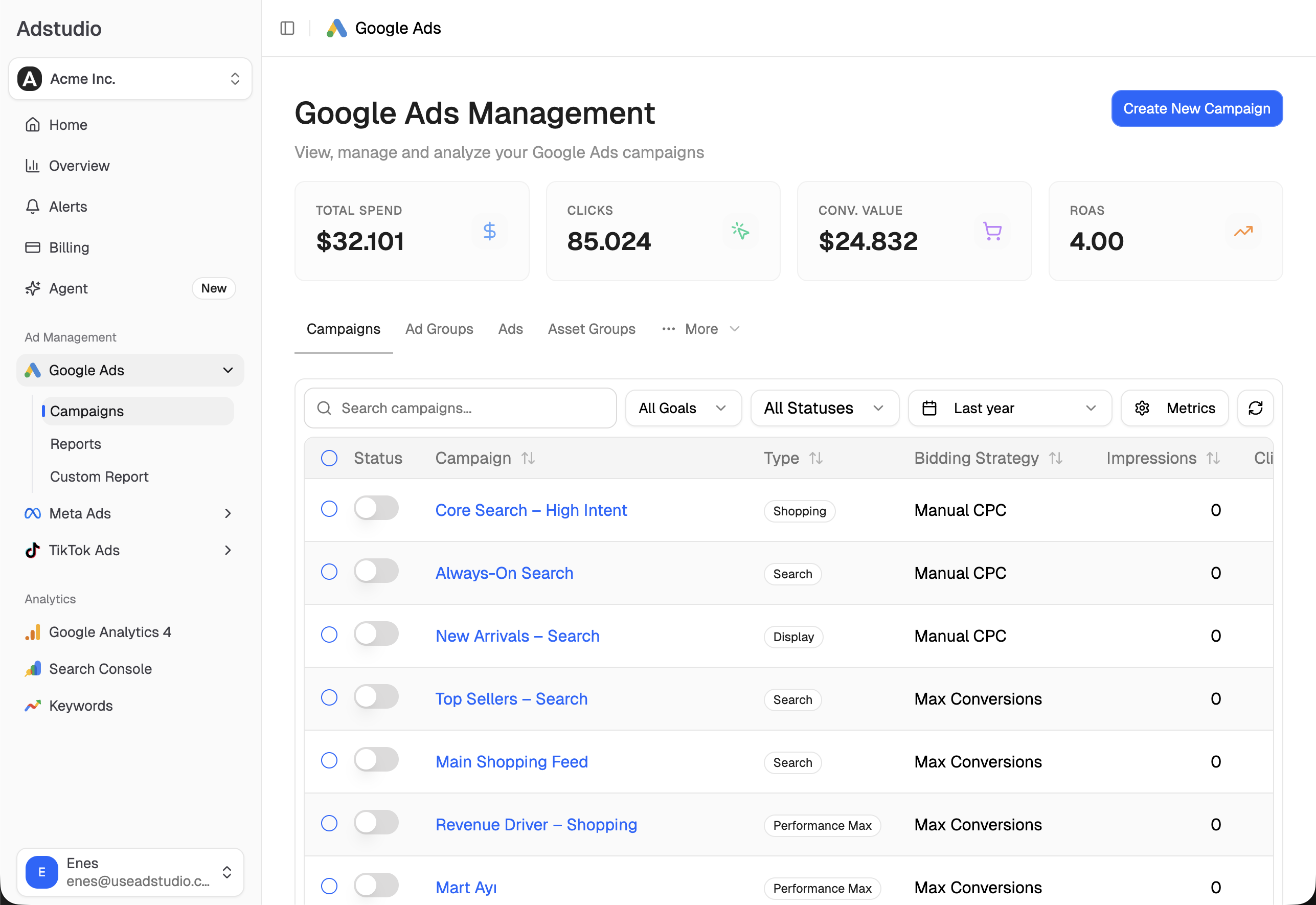
The same flow works across many campaigns at once; see how to add negative keywords to many Google Ads campaigns, and our checklist for finding wasted ad spend in Google Ads. Adstudio has a free plan to connect an account and try it.
FAQ
Can I turn off final URL expansion in AI Max?
Yes. Go to the campaign's Settings, open the AI Max section and clear the "Final URL expansion" checkbox under Asset optimization, then save, per Google Ads Help. Turning off text customization switches Final URL expansion off as well.
How long should I wait before judging AI Max?
Google recommends at least two weeks after turning AI Max on before changes such as adding negative keywords. In practice, judge it on a period with enough conversions behind each row to compare cost per conversion with your keywords, not on the first few days.
Why does the AI Max filter show less traffic than I expected?
Google notes that filtering the Match type column to AI Max leaves out the "Other search terms" row, so totals in that view can look lower. Use the "Total: AI Max expanded matches" and "Total: AI Max landing page matches" rows in the Keywords report for the full figures.
Will my Dynamic Search Ads campaigns be moved to AI Max?
Google's AI Max reporting page says campaigns using Dynamic Search Ads will be upgraded to AI Max automatically starting in February 2027. Their search terms will then show up in the same AI Max views described above.
What is AI Brief in Google Ads?
AI Brief is a closed beta that lets you tell AI Max about your business, audience and key messages in your own words. Google expanded it to seven more languages on September 23, 2026.
Can an AI assistant review AI Max search terms for me?
Yes. In Adstudio you ask which search terms are spending without converting, review them with their spend and conversions, and approve the negatives or the AI Max setting change before Google Ads is touched.
Report names and steps reflect Google Ads Help as of October 2026.