How Do I Add Negative Keywords to Many Google Ads Campaigns at Once?
To add negative keywords to many Google Ads campaigns at once, decide first where the exclusion should live, then use the tool that fits. The quickest route from "these searches are wasting money" to approved exclusions is to ask Adstudio's AI assistant: it pulls the search terms, proposes negatives from the real data, and prepares the change for each campaign you name, which you review before anything is applied. Inside Google Ads itself, a shared negative keyword list (Tools → Shared library → Exclusion lists) can be applied to many campaigns in one step, account-level negatives cover every eligible campaign automatically, and Google Ads Editor's "Make multiple changes" tool handles large pasted batches.
TL;DR
- There are three places a negative keyword can live: the campaign (or ad group), a shared list attached to campaigns, or the account. Pick the place before you pick the tool.
- Adstudio turns "which search terms are wasting money, and block them in these campaigns" into one conversation, with a preview you approve before Google is changed.
- A shared negative keyword list holds up to 5,000 terms, an account can have 20 lists, and account-level negatives are capped at 1,000 terms, per Google's documentation.
- Negatives do not block close variants or synonyms. Add plurals and synonyms yourself, and prefer phrase or exact match unless you really mean "anything containing these words".
- Never paste a generic "negative keyword list" from the internet. Block what your own search terms report shows, with spend behind it.
What are the ways to add negative keywords to multiple campaigns?
Four approaches cover almost every situation. They differ in where the exclusion ends up and how much clicking it takes.
| Method | Where the exclusion lives | Best for | How many campaigns per action |
|---|---|---|---|
| Adstudio AI assistant | Campaign level, in each campaign you name | Going from search-term data to approved negatives in one place, alongside Meta and TikTok reporting | Every campaign you name in one request, each with its own preview |
| Shared negative keyword list | A list in the Shared library, attached to campaigns | A stable theme (jobs, free, competitors' support lines) you want identical everywhere | Up to 1,000 campaigns at once, per Google's help page |
| Account-level negative keywords | Account settings | Terms that should never trigger any ad in the account | All eligible Search and Shopping inventory automatically |
| Google Ads Editor, "Make multiple changes" | Campaign or ad group level | Large pasted batches with different terms per campaign | Any campaigns you select or name in the data sheet |
The rest of this guide walks through each one, then covers the part that matters more than the mechanics: choosing the terms and the match type.
How do I do it with an AI assistant in Adstudio?
Adstudio connects to your Google Ads account (and Meta Ads and TikTok Ads, if you run them) and lets you work on it in plain language. For negatives, the flow usually starts one step earlier than the tools inside Google Ads, with finding the terms:
- Ask what is wasting money. For example: "Show me search terms from the last 30 days with spend and no conversions in my Search campaigns." The assistant reads the search terms report from your account, with spend, clicks and conversions per term.
- Choose what to block. Tell it which terms to exclude, or ask it to propose candidates. It only proposes terms that appear in your real search-term data, so you are not importing someone else's idea of a bad query.
- Name the campaigns. "Add 'free', 'jobs' and 'salary' as phrase-match negatives to the Brand, Generic and Competitor campaigns." Campaign names as you say them are enough; the assistant resolves them against your account.
- Review and approve. For each campaign you get a preview of exactly what will be added, with the match type for each term. Google validates the change before you see the approval, nothing is applied until you confirm, and negatives that are already in place are left untouched.
- Check it landed. After you approve, Adstudio reads the campaign back to confirm the exclusions are there.
The same works in reverse: "Stop excluding 'used' in the Generic campaign" prepares the removal for your approval. If you want the full audit that usually comes before this step, our guide to finding wasted ad spend in Google Ads covers the search-term, zero-conversion and tracking checks in order.
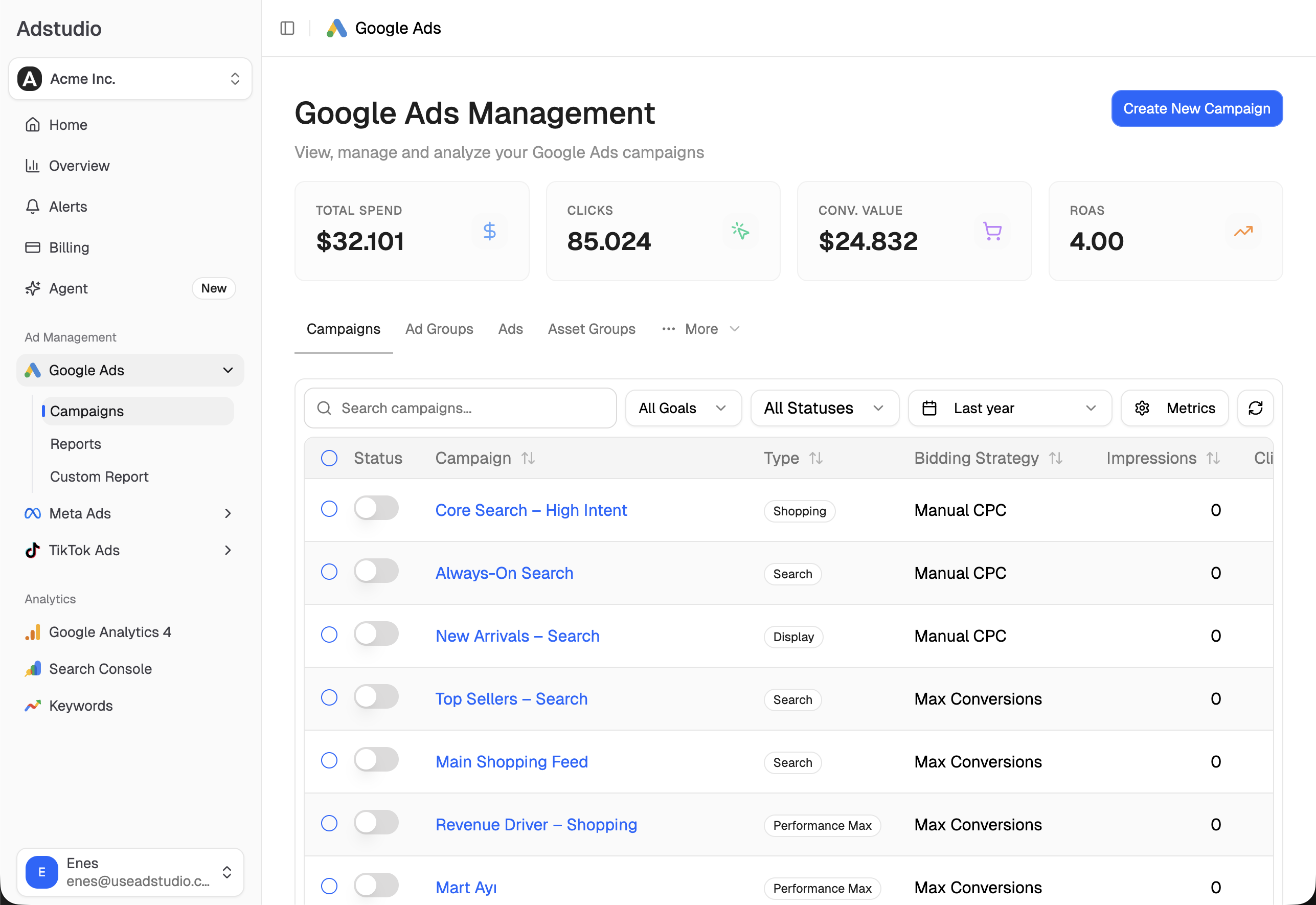
How do I apply one negative keyword list to many campaigns in Google Ads?
A shared negative keyword list is the native way to keep the same exclusions in sync across campaigns. Change the list once and every campaign attached to it follows. According to Google's instructions:
- Click the Tools icon, open the Shared library dropdown and select Exclusion lists.
- Open the Negative keyword lists tab and create a list, or pick an existing one.
- Select the list, click Apply to campaigns, tick the campaigns and click Done.
You can also build a list on the way: when you add exclusions to a campaign with Edit exclusions, tick Save to new or existing list. Two limits are worth knowing before you plan your structure. Google's account limits page lists 20 shared negative keyword lists per account and 5,000 keywords per list, and lists attach to campaigns, not ad groups. In September 2025, Search Engine Land reported that some advertisers could save lists slightly over 5,000 terms; Google's response was that the threshold remains 5,000.
Lists work best for themes that rarely change: employment searches, "free" and "DIY" intent, support and login queries, or products you do not sell. Keep one theme per list so you can see at a glance why a campaign excludes something.
When should I use account-level negative keywords instead?
Account-level negatives sit in Account settings → Negative keywords and apply automatically to the relevant Search and Shopping inventory across the whole account, including Performance Max, per Google's overview of negative keywords. The cap is 1,000 keywords per account.
Use them for terms that should never trigger any ad you run, under any campaign: brand-safety terms, or a product line you have discontinued. Because they apply everywhere, they are a blunt instrument. A term that is junk for your Generic campaign may be exactly what a Competitor or Remarketing campaign wants, and an account-level negative blocks it there too.
For Performance Max specifically, Google now supports campaign-level negative keywords and attaching shared negative keyword lists, covering Search and Shopping inventory, as described on Google's Performance Max controls page. Google also offers a way to estimate the impact of a Performance Max negative before you add it, which is worth using: Performance Max is built to find converting search traffic on its own, and over-excluding it shrinks reach.
How do I bulk add negatives with Google Ads Editor?
Google Ads Editor is the desktop app for offline bulk edits. Its Make multiple changes tool, described in Google's Editor help, lets you paste many negatives at once:
- Go to Keywords and targeting → Keywords, Negative and open Make multiple changes.
- Either include campaign (and ad group) columns in the pasted data, or choose Use selected destinations and pick the campaigns, with the option to add them as campaign-level negatives.
- Paste the keywords, click Process, review the changes and keep them, then post the changes to your account.
One batch can contain campaign-level or ad group-level negatives, not both. Editor is a good fit when every campaign needs a different set of terms and you already have them in a spreadsheet. The trade-off is that you are working on a downloaded copy of the account, so download recent changes before you start.
Which match type should negative keywords use?
Negative match types do not behave like positive ones, and this is where most bulk changes go wrong. From Google's negative keyword documentation:
- Negative broad blocks a search only if it contains all the words in your negative, in any order.
- Negative phrase blocks a search that contains the words in the same order, with other words allowed around them.
- Negative exact blocks only that exact search, with no extra words.
Three behaviours catch people out:
- No close variants. Negatives do not expand to close variants. Google's own example: excluding "flowers" does not block "red flower". Add singular and plural forms yourself.
- No synonyms. "Jobs" does not block "careers" or "vacancies". Add the synonyms that show up in your search terms.
- Misspellings and casing are handled. You do not need to add misspelled versions separately.
On Display and Video campaigns, all negative keywords behave as broad match and only the first 1,000 are considered, per Google's help page.
Our default: phrase match for intent words ("free", "jobs", "how to become"), exact match for a specific query you want gone without touching its neighbours, and broad match only for multi-word combinations that are never relevant in any order.
How do I find which search terms to add as negatives?
The mechanics are the easy part. Choosing the terms is where the money is. A routine that holds up:
- Start from your own search terms report, sorted by cost, for a period long enough to have real spend behind each term. In Google Ads that lives under Insights and reports → Search terms; in Adstudio you ask for it.
- Block intent, not volume. A term with no conversions yet but clearly relevant intent may simply be early. A term with clearly wrong intent (jobs, free, a product you do not sell) can go even at low spend.
- Check for conflicts with your positive keywords before you apply. Google warns that a negative overlapping a keyword you bid on can stop your ads from showing.
- Decide the level. If the term is wrong for every campaign, it belongs in a shared list or at account level. If it is only wrong for one campaign's intent, keep it at campaign level.
- Repeat on a schedule. Weekly on active Search accounts is a sensible rhythm; new junk queries keep arriving as match types and Performance Max expand.
If the terms you find have spend but your conversion columns look odd, check measurement before excluding anything. Our post on why Google Ads shows conversions but ROAS is zero covers the most common cause.
FAQ
Can I add negative keywords to all my Google Ads campaigns at once? Yes. Account-level negative keywords apply to every eligible Search and Shopping campaign automatically, up to 1,000 terms. A shared negative keyword list can be attached to many campaigns in one step. In Adstudio, you can name all the campaigns in one request and approve the change for each.
What is the difference between a campaign negative and a negative keyword list? A campaign negative belongs to one campaign. A negative keyword list is a shared object you attach to many campaigns, so editing the list updates all of them at once. Both apply at campaign level.
How many negative keywords can a Google Ads campaign have? Google's account limits page lists 10,000 negative keywords per campaign, 5,000 per shared list and 20 shared lists per account, plus 1,000 account-level negatives.
Do negative keywords block plurals and close variants? No. Negative keywords do not match close variants or synonyms, so add singular, plural and synonym forms you see in your search terms. They do account for misspellings and casing.
Can I use negative keywords in Performance Max? Yes. Performance Max respects account-level negatives and now supports campaign-level negatives and shared negative keyword lists for Search and Shopping inventory.
Should I use a ready-made list of negative keywords? Use one only as a checklist of themes to look for in your own data. Blocking terms that never appeared in your account achieves nothing, and blocking ones that convert for you costs sales.
To try the assistant flow on your own account, connect Google Ads on the free plan; paid plans are on the pricing page. If you also run Meta, the same approach to batch changes is covered in how to bulk edit Meta ads and ad sets.
Google Ads behaviour described as of October 2026, per the linked Google Ads Help pages.