Mostly no: Google Ads removes invalid clicks it detects before your billing cycle closes, so you are never charged for them, and it credits your account for invalid activity it finds after the bill is issued. Since November 2026, an Invalid traffic card on the Overview page shows both numbers, and the Invalid Activity Credit Report breaks the credits down by campaign. What Google does not catch is low-quality traffic that is technically valid, which is why the useful question is "where are my clicks going nowhere?" Adstudio answers that one in a sentence: ask "how many invalid clicks did Google filter on each campaign last month, and which campaigns get clicks that never convert?" and it reads the numbers straight from your account.
TL;DR
- Invalid clicks caught before billing are removed from your bill and your metrics. Ones found later come back as a credit labelled "Invalid activity" in Billing (About invalid traffic).
- The new Invalid traffic card on the Overview page shows Estimated savings and Credited cost, with a campaign breakdown under View details. It started rolling out on November 12, 2026.
- The Invalid Activity Credit Report (Search and Performance Max) shows credited clicks and adjusted cost per campaign and network (About the Invalid Activity Credit Report).
- Suspect more? Request an investigation within 60 days through Google's click quality form, with server logs and GCLIDs ready.
- Valid but useless clicks (wrong searches, junk placements, spam form fills) are yours to block with negatives, exclusions and form validation.
What counts as an invalid click on Google Ads?
Google defines invalid traffic as traffic that doesn't represent genuine interest in your business (About invalid traffic). Its examples:
- Non-human traffic: bots and automated software.
- Accidental clicks: for example, ads placed too close to navigation buttons on a site or app.
- Fraudulent placements: clickjacking and ad stacking on publisher sites.
- Other invalid activity: including a competitor clicking your ads to drive up your spend.
Google says it catches this with automated filters, machine learning and manual reviews by a dedicated Ad Traffic Quality team, and that it can suspend or remove publishers whose traffic is consistently invalid.
The distinction that matters for your budget: a click from a real person who searched for something you don't sell is valid. Google charges for it. Most "fake click" complaints turn out to be this second kind, and the fix for it lives in your own targeting, not in a refund request.
Does Google charge me for invalid clicks?
It depends on when Google catches them (About invalid traffic):
| When Google detects it | What happens to the charge | Where you see it |
|---|---|---|
| Before your billing cycle ends | Removed from your bill and from campaign metrics | Invalid clicks column; Estimated savings on the Invalid traffic card |
| After the bill is issued | Credited back as a billing adjustment, "when appropriate and possible" | Billing summary under Adjustments; Credited cost on the card; the Invalid Activity Credit Report |
| Never (Google judged it valid) | You pay for it | Nowhere; request an investigation if you have evidence |
Two details trip people up. Credits do not change your past campaign metrics, so last month's cost per conversion still includes clicks that were later credited. And Google issues credits and adjustments rather than cash refunds.
Where do I see how many invalid clicks Google filtered?
There are now three places, each answering a slightly different question.
1. The Invalid traffic card on the Overview page
Google announced the card on November 12, 2026 and is rolling it out globally, so it may not be in every account yet (Search Engine Roundtable). Open Overview under the Campaigns menu and look for the Invalid traffic card. It shows two numbers for the selected date range:
- Estimated savings: invalid activity caught before billing, which you were never charged for.
- Credited cost: invalid activity found after a bill closed and credited back.
Select View details for daily graphs, a breakdown by campaign and links to the invoices the credits landed on (About invalid traffic).
2. The Invalid clicks column
In the campaigns table, click the Columns icon, search for "Invalid clicks" and select Apply. This shows the clicks filtered out before billing per campaign, next to the clicks you paid for. Add Invalid click rate too if you want the share rather than the count. It is the fastest way to spot one campaign that attracts far more filtered traffic than the rest, which usually points to a network or placement worth reviewing.
3. The Invalid Activity Credit Report
For credits issued after billing, open Report Editor under the Campaigns menu, go to the Template gallery and choose Invalid Activity Credit Report: Search & PMax (About the Invalid Activity Credit Report). It breaks credits down by campaign and network with these columns by default:
- Credited clicks, Credited interactions and Credited amount
- Adjusted cost, Adjusted clicks and Adjusted interactions (your totals minus the credits)
- Adjusted CTR, Adjusted Avg. CPC, Adjusted conv. rate and Adjusted cost / conv.
Know its limits before you reconcile it against an invoice. It covers Search and Performance Max campaigns only. A click made just before a billing cycle closes can sit in one month while its credit lands in the next. Monthly totals are rounded. And Adjusted CTR can come out lower, and Adjusted Avg. CPC higher, than the figures you saw originally, because credited clicks are removed from the count.
The same credits also appear in Billing > Summary: open the Adjustments dropdown in the Month card and look for the line labelled Invalid activity (About invalid traffic).
How do I report click fraud and get a credit from Google?
If you see a pattern Google's numbers don't explain, you can ask for a manual review. Google accepts investigation requests only for activity in the last 60 days, through its Click Quality Form (About invalid traffic). Prepare this before you start:
- Your 10-digit Customer ID.
- The date range, and the campaign and ad group names affected.
- The keywords that look suspicious.
- Your web server logs for the period: IP addresses, platforms and devices, and the GCLID of each ad click. The GCLID is what lets Google tie a visit in your logs to a click in its records, so make sure auto-tagging is on.
- If leads are involved, the lead details, plus the trend that made you suspicious (a spike in clicks at night, one location, one device).
Google says reviews typically take several business days and that you get the findings by email. Specialists won't confirm whether individual clicks were judged valid or invalid; if Google agrees activity was invalid, the outcome shows up as a credit.
A strong request is a narrow one. "Clicks from one IP range on two keywords between 1 and 4 a.m. for nine days, none of which loaded our thank-you page" gets a better review than "our CPC is too high."
How do I stop bots and competitors clicking my ads?
You can't stop every click, but you can stop paying for the same source twice.
- Exclude IP addresses. Google lets you exclude up to 500 IP addresses per campaign, and you can replace the end of an address with an asterisk to cover a block. At account level, go to Admin > Account settings > IP exclusions; that list covers Search, Shopping, Display, Performance Max, Demand Gen, App, Discover and YouTube. Campaign-level exclusions are under the campaign's Settings > Additional settings > IP exclusions, and aren't available for video, hotel, App, Performance Max or Smart Display campaigns (Exclude IP addresses).
- Tighten the networks. Two of Google's own examples, accidental clicks and fraudulent placements, happen on publisher sites and apps rather than on Google Search. If one campaign's Invalid clicks column is high, check how much of its spend goes to Search partners and the Display Network. How to limit spend on Display and Search partners shows the 2026 channel controls.
- Exclude junk placements. On Display and Demand Gen, review where ads showed and add the sites, apps and channels that send clicks with no engagement to a placement exclusion list linked to those campaigns. For exclusions that should hold everywhere, Performance Max included, use the account-level exclusions in Admin.
- Cut irrelevant searches. Real people clicking on queries you don't serve cost far more than bots in most accounts. Review the search terms report and add negatives; this guide shows how to do it across many campaigns at once.
- Protect your forms. For spam leads, Google points out that it can't control what happens on your site, and recommends reCAPTCHA, server-side validation, double opt-in, the Google tag and enhanced conversions. If you use Google-hosted lead forms, how to get better quality leads from lead forms covers the qualifying questions.
Feeding bad conversions back into Smart Bidding is the expensive part: a bot that fills a form teaches the bid strategy to find more traffic like it. Make sure only real outcomes count as primary conversions (check your conversion tracking).
Do Meta and TikTok have invalid click protection too?
Yes, though neither publishes a report like Google's credit report. TikTok separates general invalid traffic (spiders, crawlers, data-center traffic) from sophisticated invalid traffic (botnets, incentivized human traffic, ad stacking, pixel stuffing), holds TAG's Certified Against Fraud recognition for its detection and removal methods, and works with DoubleVerify and Integral Ad Science for third-party measurement (About TikTok invalid traffic solutions).
For both platforms, the practical check is the same one that works on Google: compare the clicks each platform reports with the visits your analytics records from the same campaign on the same days. A campaign whose clicks never turn into sessions, page views or engaged visits is the one to investigate. Why Meta Ads and GA4 numbers don't match explains which gaps are normal before you call anything fraud.
How do I spot invalid and wasted clicks with Adstudio?
Adstudio connects your Google Ads accounts, plus Meta and TikTok if you run them, and turns the checks above into questions:
- "How many invalid clicks did Google filter on each campaign last month, and what's the invalid click rate?" Adstudio reads Google's own invalid click figures per campaign, so the outlier shows up without building a report.
- "Which campaigns get clicks that never convert? Split the worst one by network, device and hour." Adstudio breaks a campaign down by any of those dimensions, so a night-time spike or a partner network with zero conversions sits on its own row.
- "Which search terms spent money without converting? Group them by word." Adstudio folds every search term into recurring words and phrases with their spend and conversions, so a pattern of junk queries is visible at once.
- "Add these terms as negatives" or "Exclude these sites from all my Display campaigns." Adstudio reads the account, has Google validate the exact change and shows a before → after card. Nothing changes until you approve, and Adstudio reads the result back afterwards.
- Alerts across all three platforms. Set an alert on CTR, CPC or spend for any campaign, ad group or ad in Google, Meta or TikTok, and get an email the day traffic jumps instead of finding it on the invoice. How to set up ad spend alerts walks through it.
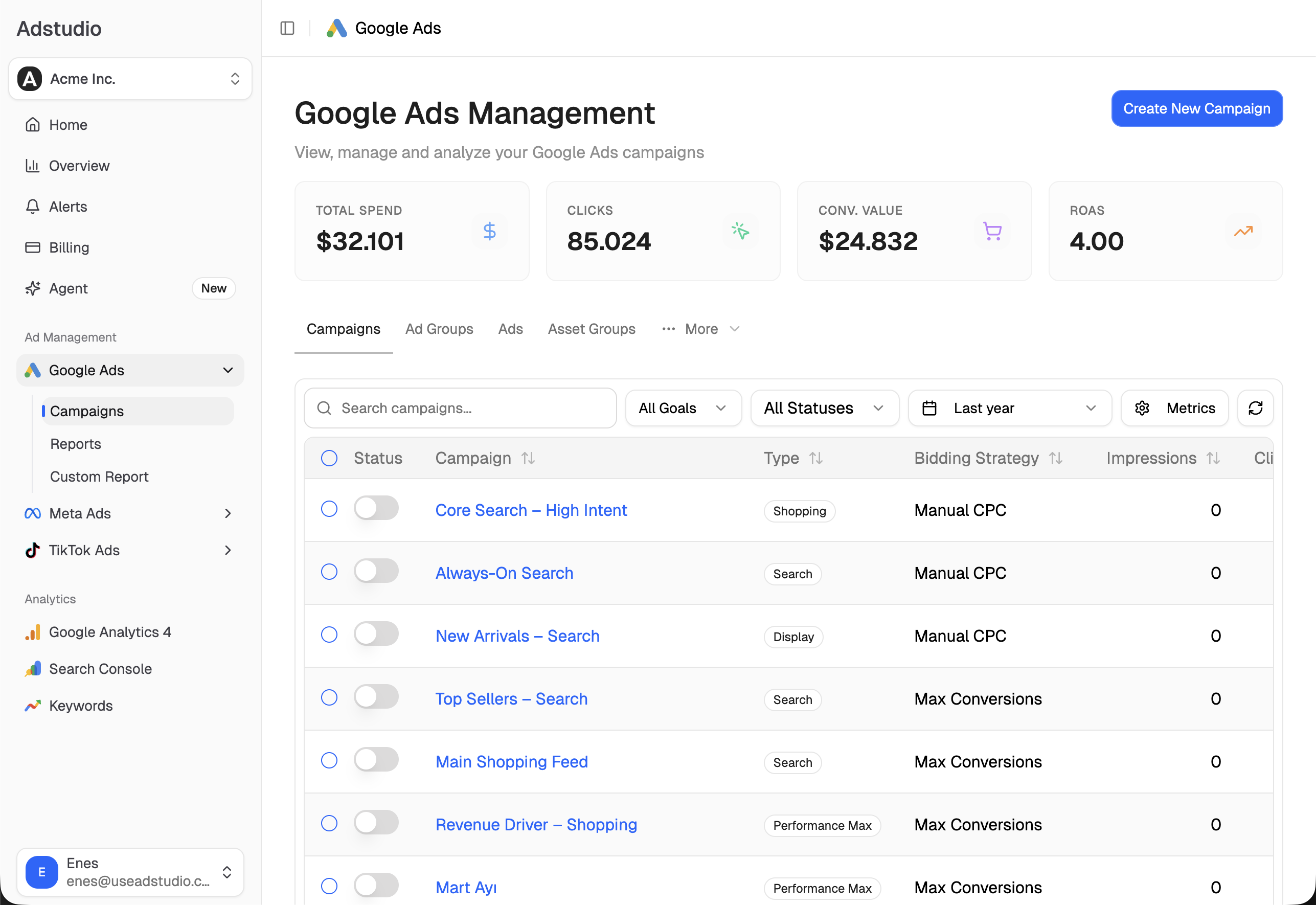
For the wider hunt for clicks you pay for and never use, see how to find wasted ad spend in Google Ads, and if CPC is what made you suspicious, why did my Google Ads CPC go up. Adstudio plans start at $19/month.
FAQ
Does Google refund invalid clicks?
Google doesn't charge for invalid clicks it catches before billing, and for ones found afterwards it issues a credit or adjustment rather than a cash refund. Credits appear in Billing under Adjustments as "Invalid activity" and on later invoices.
How do I know if my competitor is clicking my Google Ads?
You usually can't identify a person, but the pattern shows: repeated clicks from the same IP range, one location or one device, at odd hours, on the same few keywords, with no conversions. Compare your server logs with GCLIDs for those clicks, then exclude the IPs and send the evidence through Google's investigation request within 60 days.
Why are my invalid clicks so high on one campaign?
Look at where that campaign's ads show. Accidental clicks and fraudulent placements happen on publisher sites and apps, so check how much of the campaign's traffic comes from Search partners, Display or other partner inventory. A high Invalid clicks figure means Google filtered them before charging you, so the money is already protected; use it as a pointer to placements worth excluding.
How long does Google take to review an invalid click report?
Google says reviews typically take several business days, and you receive the findings by email. You can only request a review for activity in the last 60 days.
Is a high CTR with no conversions a sign of click fraud?
It can be, but check the simpler causes first: a broken conversion tag, a landing page that changed, or broad match and AI Max matching irrelevant searches. If tracking works and the clicks come from one network, placement or IP range, treat it as suspicious and exclude it.
Can I see invalid clicks for Performance Max?
Yes. The Invalid clicks column works in the campaigns table, the Invalid traffic card covers the account, and the Invalid Activity Credit Report includes Performance Max alongside Search. Campaign-level IP exclusions aren't available on Performance Max, so use the account-level IP exclusion list instead.
Menus, report names and limits reflect Google Ads Help and TikTok Business Help pages as of November 16, 2026.