To get better quality leads from Google Ads lead forms, add a qualifying response: a required multiple-choice question where you choose which answers count as qualified. Google tags those submissions as qualified leads and records them under their own conversion action, "Lead form - Response qualified (Google-hosted)", in the Qualified lead goal (Google Ads Help). That turns lead quality from a guess into a number you can track per campaign, and later bid on. Adstudio puts that number next to cost per lead from your Meta instant forms, so you can see which platform actually brings the leads worth calling.
TL;DR
- Qualifying responses work on Google lead forms in Search campaigns, and the question is always required (Google Ads Help).
- A qualifying answer adds a conversion to "Lead form - Response qualified (Google-hosted)", and every submission carries a Lead stage field in CSV, webhook and API output.
- Measure cost per qualified lead first. Switch bidding to the qualified goal only once it records enough conversions; Google's guidance is at least 15 in the last 30 days at account level (Google Ads Help).
- For quality beyond the form, import what happens next (qualified and converted leads) from your CRM.
- On Meta, the matching levers are the Higher intent form type and optimizing for leads that convert through the Conversions API for CRM.
What are qualifying responses in Google Ads lead forms?
A qualifying response is a multiple-choice question in a Google-hosted lead form where you mark some answers as qualifying. When someone picks one of those answers, Google tags the submission as a qualified lead automatically (Google Ads Help).
Three details matter for how you use it:
- Search only. Google lists qualifying responses as available for Search campaigns only.
- Always required. A qualifying question can't be made optional, so every submitter answers it.
- Its own conversion action. Once a qualifying question is live in an active campaign, Google adds the conversion action "Lead form - Response qualified (Google-hosted)" to the Qualified lead goal. Every submission also carries a Lead stage field in the CSV download, the webhook and the API, so your sales team can sort leads on arrival (Google Ads Help).
Before this, a Google lead form counted every submission the same. A student researching prices and a buyer ready this week were both one conversion, and Smart Bidding chased whichever was cheaper to get.
How do I set up a qualifying question on a Google lead form?
Qualifying questions live inside the lead form asset. Google notes that an existing form needs a qualifying question added before the feature can be turned on (Google Ads Help).
- Open the Search campaign, go to Assets, and edit the lead form (or create one).
- Add a multiple-choice question that separates buyers from browsers.
- Mark the answers that count as qualified.
- Save, and keep the campaign running so the new conversion action is created in the Qualified lead goal.
- In Goals → Conversions, confirm "Lead form - Response qualified (Google-hosted)" appears, then check its status the way our conversion tracking guide describes.
Writing the question is the real work. Good qualifying questions ask about something a serious buyer can answer in one tap and a casual visitor answers differently:
- Timing. "When do you want to start?" with This month, In 1–3 months and Just researching. Mark the first two as qualified.
- Fit. "What kind of property is it?" for a service you only offer to some property types. Mark only the ones you serve.
- Size. "How many people are on your team?" for a product priced per seat. Mark the bands where you can make money.
Avoid questions with an obvious "right" answer. If every option sounds like a buyer, everyone picks one, and the qualified count tells you nothing new. Keep the answer list short enough to read at a glance on a phone.
Should I bid on qualified leads or all lead form submissions?
Measure first, bid second. A qualifying question shrinks the number of conversions in the qualified goal, and Smart Bidding needs volume to learn.
Google's own guidance for lead generation is to optimize toward a lead-quality goal such as qualified lead or converted lead, to pick one stage instead of mixing goals from different stages of the lead-to-sale journey, and to make sure the action has at least 15 conversions in the last 30 days at account level, ideally happening within 7 days of the ad interaction (Google Ads Help).
That gives a simple order of work:
- First: keep bidding on all lead form submissions. Add the qualified action as a column (segment the campaigns table by conversion action) and track cost per qualified lead next to cost per lead.
- Once the qualified action clears Google's volume guidance: switch the campaign's goal to Qualified lead. Expect a learning period; changing the goal is one of the triggers Google lists (Google Ads Help), and our learning phase guide covers how long to wait before judging.
- If qualified volume stays low: keep bidding on submissions, and use the qualified rate to decide budget, keywords and ad copy instead.
How do I improve lead quality beyond the form?
A qualifying answer is what the person says. The strongest signal is what happens after: the lead takes a call, books a demo, signs. Google has goals for exactly this, qualified leads and converted leads, which replace the older imported leads goal (Google Ads Help).
To feed those stages back from your CRM, Google recommends offline conversion import or enhanced conversions for leads, uploaded regularly, ideally daily. Offline import needs auto-tagging on and first-party data such as email or phone on the form (Google Ads Help). Google lead forms already collect contact details, so the main job is getting your sales team to update lead status consistently.
Three changes outside the form also move quality:
- Search terms. Lead form ads show on the queries your keywords match. Review the search terms behind campaigns with a low qualified rate and add negatives for intent you don't serve, such as "free", "jobs" or "course" when they don't apply. Our guide on adding negatives to many campaigns at once shows the fast way.
- Ad copy. State price ranges, minimums or who the service is for in the headline. People who don't fit leave before they fill anything in.
- Follow-up speed. Use the webhook so leads reach your CRM or inbox the moment they arrive, sorted by Lead stage.
How do Google lead forms compare with Meta instant forms for lead quality?
Meta has its own two quality levers. The Higher intent form type adds a review step where people confirm their information before submitting, while More volume is built for quick mobile submission (Meta Business Help Center). For quality after the form, Meta's Conversions API for CRM sends lead stages from your CRM back to Meta, so campaigns can optimize for leads that reach a stage you choose (Meta for Developers). Meta sets minimum lead volume and timing requirements for that optimization; check the current thresholds in its guide before you plan around it.
| Option | What it filters on | Where you see it | Best fit |
|---|---|---|---|
| Adstudio | Cost per qualified lead on Google next to cost per lead on Meta | One conversation, side by side | Deciding where the next lead budget goes |
| Google qualifying responses | An answer the person gives on the form | "Lead form - Response qualified (Google-hosted)" in the Qualified lead goal | Search campaigns with lead forms |
| Google offline import / enhanced conversions for leads | What happened in your CRM | Qualified lead and converted lead goals | Teams that update lead status |
| Meta Higher intent form | A review step before submitting | Leads from that instant form | Reducing accidental submissions |
| Meta Conversions API for CRM | Lead stages from your CRM | Leads that reach your chosen stage | Steady instant form volume |
Comparing the two platforms is where most teams get stuck: each one reports leads its own way, in its own interface, and a lower cost per lead on one side says nothing until you see quality next to it.
How do I compare cost per qualified lead across Google and Meta with Adstudio?
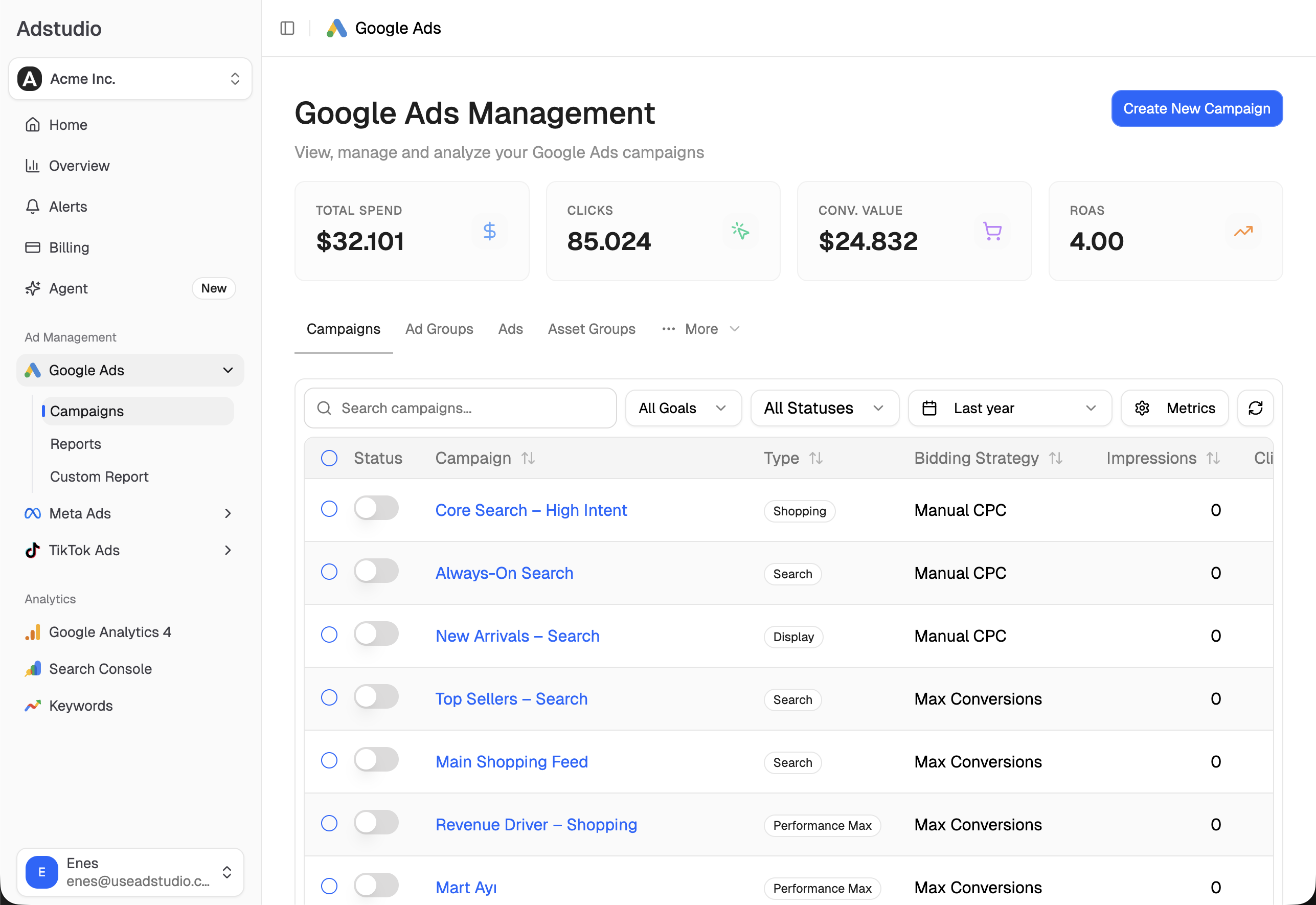
With Google Ads and Meta Ads connected, Adstudio answers the comparison in plain questions:
- "For my Google Search campaigns, show spend, lead form submissions and 'Lead form - Response qualified (Google-hosted)' conversions for the last 30 days, with cost per qualified lead." Adstudio reads the conversion actions you name, per campaign, in your account's currency.
- "Now show cost per lead for my Meta lead ad sets over the same dates." Meta leads are counted by what each ad set optimizes for, so instant form leads show as leads.
- "Which campaigns have the lowest share of qualified leads, and what search terms are they spending on?" You see where the unqualified leads come from.
- "Add 'jobs' and 'free' as negatives on those two campaigns." Adstudio shows the exact change on an approval card, applies it only after you confirm, and reads it back from Google to verify.
The same workspace covers Meta Ads and TikTok Ads, so a budget shift from one platform to another starts from one view instead of two exports. If your Meta and Google numbers ever look out of line, our guide to why Meta Ads and GA4 numbers don't match explains the usual causes.
FAQ
What does "Lead form - Response qualified (Google-hosted)" mean in Google Ads? It is the conversion action Google creates when a lead form with a qualifying question runs in an active campaign. Each submission with a qualifying answer counts as one conversion, in the Qualified lead goal.
Can I use qualifying responses in Performance Max or Demand Gen? Google lists qualifying responses as available for Search campaigns only.
Can smart bidding optimize for qualified leads from lead forms? Yes, once the campaign's goal is set to Qualified lead. Google recommends the action has at least 15 conversions in the last 30 days at account level before you rely on it.
Can I make a qualifying question optional? No. Google requires qualifying questions, so every person who submits the form answers it.
How do I see which lead form submissions were qualified? Download the leads as CSV or receive them by webhook or API. Each submission includes a Lead stage field.
What is the Meta equivalent of Google's qualifying responses? The closest form-level option is Meta's Higher intent form type, which adds a review step before submitting. For quality after the form, Meta's Conversions API for CRM lets campaigns optimize for leads that reach a stage you choose.
To see cost per qualified lead from Google next to your Meta leads, connect both accounts to Adstudio; plans are on the pricing page.
Google Ads and Meta behavior described as of October 2026, per the linked Google Ads Help, Meta Business Help Center and Meta for Developers pages.