Yes. You can pause underperforming Google Ads campaigns automatically with an automated rule (Campaigns → three-dot menu → Create an automated rule → Pause campaigns) or with a Google Ads script, both of which run on a schedule against conditions you set. The hard part is not the switch, it is the definition: a rule that pauses on one bad week will also pause campaigns that are still learning or waiting for delayed conversions. Adstudio handles the judgment step: ask which campaigns are underperforming against your own targets, review the reasons, and pause them from one approval card.
TL;DR
- Automated rules can pause or enable campaigns, ad groups, keywords and ads on a once, daily or weekly schedule, using data from a date range you pick (Google Ads Help).
- Rules run up to 2 hours after their scheduled time and have no priority order, so two rules on the same items both fire (Google Ads Help).
- Scripts do the same in JavaScript, with more logic, and can be scheduled once, daily, weekly or monthly (Google Ads Help).
- Define underperforming with a data minimum, a lookback that covers your conversion delay, and a comparison to your target, not to the account average.
- Before any pause, check the bid strategy status and conversion tracking. A campaign in "Learning" or one with broken tracking looks underperforming when it isn't.
How do I set up an automated rule to pause Google Ads campaigns?
Automated rules are built into Google Ads and need no code. They make changes to your account based on conditions and a schedule you choose, and can email you the results (Google Ads Help).
To create a rule that pauses campaigns:
- Open Campaigns in your Google Ads account.
- Click the three-dot menu above the table and choose Create an automated rule.
- Pick Pause campaigns as the rule type.
- Under Apply to campaigns, choose all enabled campaigns or select specific ones.
- Add Conditions, for example cost per conversion above your target and cost above a minimum.
- Set Frequency (once, daily or weekly) and the Using data from range.
- Choose whether to get Email results, then click Preview before you Save rule.
The same menu exists on the ad group, keyword and ad tables, so you can pause at whichever level the problem sits. Performance Max uses asset group rules instead, created from the Asset groups page or from Tools → Rules (Google Ads Help).
Google's own examples are useful templates. One pauses keywords with more than 100 conversions and a cost per conversion above $20, checked daily on the previous 30 days. Another pauses ads with a CTR under 0.2% after at least 1,000 impressions, checked daily on the previous 14 days (Google Ads Help). Note that both require a volume floor before they act. That floor is what keeps a rule from reacting to noise.
What are the limits of Google Ads automated rules?
Rules are simple by design, and that simplicity shows up in four places, all from Google's tips for using automated rules:
- Timing. A rule runs within 2 hours of its trigger time. A rule set for 9 a.m. can run any time up to 11 a.m.
- No priority. If two rules touch the same campaigns at the same time, both make their changes. Google recommends staggering start times so the earliest runs first.
- Conversion delay. Conversions can arrive days after the click, so a short "using data from" window undercounts them. Google advises longer ranges for conversion-based rules.
- Fixed thresholds. A rule compares a metric to a number. It doesn't know that the campaign just changed bid strategy, that tracking broke on Tuesday, or that the product is seasonal.
Google also suggests starting with a once frequency, watching the effect, and only then moving to daily or weekly.
Should I use a Google Ads script instead of a rule?
A script is the next step up when a rule's single condition is not enough. Scripts are JavaScript that runs inside Google Ads, created under Tools → Bulk actions → Scripts, previewed before they make changes, authorized once, and scheduled to run once, daily, weekly or monthly at a set hour (Google Ads Help). Google's developer documentation shows a campaign being found by name and paused with pause() (Google Ads scripts examples).
What a script adds over a rule is logic: compare each campaign to its own target CPA, skip campaigns whose bid strategy is learning, check several date ranges, write a log to a spreadsheet. What it costs is ownership. Someone has to write it, test it and maintain it, and Google lists hard limits such as a 30-minute maximum run time per execution (Google Ads scripts limits).
| Option | How it decides | Who sets it up | Best fit |
|---|---|---|---|
| Adstudio | Compares each campaign to your targets, explains the reasons, pauses after one approval | Anyone who can ask a question | Regular reviews across many campaigns and accounts |
| Automated rules | One or more fixed conditions on a schedule | Anyone in Google Ads | Simple guardrails, like a spend ceiling |
| Google Ads scripts | Custom JavaScript logic on a schedule | Someone who writes and maintains code | Custom checks a rule can't express |
What counts as an underperforming campaign?
This is where most automatic pausing goes wrong. "Underperforming" needs four parts, and a rule or script that skips one will pause the wrong campaigns.
- A goal per campaign. A brand campaign at a low cost per conversion and a prospecting campaign at a higher one can both be on target. Compare each campaign to the target CPA or target ROAS you set for it, not to the account average.
- Enough data. Require a minimum of clicks or spend before judging. Google's own examples set a floor of conversions or impressions for exactly this reason.
- A lookback longer than your conversion delay. If purchases usually come several days after the click, a seven-day window counts the cost and misses part of the revenue. Use at least the conversion window you actually see.
- A trend, not a point. One bad week happens. A campaign that missed its target in each of the last few comparable periods is a different signal from one that dipped once.
Then check two things that make healthy campaigns look broken.
Is the bid strategy learning? Google shows a "Learning" status after a new bid strategy, a goal change, or campaigns and keywords being added to or removed from a strategy. The status never lasts more than 7 days, but Google says performance can take 1 to 2 conversion cycles to settle and recommends evaluating over 2 conversion cycles or 2 weeks, whichever is longer (Google Ads Help). Pausing during that window judges a campaign before it has had a chance.
Is tracking counting correctly? A campaign with zero conversions might have a broken tag, a purchase action set to secondary, or a conversion with no value. Our conversion tracking check walks through it, and why Google Ads shows conversions but ROAS is zero covers the value case.
Is it safe to pause campaigns automatically?
It is safe for guardrails, and riskier for performance calls. A rule that pauses a campaign once it has spent a set amount this month does exactly what it says, and Google's own examples include one (Google Ads Help). A rule that pauses on cost per conversion is making a judgment with only one number, which is where the four checks above matter.
Three habits keep automatic pausing safe:
- Keep it small at first. Apply the rule to a handful of campaigns, with a once frequency, and read the email results.
- Watch for side effects. A paused campaign on a shared budget leaves that budget to the other campaigns on it, so check what they do with the extra room. And if you later change which campaigns sit in a portfolio bid strategy, Google lists that as a trigger for "Learning".
- Fix before you pause. Many underperforming campaigns are limited by budget, matching poor search terms or showing on low-value networks. Our guides to a campaign limited by budget and finding wasted spend cover the fixes that keep a campaign running.
How do I find and pause underperforming campaigns with Adstudio?
Adstudio turns the review into a conversation with your connected Google Ads account, and the pause into one approval. A weekly review looks like this:
- "Which of my Google Ads campaigns missed their target CPA over the last 30 days, with at least 50 clicks?" Adstudio lists the campaigns, their spend, conversions and cost per conversion against each target, in the account's currency.
- "For those campaigns, show me the bid strategy and learning status, and whether conversion tracking is recording." You see which ones are new to their strategy and which have tracking to look at before any decision.
- "Compare the last 14 days with the 14 days before for the rest." Two equal periods, so a one-off dip and a steady decline look different.
- "Pause the three campaigns that missed target in both periods." Adstudio reads each campaign from Google first, shows the exact change on an approval card, pauses only after you confirm, and reads the result back to verify it.
The same flow works at ad group and ad level, and for Meta campaigns, ad sets and ads in the same workspace (see Adstudio for Meta Ads). If you want to know where else AI fits into Google Ads work, our roundup of the best AI tools to automate Google Ads covers the wider picture.
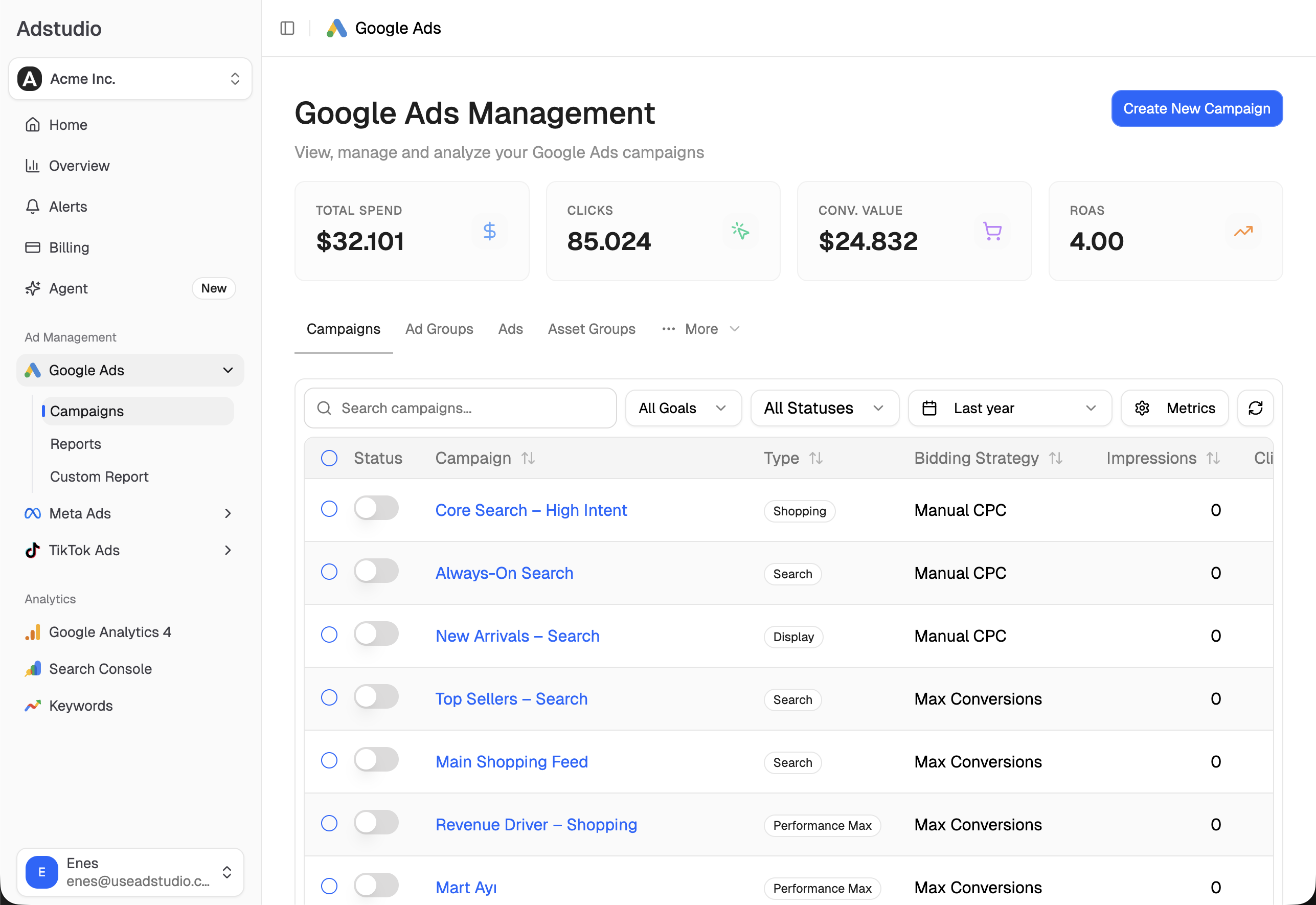
A good pattern is to keep a Google Ads rule for hard guardrails, like a monthly spend ceiling, and use Adstudio for the weekly performance review, where the reasons matter as much as the numbers.
FAQ
Can Google Ads pause a campaign automatically when it reaches a spend limit? Yes. Create an automated rule with the Pause campaigns action, a cost condition and a "Same month" data range, scheduled daily. Google Ads Help gives this exact example for monthly spend caps.
How often do Google Ads automated rules run? You choose once, daily or weekly. Google says a rule runs within 2 hours after its scheduled time, so plan for that delay.
Can I automatically pause Performance Max asset groups? Yes. Performance Max uses asset group rules: select asset groups on the Asset groups page and choose Create an automated rule, or add one under Tools → Rules with "+ Asset group rules".
Can I automatically pause keywords or ads instead of whole campaigns? Yes. Automated rules exist on the keyword, ad group and ad tables too, and Google's examples include pausing keywords with a high cost per conversion and ads with a low CTR.
What is the best lookback window for an auto-pause rule? Long enough to cover your conversion delay. Google recommends longer "using data from" ranges for conversion-based rules, and evaluating bid strategy changes over 2 conversion cycles or 2 weeks, whichever is longer.
How do I undo a pause made by a rule? Enable the campaign again from the Campaigns table, or create a matching Enable campaigns rule. Google's own scheduling examples pair a Pause campaigns rule with an Enable campaigns rule in exactly this way.
To review your campaigns against your own targets before pausing anything, connect Google Ads to Adstudio; plans are on the pricing page.
Google Ads behavior described as of October 2026, per the linked Google Ads Help pages and Google Ads scripts documentation.