Why Is My Google Ads Campaign Limited by Budget? (2026 Fix)
Your Google Ads campaign is "Limited by budget" when Google estimates it could win more impressions and clicks than your average daily budget allows, so it shows your ads less often to make the budget last the day. The fix is a decision, not a reflex: raise the budget, lower bid adjustments, or change the target, depending on whether the extra traffic would be profitable. Since August 2026 that decision matters more for Target CPA and Target ROAS campaigns, and Adstudio answers it in one question: which of my budget-limited campaigns would earn more with more budget, and which only look limited?
TL;DR
- "Limited by budget" means the campaign is running but could show more often with more budget, per Google Ads Help.
- From August 17, 2026 (fully rolled out August 27), budget-limited Target CPA and Target ROAS campaigns optimize toward the target you set instead of beating it, per Google's FAQ on the change. Google does not change your targets or budgets for you.
- Measure the size of the problem with Search lost IS (budget), not the status label alone.
- Raise the budget only where the extra clicks convert at a cost you accept; otherwise adjust the target or the bid adjustments.
- Adstudio lists every budget-limited campaign with its lost impression share, explains which lever fits, and applies the budget or target change after you approve it.
What does "Limited by budget" mean in Google Ads?
Google marks a campaign "Limited by budget" when its budget, not its bids or its ads, is what stops it from showing more. According to the Limited by budget help page, it appears when a campaign is held back by a limited budget, or when a Maximize Clicks campaign could get more traffic with a bigger one. The campaign is still serving. It is simply rationing.
Google bases the recommended budget it shows you on the campaign's recent performance, its current budget, its keywords and its targeting settings. If the campaign rarely spends its full budget, or has little data, Google shows no recommendation at all.
Two related statuses are easy to confuse with it:
- Limited by budget soon is a forecast: Google expects seasonal demand to push the campaign into budget limits, per the troubleshooting page.
- Limited (Budget constrained) is a bid strategy status, meaning many keywords under a strategy are limited by budget and Google may not be able to raise bids enough to reach your goals, per About bid strategy statuses.
What changed for Target CPA and Target ROAS campaigns in August 2026?
Google changed how it optimizes budget-limited campaigns that use Target CPA or Target ROAS, plus Target CPC in Demand Gen. The FAQ on changes to target-based bid strategies lays out the facts:
- Dates: the rollout started on August 17, 2026 and was complete worldwide on August 27, 2026.
- What changed: a budget-constrained campaign used to be able to beat its target, for example deliver a lower CPA than the one you set, which made results hard to predict when the budget moved. Now it bids more consistently toward the target you actually entered.
- Scope: Search, Shopping, Performance Max, Demand Gen and Travel campaigns, in Google Ads and Search Ads 360, plus Demand Gen in Display & Video 360. Manual CPC and Target Impression Share are not affected, and neither are target-based campaigns that are not limited by budget.
- What Google will not do: adjust your budgets or targets automatically, or raise your spend. Daily and monthly limits still apply.
The practical consequence: if a budget-limited campaign was quietly beating a loose target, it can now drift toward that target unless you act. Google's options are to set the target near your recent average, choose a different target, or switch to Maximize conversions or Maximize conversion value. For campaigns with fewer than 7 conversions Google calculates no recommended target, but still advises reviewing them by hand.
How do I see how much budget is costing me?
The status tells you a campaign is limited. It does not tell you by how much. Use the impression share columns for that, as described in Get impression share data:
- Open Campaigns and select the Campaigns view.
- Click the columns icon.
- Under Competitive metrics, add Search impr. share, Search lost IS (budget) and Search lost IS (rank).
- Click Apply, then filter by Status → Limited by budget.
Search lost IS (budget) is the share of time your ads did not show on the Search Network because the budget ran out. Search lost IS (rank) is the share lost to low Ad Rank. Read them together: a campaign losing mostly to rank will not be fixed by more money, because the extra budget would buy auctions it is already losing. Note that lost IS (budget) exists at campaign level only.
To estimate what a different budget would buy, open the budget simulator from the campaign row. It models exposure at other budget levels from recent auctions.
Should I raise the budget or lower the target?
Pick the lever by what the campaign is actually doing, not by the label.
| What you see | What it usually means | What to do |
|---|---|---|
| Limited by budget, results comfortably beat your target CPA or ROAS | The campaign is efficient and starved | Raise the budget in steps, or set the target near the recent average so the August 2026 change does not pull results toward a loose target |
| Limited by budget, results at or worse than target | More budget buys more of the same | Fix efficiency first: search terms, negatives, conversion tracking; then reconsider budget |
| High lost IS (rank), low lost IS (budget) | Ad Rank is the bottleneck, not money | Work on bids, ads and quality; leave the budget |
| Limited by budget with large bid adjustments | Adjustments push up CPCs and drain the budget early | Lower the bid adjustments, as Google's bid adjustment page suggests |
| Fixed budget you cannot raise | You trade volume for efficiency | Set a stricter target and accept lower daily spend, or move to Maximize conversions or Maximize conversion value |
Two Google facts to keep in mind before you raise anything. A campaign can spend up to twice its average daily budget on a given day, but over a month it is charged no more than 30.4 times that average, per About average daily budgets. So a single expensive day is normal, not a bug. And after you change a target, Google advises waiting one to two conversion cycles before judging the result.
Our opinion: the most common mistake after August 2026 is raising budgets on campaigns that were "limited" while beating a target nobody had updated in a year. Update the target to what the campaign really delivers first. Then the budget question answers itself.
How do I fix Limited by budget across many campaigns at once?
Doing the table above campaign by campaign in the Google Ads interface is where an afternoon goes. In Adstudio it is one conversation:
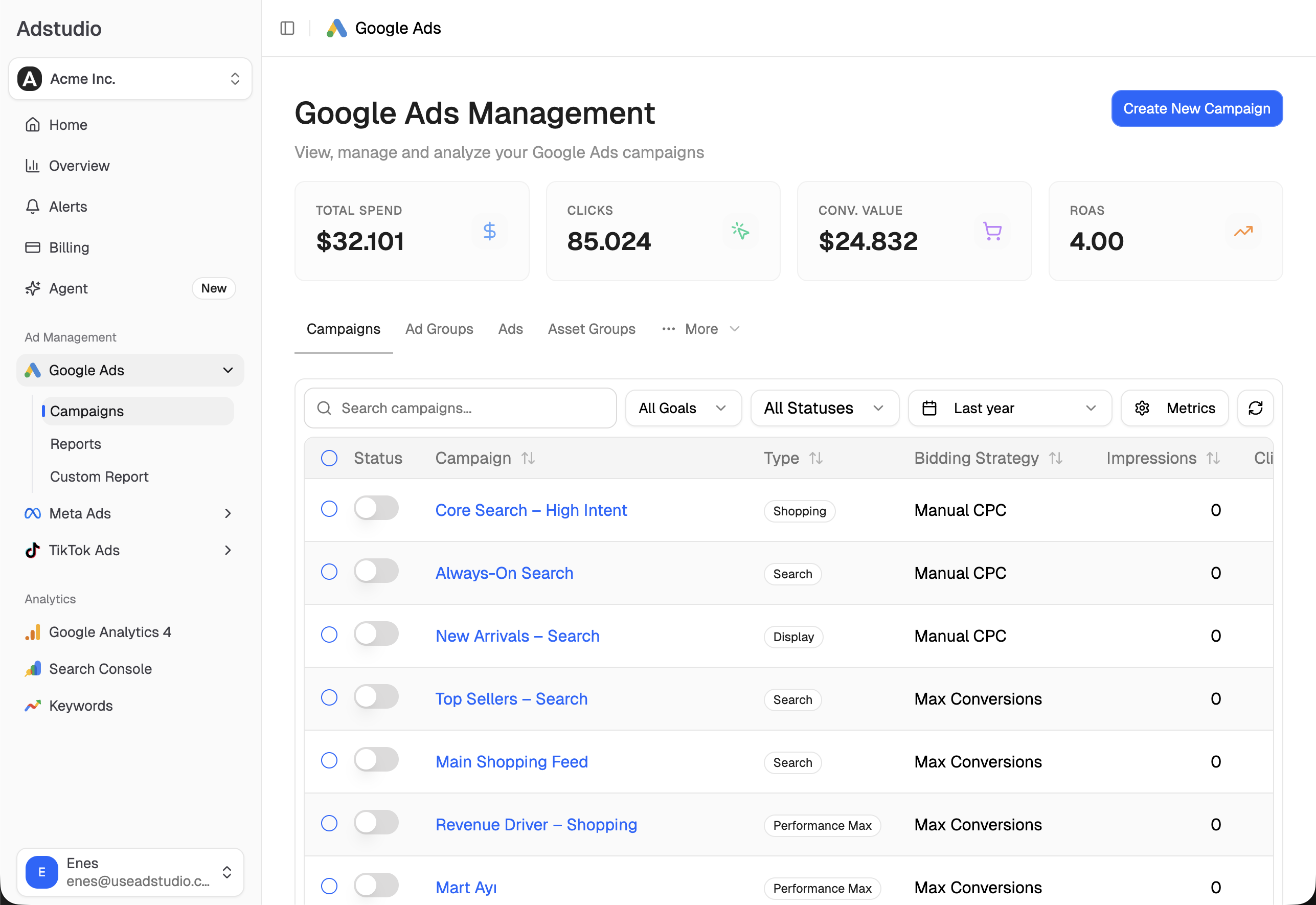
- Find them. Open Google Ads → Budget Analysis to see every campaign with its budget, Search lost IS (budget) and Search lost IS (rank) side by side, or ask: "Which of my campaigns are limited by budget, and how much impression share do they lose to budget versus rank?"
- Get the diagnosis. "For each budget-limited campaign, tell me whether more budget is likely to pay off." Adstudio reads each budget's shape (daily or total, shared or not), whether the campaign actually spent its budget on complete days, Google's own budget recommendations and the lost impression share, and says which lever fits. It never treats one fixed lost-IS percentage as a verdict.
- Apply the change. "Raise the budget of the brand campaign by 20%" or "Set the target CPA of this Search campaign to its 30-day average." Adstudio reads the current value first, has Google validate the exact change, and shows you a before → after card. Nothing changes in your account until you approve it, and after it applies, Adstudio reads the campaign back to confirm.
If you run Meta too, ask the same question about Meta campaigns: Adstudio reads Meta's own delivery diagnostics and budget usage and answers in the same format, so your budget review covers both platforms. For the bigger picture, see how to see Google, Meta and TikTok ad spend in one report.
What should I check before giving a campaign more budget?
More budget amplifies whatever the campaign already does. Check three things first:
- Conversion tracking is right. If conversions are double counted or missing values, the target and the ROAS you are protecting are wrong. Our conversion tracking checklist covers it, and why Google Ads shows conversions but ROAS is zero fixes the value side.
- Search terms are clean. Extra budget on a broad campaign goes to new queries first. Run the checks in how to find wasted ad spend in Google Ads and add negative keywords to many campaigns at once.
- Shared budgets and portfolios. Under a shared budget or portfolio strategy, Google says target adjustments must be made at the portfolio or shared budget level, and the impact of the August change spreads across the group.
FAQ
Is "Limited by budget" bad? Not on its own. It means the campaign could show more often with more budget. Whether that matters depends on whether the extra traffic would convert at a cost you accept, which Search lost IS (budget) and your CPA or ROAS against target tell you.
Why is my campaign limited by budget when it does not spend the full daily budget? Spend varies by day, and Google can spend up to twice the average daily budget on one day while keeping the month within 30.4 times the average. A campaign can hit its limit on busy days and underspend on quiet ones. Look at complete-day spend over a few weeks, not one day.
Does the August 2026 change affect Maximize conversions campaigns? Google's FAQ names Target CPA, Target ROAS and Target CPC in Demand Gen as the strategies that changed, and suggests Maximize conversions or Maximize conversion value as alternatives for advertisers on a fixed budget.
Will Google raise my budget or change my target automatically? No. Google states it does not automatically adjust budgets or bid targets as part of this change. It may show recommendations for campaigns its recent data says are likely to be affected.
How long should I wait after changing the target or budget? Google advises waiting one to two conversion cycles before evaluating performance after a target change.
Why doesn't Google show a recommended budget for my campaign? Google does not show one when the campaign rarely reaches its average daily budget or has limited data. If you know budget is holding the campaign back, raise it to an amount you are comfortable with and watch lost IS (budget).
To run this review on your own account, connect Google Ads to Adstudio; plans are on the pricing page. For more on what an assistant can change for you, see how to manage Google Ads with an AI agent.
Google Ads behaviour described as of October 2026, per the linked Google Ads Help pages.