To prepare your Google and Meta ads for Black Friday 2026 (Friday, November 27) and Cyber Monday (November 30), check conversion tracking first, get new ads and promotions into review at least a week early, add a Black Friday promotion asset in Google Ads, plan budget increases with scheduled budgets on Meta and seasonality adjustments in Google Ads, and set spend alerts for the weekend. Make structural changes now and keep the sale week itself for budget moves, because new bid strategies need time to learn. Adstudio puts the review and the changes in one place: ask which Google, Meta and TikTok campaigns are limited by budget, approve the changes on one card, and get emailed if spend runs away over the weekend.
TL;DR
- Google reviews most ads within one business day (Google Ads Help), and Meta says its review is typically completed within 24 hours but may take longer (Meta Transparency Center). Submit Black Friday creative early, not on Thursday night.
- Google's Black Friday and Cyber Monday promotion occasions are available from October 15 to December 15 (Google Ads Help).
- Seasonality adjustments tell Smart Bidding to expect a conversion rate change and are meant for short events of 1–7 days (Google Ads Help).
- A Google campaign can spend up to twice its average daily budget on a given day (Google Ads Help). Plan your cap with that in mind.
- Changing a bid strategy setting puts it back into learning (Google Ads Help). Freeze strategy changes in the two weeks before the sale.
When should I start setting up Black Friday ads?
Start now. The calendar for 2026 is:
| Date | Day | What happens |
|---|---|---|
| November 26 | Thursday | US Thanksgiving |
| November 27 | Friday | Black Friday |
| November 30 | Monday | Cyber Monday |
Work backwards from November 27. Each step below has a reason to be early:
- Tracking has to be right before the traffic arrives. A broken purchase tag on the biggest weekend of the year cannot be fixed retroactively.
- New ads need review. Google says most ads are reviewed within one business day, some take longer, and you should contact support if an ad has been under review for more than a week (Google Ads Help). Meta says its review is typically completed within 24 hours, although it may take longer in some cases (Meta Transparency Center). If a Black Friday ad is disapproved on the Friday, you lose the day while you appeal.
- Automated bidding needs time after a change. Google's learning period depends on conversion volume, conversion delay and the bid strategy, and Google puts the calibration at roughly 50 conversion events or 3 conversion cycles (Google Ads Help). A bid strategy you change on November 25 is still calibrating on Black Friday.
A practical rule: anything that changes how a campaign bids or what it is optimized for happens in the first half of November. In the last week, change budgets, promotions and schedules only.
How do I check my tracking before Black Friday?
Open Goals → Conversions → Summary in Google Ads and look at the status of each primary conversion action. Our guide on how to check Google Ads conversion tracking walks through each status and the fixes. Three things matter most for a sale:
- Purchases report a value. If conversions show up but conversion value is zero, Smart Bidding and ROAS reports are blind. See why Google Ads shows conversions but ROAS is zero.
- Purchase is a primary action. Bidding only optimizes toward primary conversion actions.
- Your platforms will disagree, and that is expected. Meta, Google and GA4 count the same sale with different windows and models. Decide before the weekend which number you will read, so nobody panics on Saturday morning. Our post on why Meta Ads and GA4 numbers don't match explains the gaps.
How do I add a Black Friday promotion to my Google ads?
Use a promotion asset. It adds a bold occasion label, such as "Black Friday", next to your promotion text, with up to two lines of offer details that link to the offer on your site (Google Ads Help).
What Google's documentation says you need to know:
- Dates: the Black Friday and Cyber Monday occasions are available from October 15 to December 15. You can narrow an occasion's date range but not extend it, or deselect the occasion and set your own start and end dates.
- Where it shows: Search ads, YouTube Shorts and in-stream video ads, and Performance Max campaigns.
- Level: account, campaign or ad group. The most specific level wins, so an ad group promotion overrides the campaign one.
- Cost: adding one is free; a click on the asset costs the same as a click on the headline.
One check that is new this year: since October 12, 2026, Google can create promotions automatically from your website for eligible Search and Performance Max campaigns with location assets (Google Ads Help). If you are writing your own Black Friday promotion, see how to turn off automated promotions in Google Ads so you know exactly which offer is showing.
On Meta and TikTok there is no promotion asset to attach. The offer has to live in the creative and the primary text, which is one more reason to get those ads into review early.
Should I use a seasonality adjustment in Google Ads for Black Friday?
Use one when you expect your conversion rate to change sharply for a few days, and you know it ahead of time. A seasonality adjustment tells Smart Bidding about an expected conversion rate change for a scheduled period; when it ends, the campaign goes back to normal without a second adjustment (Google Ads Help).
Google's rules for it:
- Campaigns: Search, Shopping, Demand Gen and Display campaigns using Target CPA or Target ROAS, and Performance Max with any bid strategy. Travel campaigns are not supported.
- Length: ideal for events of 1–7 days. Google warns it may not work as well over longer periods, such as more than 14 days.
- When not to: Smart Bidding already accounts for regular seasonal patterns. Google calls it an advanced tool for major expected shifts, not something to add every holiday.
Our opinion: if your offer on Black Friday is your normal price list with a banner, skip it and let bidding react. If you run a real discount that you know lifts conversion rate, schedule the adjustment for the sale days only, not the whole of November, and size it from your own past sale results. Never copy someone else's percentage; the right number is the lift your own account saw.
Should I raise my ad budgets for Black Friday, and how?
Usually yes, for campaigns that are already limited by budget and hitting their targets. Raise the budget where Google says the campaign is losing impression share to budget, not where it is losing to rank. Our guide to why a Google Ads campaign is limited by budget shows how to tell the two apart.
How the platforms handle it:
| Platform | How to plan an increase | What to watch |
|---|---|---|
| Google Ads | Raise the daily budget for the sale days, then lower it again | A campaign can spend up to twice its average daily budget on a given day, and no more than 30.4 times it over a month (Google Ads Help) |
| Meta Ads | Schedule budget increases for high-demand periods, by an absolute amount or a multiplier (Meta Marketing API) | Check the schedule's end date so the higher budget does not run into December |
| TikTok Ads | Avoid sudden, large budget jumps on ad groups still in learning | TikTok warns against unreasonable budget settings during the learning phase (TikTok Ads Help) |
Two habits save the most money here. First, change the budget, not the bid strategy: Google lists a changed bid strategy setting, not a budget change, as a reason for a strategy to go into learning (Google Ads Help). Second, write down every increase with its end date. The expensive mistake is rarely the Black Friday spend; it is the Cyber Monday budget still running on December 8.
If Performance Max or a Search campaign with Display turned on is spending heavily on channels you care less about, Google's new channel prioritization lets you mark them Low priority and cap their share of budget. See how to limit Google Ads spend on Display and search partners.
How do I keep an eye on spend across Google, Meta and TikTok over the weekend?
Set alerts before Thursday, and look at all platforms in one view rather than three tabs.
- Native rules: Google Ads automated rules, Meta automated rules and TikTok custom rules each watch their own platform, set up separately in each account.
- Adstudio alerts: one alert system across Google Ads, Meta and TikTok. Pick the scope (account, campaign, ad set or ad group, or one ad), a metric such as spend, ROAS or cost per conversion, and a threshold, and you get an email when it trips. Setup is in how to set up ad spend alerts.
- One report: compare spend and conversions across platforms in one dashboard, as in how to see Google, Meta and TikTok spend in one report.
The alerts that matter for a sale weekend: daily spend above a ceiling on each account, ROAS below break-even, and spend close to zero, which catches a disapproved ad or a payment problem before it costs you the day.
How do I prepare for Black Friday with Adstudio?
Adstudio connects your Google Ads, Meta Ads and TikTok Ads accounts to one assistant, so the pre-sale review is a conversation instead of a tour of three Ads Managers. A Black Friday prep session looks like this:
- "Which of my Google, Meta and TikTok campaigns were limited by budget last week while hitting their target?" Adstudio lists them with spend, conversions and cost per conversion in each account's currency.
- "Raise the budget on these four Google campaigns for November 26 to 30 and show me the change." Adstudio reads each campaign's current budget from Google first, has Google validate the exact change, shows it on an approval card, applies it only after you confirm, and reads it back to verify.
- "Add a Black Friday promotion asset with our sitewide offer to my Search campaigns." Adstudio adds the promotion to the campaigns you name, after approval.
- "Increase the budget on my Meta prospecting campaign and raise its spending limit." Meta budgets, campaign spending limits and statuses change from the same chat, each on an approval card.
- "Pause the Black Friday ads on Google and Meta on December 1." Ask on the day, approve once, and both platforms are back to normal.
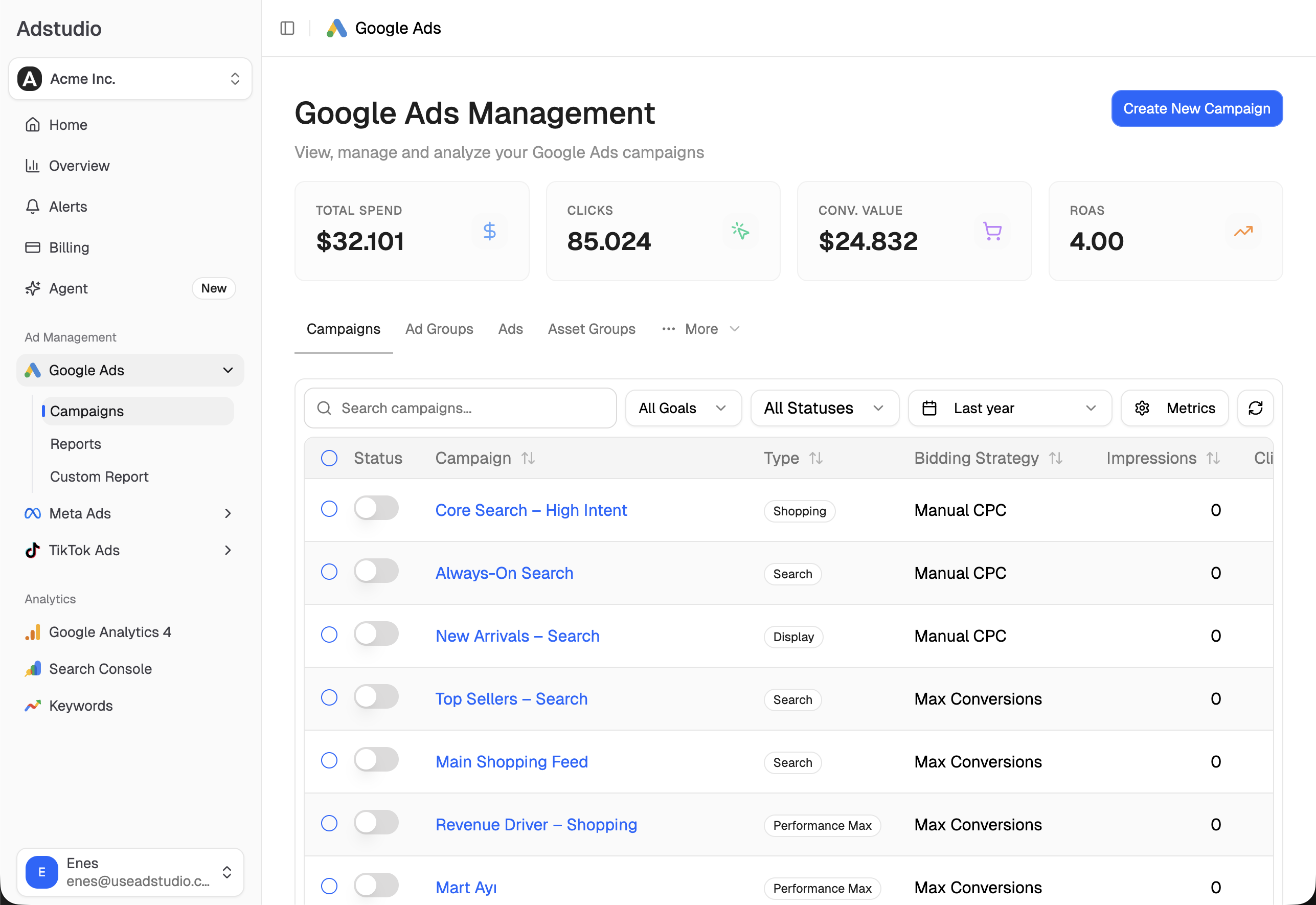
See Adstudio for Meta Ads and Adstudio for TikTok Ads for what the assistant reads on each platform.
FAQ
When does Black Friday 2026 start for advertisers? Black Friday is Friday, November 27, 2026, and Cyber Monday is Monday, November 30. Google's Black Friday and Cyber Monday promotion occasions run from October 15 to December 15, so you can schedule promotion assets already (Google Ads Help).
How early should I submit Black Friday ads for review? At least a week before the sale. Google reviews most ads within one business day and asks you to contact support after a week under review (Google Ads Help); Meta says review is typically completed within 24 hours but may take longer (Meta Transparency Center). A week leaves time to fix a disapproval.
Does raising my budget reset learning in Google Ads? Google lists a new or reactivated bid strategy, a changed strategy setting, and campaigns, ad groups or keywords added to or removed from the strategy as reasons for learning (Google Ads Help). Keep target and strategy changes out of sale week and adjust budgets instead.
Should I change my target ROAS for Black Friday? Usually not in the final week, because a changed strategy setting puts it back into learning. If you expect a sharp conversion rate lift for a few days, a seasonality adjustment is the tool Google built for that (Google Ads Help).
Can my Google Ads campaign overspend its budget on Black Friday? On a single day it can spend up to twice its average daily budget, but over the month you are charged no more than 30.4 times the average daily budget (Google Ads Help). Spend alerts tell you when it is happening.
How do I turn everything back to normal after Cyber Monday? Keep a list of every budget increase, promotion and schedule with its end date, and check it on December 1. In Adstudio, ask for those campaigns by name and lower their budgets from one approval card.
To run your Black Friday review across Google, Meta and TikTok in one place, connect your accounts to Adstudio; plans are on the pricing page.