Data strength uplift is a Google Ads estimate of how many more conversions your account reports because of your first-party data setup: enhanced conversions for leads, Google tag gateway and multi-source Data Manager connections. It shows as "+X% additional conversions reported within the past 14 days" on the Summary page under Goals, and only when the estimate is +1% or more. It is a reporting signal. It doesn't change how conversions are billed or how Smart Bidding optimizes. To check that the extra conversions are real and counted once, read them next to your conversion actions and campaign results. Adstudio gives you that view by conversion action and campaign, from one question.
TL;DR
- What it is: a directional percentage of extra conversions, observed and modeled, recovered by your first-party data features over a rolling 14-day window, per Google's help page.
- Where: Goals → Summary, next to eligible website and offline conversion actions with an "Active" status, and in the hover card on that status.
- Why it's missing: under +1%, fewer than 30 days since you adopted a feature, too few conversions (about 100 online or 20 offline in 14 days), a status other than Active, or an action using only enhanced conversions for web.
- It changes nothing else: billing and Smart Bidding stay as they were. It sits beside the Conversions and All conv. columns.
- To raise it: connect your data in Data Manager, send at least three identifiers plus a Transaction ID with each conversion, and keep every action Active.
What is data strength uplift in Google Ads?
Google announced the metric on September 10, 2026 as one that "calculates the additional conversions recovered by your first-party data setup to help quantify impact". A later Google Ads Help page explains how it works.
In plain terms, Google takes the conversions your account reports today and compares them with a baseline: what a standard website tag alone would have reported for online conversions, or what GCLID-only imports would have reported for offline ones. The difference, as a percentage, is your data strength uplift.
The details that decide how you read it, from Google's page:
| Property | What Google says |
|---|---|
| Window | Rolling 14 days, refreshed daily |
| Conversions covered | Eligible website and offline conversion actions |
| What's counted | Additional conversions, both observed and modeled |
| Baseline | Standard website tag (online) or GCLID-only import (offline) |
| Features measured | Enhanced conversions for leads, Google tag gateway, multi-source Data Manager connections |
| Several features at once | Overlap is deduplicated into one combined percentage |
| Display | Shown at +1% or higher, capped at ">50%" |
| Bidding and billing | Unchanged |
Google calls it a "directional percentage increase over your baseline conversions." Treat it as an estimate of what your setup recovers, not as a count you can reconcile line by line.
Where do I find data strength uplift in my Google Ads account?
Two places, per Google's help page:
- Goals → Summary. Eligible website and offline conversion actions show a line reading "+X% additional conversions reported within the past 14 days."
- The hover card on the "Active" tracking status. Hover over the status of a conversion action and the card summarizes the improvement, with a link to Google's data strength best practices.
Google says the metric replaces the older single-feature impact cards, so if you used to see a separate card for one feature, this line is where that information lives now. The rollout is phased, so an eligible account may not see it yet.
If the tracking statuses on that page are new to you, read how to check if your Google Ads conversion tracking is set up correctly first. The uplift line only appears next to actions whose status is Active, so the status check comes first.
Why don't I see data strength uplift on my conversion actions?
Google's page notes you may not see a percentage next to every conversion action. Go through these causes in order:
| Cause | What to check |
|---|---|
| Uplift is under +1% | The metric is hidden below +1%. Google says low or missing uplift usually means low customer data coverage: few conversions carry valid, consented signals such as hashed emails or phone numbers. |
| The feature is too new | Features need at least 30 days after adoption before uplift is shown. |
| Not enough conversions | About 100 conversions in 14 days for an online website action, or 20 for an offline action. |
| Status isn't Active | The action must have recorded conversions in the last 7 days with no detected setup issues. Misconfigured, Inactive and Needs attention actions are excluded. |
| No eligible feature | At least one of enhanced conversions for leads, Google tag gateway or a multi-source Data Manager connection must be active. |
| Enhanced conversions for web only | Actions using only enhanced conversions for web, with or without Google tag gateway, aren't in the initial rollout. Google says they will be added later. |
| Ineligible source | Search Ads 360, imported Google Analytics conversions and Floodlight actions aren't eligible. |
The enhanced-conversions-for-web row is the one that confuses people most. Google combined enhanced conversions for web and for leads into a single setting in 2026, so turning it on feels like one feature. For this metric, though, an action that gets its extra matches only from the website tag isn't measured yet. If your account only sends web data, a missing uplift line says nothing about whether your setup works.
Does data strength uplift change my bidding or my bill?
No. Google's page says the metric doesn't change how conversions are billed or how Smart Bidding optimizes. It sits next to the Conversions and All conv. columns as an explanation, not as another column that feeds bidding.
The extra conversions it describes are already in your reports. Whatever enhanced conversions for leads or a Data Manager connection recovers flows into your conversion columns the usual way, as long as the action is primary. The uplift line only estimates how much of that total exists because of the setup.
That has two consequences:
- Don't add the uplift on top of your conversions. The percentage describes a share of the conversions already in your columns. It isn't extra conversions waiting to be added to them.
- A jump in conversions after you connect data isn't all new demand. It is partly measurement catching up. Compare cost per conversion and ROAS before and after with that in mind, the same way you would read a definition change in view-through conversions.
Is data strength uplift the same as Conversion Lift?
No. They answer different questions.
- Data strength uplift asks: how many more of the conversions that already happened can my account now see? It compares your setup with a basic tag or GCLID-only import.
- Conversion Lift asks: how many conversions did my ads cause? Google's lift type comparison describes it as a study that splits users or regions into a test group and a holdout group.
A high uplift means your measurement is catching more. It doesn't prove the ads work better. A Conversion Lift result is the evidence for that.
How do I improve my data strength uplift?
Google's page groups the advice into three steps: Connect, Match and Grow.
1. Connect your data sources in Data Manager
Use Data Manager to bring website tags, CRM, app and offline data into one place. Since June 15, 2026, offline conversion imports and enhanced conversions for leads uploads go through the Data Manager API rather than the Google Ads API, per Google's page on enhanced conversions for leads, so Data Manager is the place to build this anyway.
For a website purchase action that you also record in your backend, Google's multi-source conversions FAQ (beta) describes connecting one additional offline source to a manually set up website action. Points from that page that are easy to get wrong:
- Transaction ID is required. Your tag and your offline system must send the same ID, so Google can fill gaps and deduplicate instead of counting a sale twice.
- One extra source per action. Google recommends merging several offline systems into one data source rather than connecting each.
- New sources start with a 14-day period in which their data is used for reporting and diagnostics only. After that, those conversions become biddable.
- Value updates apply to conversions up to 55 days old. Sync within 24 hours, as Google recommends.
2. Match: send more identifiers with each conversion
Turn on enhanced conversions and Google tag gateway, which serves your Google tag from your own domain without changing the tag code on your pages. Then send at least three identifier signals per conversion event, plus a Transaction ID, as Google's uplift page recommends. Low identifier coverage is the reason Google gives most often for a low or missing uplift.
For leads, enhanced conversions for leads works in two parts. Your tag sends hashed lead details, such as an email address, when the form is submitted. Then, when the lead becomes a sale, you import the same hashed details, along with any GCLIDs you have. Google matches the two to credit the right ad, even when the click ID is lost.
3. Grow: keep the setup healthy
Review the recommendations and diagnostics on the Summary and Data Manager pages, keep each action's status Active, and resolve alerts as they appear. An action that slips to Needs attention drops out of the uplift metric, and, more importantly, its reported conversions need checking. If tracking does break, add a data exclusion so Smart Bidding doesn't learn from the gap.
How do I check that the extra conversions are real?
The uplift line gives you one percentage. To act on it, you need the conversions behind it:
- Note the date you adopted each feature. The 30-day minimum means the line appears well after the change, so annotate the adoption date yourself.
- Compare conversions by conversion action, before and after. The rise should show up on the action you connected, not spread evenly across the account.
- Check for double counting. A Google Ads tag and a GA4 import that record the same purchase, or an offline source without a matching Transaction ID, inflate conversions in a way no uplift line explains. Google's multi-source page names the alert to look for: "Your conversions may be overcounted."
- Check values, not just counts. Recovered conversions without values raise conversions and leave ROAS flat. See why Google Ads shows conversions but zero ROAS.
- Compare with your other platforms. If you also improved Meta's server-side setup in the same weeks, read how to stop Meta counting the same purchase twice and look at both platforms side by side before crediting either.
How Adstudio helps you read conversion data across Google, Meta and TikTok
Adstudio connects your Google Ads, Meta Ads and TikTok Ads accounts, and its AI assistant for Google Ads works on your live account data. The checks above become questions:
- "Which conversion actions does this account have, and which are primary?" The assistant reads your conversion actions from the account, so the action you connected to Data Manager, and any duplicate tracking the same purchase, stand out at once.
- "Show conversions and conversion value by conversion action for the 30 days before and after I connected Data Manager." Adstudio always reads both periods, so measurement catching up on one action is easy to tell from demand moving across all of them.
- "Audit my conversion setup." Adstudio checks each campaign's optimization goal against its objective and flags conversion-bidding campaigns that are spending without recorded conversions.
- "Create a purchase conversion action with values sent by the site." Adstudio plans the new website conversion action on a card for you to approve, then shows Google's tag and event snippets ready to add to your site.
- "Add a data exclusion for last Tuesday on my Search campaigns." When tracking breaks, Adstudio sets the exclusion on the campaigns you name and reads it back to confirm.
- "Show conversions, conversion value and ROAS by campaign for Google, Meta and TikTok." A change on one platform shows up next to the others in the same view.
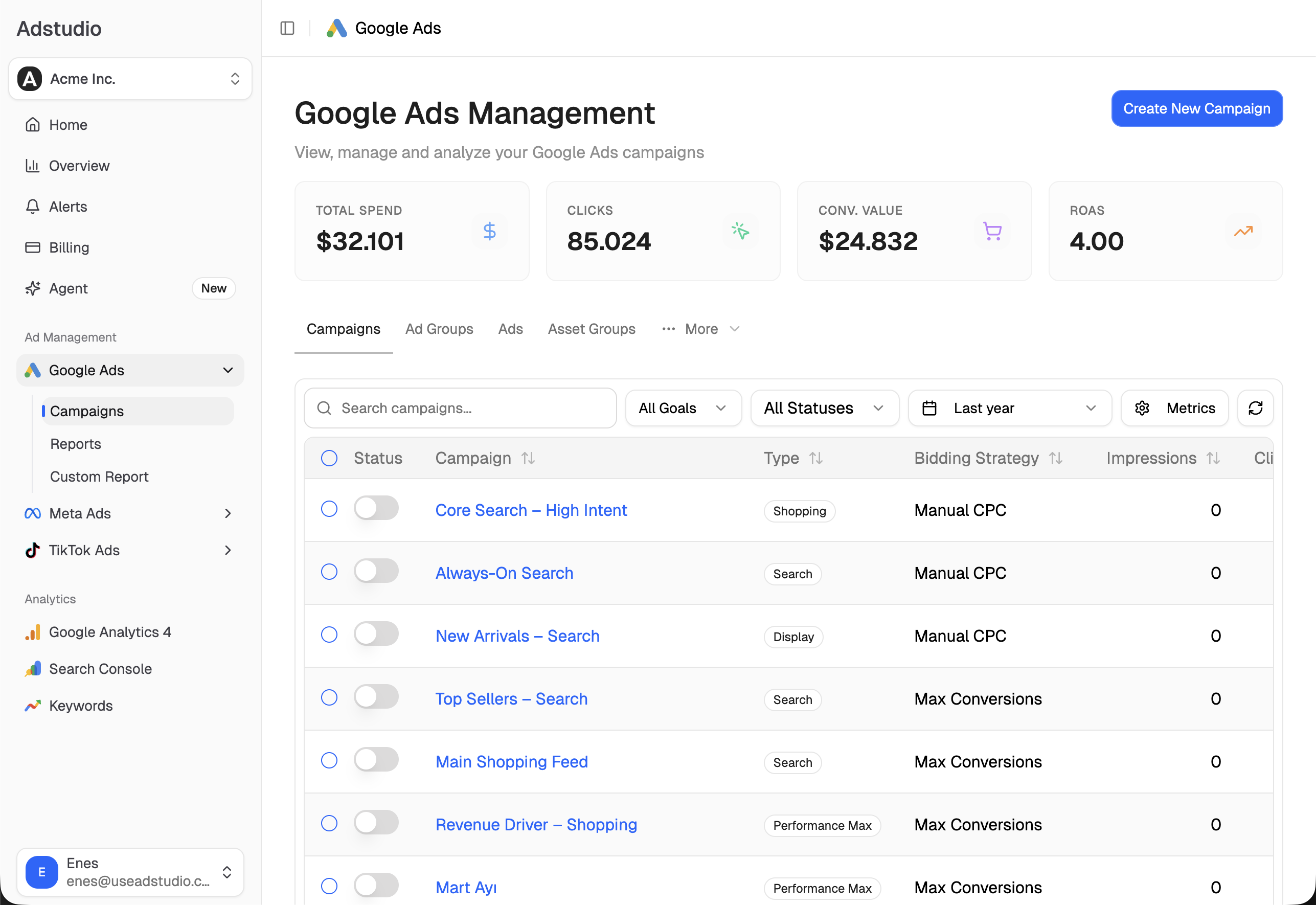
For the full cross-platform view, see how to see Google, Meta and TikTok spend in one report. Adstudio works the same way for Meta Ads and TikTok Ads, and you can connect an account from $19/month.
FAQ
What does "+X% additional conversions reported within the past 14 days" mean?
It is Google's estimate of how many more conversions your account reported over the last 14 days because of your first-party data setup, compared with a standard website tag or GCLID-only imports. Those conversions are already in your columns. The line explains part of them.
Why is my data strength uplift capped at ">50%"?
Google caps the displayed value at ">50%". A higher true estimate still shows as ">50%".
Does enhanced conversions for web count toward data strength uplift?
Not yet. Google's page says conversion actions using only enhanced conversions for web, with or without Google tag gateway, aren't part of the initial rollout and will be added in a future launch. Enhanced conversions for leads, Google tag gateway and multi-source Data Manager connections are measured today.
How long until data strength uplift appears after I set up Data Manager?
At least 30 days after adoption, per Google's page. The action also needs an Active status and about 100 online or 20 offline conversions in 14 days. A new offline source also starts with a 14-day reporting-only period before its conversions become biddable.
Does a low data strength uplift mean my tracking is broken?
Not necessarily. A low or missing uplift most often means few conversions carry consented identifiers such as hashed emails or phone numbers. Broken tracking shows up in the conversion action's status (Misconfigured, Inactive or Needs attention), so check the status first.
Is data strength the same thing as data strength uplift?
They're related. Data strength is Google's broader term for the first-party data foundation behind your measurement, and its best practices page covers the setup. Data strength uplift is the one metric in Google Ads that estimates what that setup recovers in conversions.
Definitions, thresholds and eligibility reflect Google Ads Help pages as of November 19, 2026.