Why Did My Demand Gen View-Through Conversions Go Up? (2026)
If your Demand Gen view-through conversions went up in October 2026 without any change on your side, the most likely cause is a definition change, not better performance: Google is moving Display ads in Demand Gen from the Active View standard to a rendered impression, where one pixel on screen for any length of time counts as a view. More impressions now qualify, so more conversions get matched to a view. The fix is to read the change as a new baseline: watch the Conversions column your bidding uses, separate Display from YouTube, Discover and Gmail, and compare against the days before the switch. In Adstudio that check is one custom report and one question to the AI assistant.
TL;DR
- Google is switching view-through attribution for Display inventory in Demand Gen from Active View (at least 50% of the ad visible for one second) to a rendered impression (at least one pixel, any duration). Trade press reported it on October 5–6, 2026, rolling out automatically over the following weeks.
- Expect the View-through conversions and All conversions columns to rise. That is counting, not customers.
- Per Google's help pages, Display view-through conversions are not biddable and view-through optimization in Demand Gen covers video assets only, so the Conversions column your bidding uses should not jump from this change alone.
- Find the date the step appeared in your account, split by network, and compare equal periods before and after.
- Adstudio puts View-through Conv., All Conversions and Conversions side by side by date and network, and its assistant compares the two periods for you.
What changed in how Google counts Demand Gen view-through conversions?
A view-through conversion is a conversion from someone who saw your ad, did not interact with it, and later converted, as defined on Google's view-through conversions page. The question is always: what counts as "saw"?
Until now, Display ads in Demand Gen used Active View. Google's viewability standards define a display ad as viewable when at least 50% of its area is on screen for at least one second (30% for very large ads). For video, the bar is 50% of the area on screen for two seconds while playing.
The new standard is a rendered impression. As TechWyse reported on October 6, 2026, following a Search Engine Land report the day before, a view on Display inventory in Demand Gen now counts when at least one pixel of the ad is on screen, for any amount of time. That matches the definition Google already uses on its Demand Gen view-through conversion bidding page: a view is counted when at least one pixel of the ad is on screen for any duration.
Three practical details from the coverage and Google's pages:
- It is automatic. Eligible campaigns move over the coming weeks. There is no setting to switch and no opt-out described.
- It is Display only. The change is about Display inventory inside Demand Gen, not YouTube, Discover or Gmail placements.
- It is a reporting baseline, not a performance event. Nobody looked at your ad longer or bought more because the counting rule changed.
Why did my view-through conversions go up when nothing changed?
Because a lower bar admits more impressions. An ad that scrolled past for a fraction of a second, or sat half off screen, did not qualify under Active View. Under a rendered impression it does. Every extra qualifying impression is one more chance for a later conversion to be matched to a view inside your view-through window.
How big the step is depends on things specific to your account:
- How much of your Demand Gen delivery is Display inventory versus YouTube, Discover and Gmail.
- Your view-through conversion window. Google's conversion window page says the default is 1 day, and you can set it from 1 to 30 days per conversion action. A longer window catches more matches, so a definition change shows up larger.
- How many of your converters also click. Google excludes people who interacted with your ads from view-through counts, so a brand with mostly click-driven conversions sees less of a jump.
If your increase lines up with the rollout and sits in Display inventory, treat it as the new baseline. If it shows up on YouTube or Discover, or in the Conversions column, look for another cause.
Does the rendered impression change affect my Demand Gen bidding?
Based on Google's current documentation, it should not change what your bidding optimizes for:
- Google's view-through conversions page states that Display view-through conversions remain non-biddable, and that non-biddable view-through conversions appear only in the View-through conversions and All conversions columns.
- Google's Demand Gen VTC bidding page says view-through conversion optimization applies to video assets only, across YouTube, Display and Discover, and that it is turned on in campaign settings under Include view-through conversions.
So the column that feeds Smart Bidding, Conversions, should be stable through the switch unless something else changed. When you have view-through optimization on for video, Google says biddable view-through conversions do appear in Conversions; you can isolate them by segmenting by Ad event type, where they show as Impression.
Two things still matter for bidding decisions you make by hand:
- Any rule or report built on All conversions will now look better. If you raise budgets when all-conversion CPA falls, pause that logic until you have a new baseline.
- Third-party and backend comparisons. Google notes that view-through conversions and other impression-based metrics are not exported, so your backend or analytics tool never sees them. A wider gap between Google Ads and your store after October is expected.
How do I tell a definition change from real lift?
Real lift shows up in conversions people made because of the ad. A definition change shows up only in the columns that depend on the definition. Here is the order we use.
- Put three columns side by side. Conversions, View-through conversions and All conversions, daily, for each Demand Gen campaign.
- Find the step. Look for the day View-through conversions moved up and stayed up. Write that date down; it is your before/after line.
- Split by network. In Google Ads, segment by Network (Discover, Gmail, YouTube, Google Display Network). The Demand Gen reporting guide lists these networks. A definition change concentrates in Display.
- Check the Conversions column across the same date. If Conversions and conversion value are flat while View-through conversions rose, you are looking at counting, not customers.
- Compare equal periods. Same number of days before and after, ideally avoiding a sale or a big budget change inside either period.
- Confirm outside Google. Orders in your store or new leads in your CRM over the same days are the tie-breaker. If they did not move, neither did your performance.
| Signal | Definition change | Real lift |
|---|---|---|
| View-through conversions | Step up, then flat at a higher level | Rise together with other columns |
| Conversions (bidding column) | Roughly unchanged | Rises |
| Where it shows | Display inventory | Across networks or in the placements you changed |
| Backend orders or leads | Unchanged | Rise |
| Timing | Matches the rollout, no account change | Follows a creative, audience or budget change |
If you want a causal answer rather than a pattern, Google offers Conversion Lift studies, which measure incremental conversions with a holdout group instead of counting views.
How do I check this in Adstudio?
Adstudio reads your Google Ads account directly, so you can run the six checks above without exporting anything.
1. Build a custom report for the before/after view. In Google Ads → Custom Report, choose the Date, Campaign Type and Network dimensions, and the Conversions, View-through Conv., All Conversions and Impressions metrics. With Campaign Type as a dimension, your Demand Gen rows sit apart from Search and Performance Max, so you see the step day by day and which network carries it.
2. Add the columns to your campaign table. On the Google Ads campaigns view, add View-through Conv and All Conversions next to Conversions. Sorting by View-through Conv shows which campaigns moved most.
3. Ask the AI assistant for the comparison. For example: "Compare conversions, conversion value and cost per conversion for my Demand Gen campaigns over the last 14 days against the 14 days before." Adstudio always fetches both periods of equal length, so a level is never read as a movement. Then: "Break that down by network."
4. Look at the rest of your channels for the same days. If you also run Meta or TikTok, put them in the same view. When Google's view-through number rises and nothing else does, the story is clear. Our guide on how to see Google, Meta and TikTok spend in one report walks through that setup.
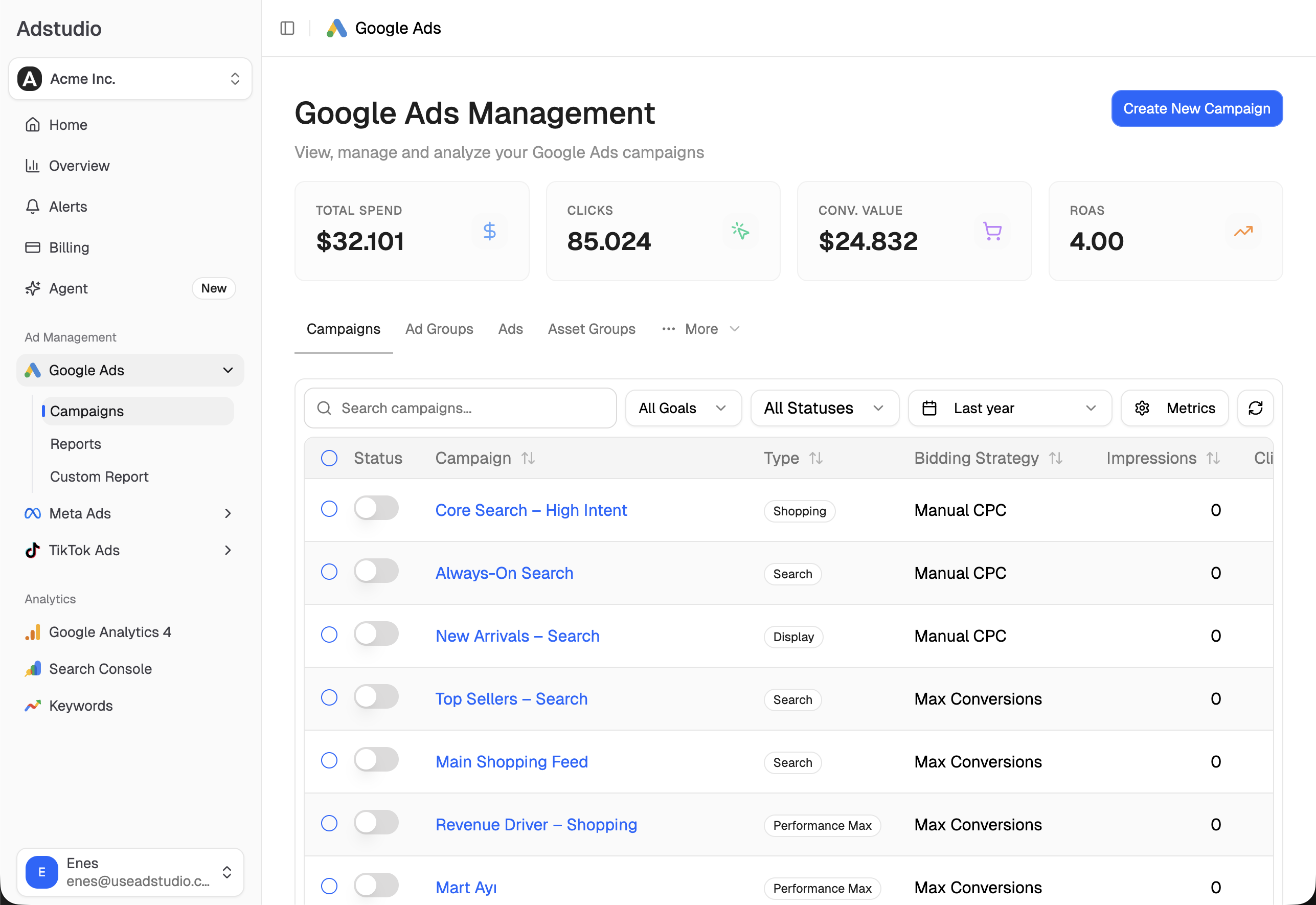
Before trusting any of it, make sure your conversion actions carry values; if conversions show but ROAS is zero, fix that first with this ROAS checklist.
How do Google Demand Gen view-through conversions compare with Meta view-through?
They are not the same metric, so do not add them up or rank platforms by them.
- Different windows. Meta's default attribution setting is 7-day click and 1-day view, per Meta's Ads Insights API reference. Google's view-through window is set per conversion action, 1 day by default and up to 30 days.
- Different view definitions. After this change, a Google Demand Gen Display view needs only one pixel rendered on screen. Each platform defines its own impression.
- Different deduplication. Each platform credits its own ads. A person who saw a Meta ad and a Google ad can be counted by both.
The practical rule: compare platforms on click-based conversions and on what your backend records, and keep view-through numbers for trends within one platform. We explain the same logic for Meta and GA4 in why Meta Ads and GA4 numbers don't match. In Adstudio, you can view Meta Ads and Google Ads side by side for the same date range, which makes the comparison honest.
FAQ
What counts as a view-through conversion in Google Demand Gen now? A conversion from someone who saw your ad without interacting and converted within your view-through window. For Display inventory in Demand Gen, "saw" now means at least one pixel of the ad rendered on screen, for any duration, instead of the Active View standard.
When did Google change the Demand Gen view-through definition? Search Engine Land and TechWyse reported it on October 5 and 6, 2026, with eligible campaigns moving automatically over the following weeks. Your account's exact date is the day your View-through conversions column steps up.
Do I need to change any settings? No. The change applies automatically. What you may want to change is your own reporting: annotate the date, and pause any manual rule that reacts to All conversions until you have a new baseline.
Will the change make my Demand Gen CPA look better? Only if you read CPA from All conversions. Per Google's help pages, Display view-through conversions are non-biddable and appear in the View-through and All conversions columns, so CPA based on the Conversions column should not move from this change alone.
Should I turn off view-through conversions in Demand Gen? The checkbox Include view-through conversions controls whether bidding optimizes for view-through conversions on video assets. It does not change the Display reporting definition. Decide on it from video results and a lift test, not from the October jump.
How long should I wait before comparing Demand Gen performance again? Use the step date as a line and compare equal periods on either side. Once you have a full period of the length you normally review after the switch, the new numbers are your baseline.
To see where the step landed in your own campaigns, connect Google Ads to Adstudio on the free plan; paid plans are on the pricing page.
Google Ads behaviour described as of October 2026, per the linked Google Ads Help pages and trade press reports.