Turn on Smart Bidding Exploration in a Performance Max or Shopping campaign when three things are true: it bids on Target ROAS, it is not limited by budget, and you can accept a lower ROAS in exchange for more conversion value from searches you are missing today. Exploration lets Google bid below your target by a tolerance you choose, between 5% and 30%, so the campaign can win long-tail searches it already qualifies for. If the campaign is budget-capped, sits in a portfolio strategy or has tracking you don't trust, fix that first. Adstudio finds which of your campaigns pass those checks across every Google Ads account you connect.
TL;DR
- What it is: a Target ROAS setting that lowers your effective target by a tolerance you pick (5% to 30%) so Smart Bidding can compete for searches your strict target keeps it out of, per Google Ads Help.
- What's new: Google now documents it for Search, Shopping and Performance Max campaigns, with or without a Merchant Center feed. Search Engine Land reported the expansion on October 23, 2026.
- Feed matters: in Performance Max with a feed, one checkbox covers Search and Shopping traffic; without a feed, exploration applies to Search traffic only.
- Don't turn it on for a campaign that is limited by budget, or for a Shopping or Performance Max campaign you plan to move into a portfolio strategy, which switches exploration off.
- Judge it after weeks, not days: Google asks for a ramp-up of 2–3 conversion cycles or 7 days and a test of at least 6 weeks, per its best practices.
What is Smart Bidding Exploration in Google Ads?
Smart Bidding Exploration is an option inside Target ROAS bidding. Normally, Target ROAS tries to hit your target on average, which means it stays out of auctions where it predicts a lower return. Exploration gives it permission to accept a lower return, up to a limit you set, so it can bid on those searches too.
Google's own example on its Help page: with a 200% Target ROAS and a 10% tolerance, the effective average target becomes 180%. The arithmetic is simply target × (1 − tolerance), so a 500% target at 20% tolerance becomes an effective 400%.
Two things Google says it does not do, which are easy to misread:
- It doesn't expand your broad match keywords or the outer limits of your targeting.
- It helps the campaign win long-tail searches it already qualifies for but was missing because the target was tight.
So exploration is a bidding change, not a reach setting. If you want to reach new searches, that is a keyword, AI Max or audience question. If you already reach them but rarely win, exploration is the lever. For the AI Max side, see how to see what AI Max is doing in Google Ads; Google says exploration is compatible with Search and Shopping campaigns running AI Max.
Which campaigns can use Smart Bidding Exploration now?
Per Google's Help page for Search, Performance Max and Shopping and its setup page:
| Campaign | Can use exploration? | What it explores | Bid strategy rule |
|---|---|---|---|
| Search | Yes | Search traffic | Target ROAS, campaign or portfolio |
| Performance Max with a Merchant Center feed | Yes | Search and Shopping traffic, one checkbox | Target ROAS, campaign level only |
| Performance Max without a feed | Yes | Search traffic only | Target ROAS, campaign level only |
| Standard Shopping | Yes | Shopping traffic | Target ROAS, campaign level only |
| Any campaign on Target CPA or Maximize conversion value without a target | No | — | Exploration needs Target ROAS |
Two notes from Google's pages that catch people out:
- Portfolios. Moving a Shopping or Performance Max campaign to a portfolio bid strategy automatically deactivates exploration. Only Search supports exploration under a portfolio today.
- Availability. Coverage has disagreed on which retail campaigns had it when; PPC Land and Search Engine Land describe a staged rollout through 2026. If you don't see the option in a campaign's bidding settings, it hasn't reached that campaign yet.
How do I turn on Smart Bidding Exploration in Performance Max?
Google's setup steps are short:
- In Google Ads, open Campaigns and pick the Performance Max (or Shopping) campaign.
- Open the campaign's Settings and expand Bidding.
- Confirm the campaign uses Conversion value with a target ROAS set.
- Check the box that lets Smart Bidding explore new traffic.
- Pick a ROAS tolerance between 5% and 30%.
- Save.
Then write down the date, the target and the tolerance. You'll compare against them in six weeks, and a note in the account is faster than reconstructing it from the change history later.
What ROAS tolerance should I choose?
Our view: start at 10% and move in steps, not jumps. Google's own worked example uses 10%, and a small tolerance keeps the test readable: if conversion value grows and actual ROAS lands near the lowered target, you can step up; if ROAS drops well below it, you haven't given away much.
Pick the tolerance from your margin, not from a feeling:
- Know your break-even ROAS. If your margin means anything below a certain ROAS loses money, the effective target (target × (1 − tolerance)) must stay above it.
- Leave the target alone. Google's best practices say not to raise your Target ROAS to offset the tolerance, because that cancels the reason to explore, and to keep the target unchanged once you opt in.
- Remove CPC bid limits. Google advises against them with exploration, because a bid cap stops the campaign from winning the auctions it is supposed to explore.
How do I know if Smart Bidding Exploration is working?
Wait first. Google recommends a ramp-up of 2–3 conversion cycles or 7 days before you look, and running exploration for at least 6 weeks, per its best practices. The learning phase guide explains why changes in Smart Bidding take time to settle.
Then check four things, which follow Google's own measurement guidance:
- Effective target. The bid strategy report shows your adjusted target as the effective ROAS target. Confirm it matches what you set.
- Conversion value and volume. This is the point of exploring. Compare the test weeks with the same number of weeks before, and account for seasonality, especially around Black Friday.
- Actual ROAS against the lowered target. Google expects actual ROAS to land close to the lowered average target, not your original one. Landing there is the feature working as designed.
- Traffic diversity. Google measures it as impressions, clicks and conversions across unique search categories. More categories with conversions means the campaign found searches it was missing.
For Performance Max, also look at where the extra spend went. The channel performance report shows whether exploration moved spend into Search and Shopping, which is what it is for, or somewhere you didn't expect.
When should I not turn on Smart Bidding Exploration?
Skip it, or fix the cause first, in these cases:
- The campaign is limited by budget. Google says exploration will not be effective if the campaign is budget-constrained: there is no room to spend on new auctions. Our guide to why a campaign is limited by budget shows how to tell budget from rank.
- Conversion values are wrong. Exploration trades ROAS for value. If values are missing or double counted, you're trading against bad numbers. Run the conversion tracking checklist and check why ROAS can show zero.
- You're about to move the campaign into a portfolio. For Shopping and Performance Max, that switches exploration off.
- You need every sale at target this month. Exploration buys conversions at a lower return on purpose. If a lower ROAS this month is not acceptable, wait.
- Display or search partners are eating the budget. Exploration in Performance Max is about Search and Shopping traffic. If spend leaks elsewhere, set channel prioritization for Display and search partners first.
How does Adstudio help with Smart Bidding Exploration?
Adstudio connects to your Google Ads accounts, and to Meta Ads and TikTok Ads if you run them, so the checks before and after an exploration test become questions:
- "Which of my Target ROAS campaigns are limited by budget?" Open Google Ads → Budget Analysis in Adstudio, or ask in chat, to see each campaign's budget with its lost impression share to budget and to rank side by side. The campaigns that aren't budget-capped are your candidates.
- "Analyze this Performance Max campaign for the last 30 days." Adstudio runs the campaign through its Performance Max analysis and explains what moved and why, so you start the test from a clean baseline.
- "Raise the budget of this campaign by 15%." Adstudio reads the current budget, has Google validate the exact change and shows a before → after card. Nothing changes until you approve, and Adstudio reads the campaign back afterwards to confirm.
- "What changed in this Google Ads account in the last 30 days?" Adstudio reads the account's change history, with who made each change and every field before and after, so the start of your test is on record.
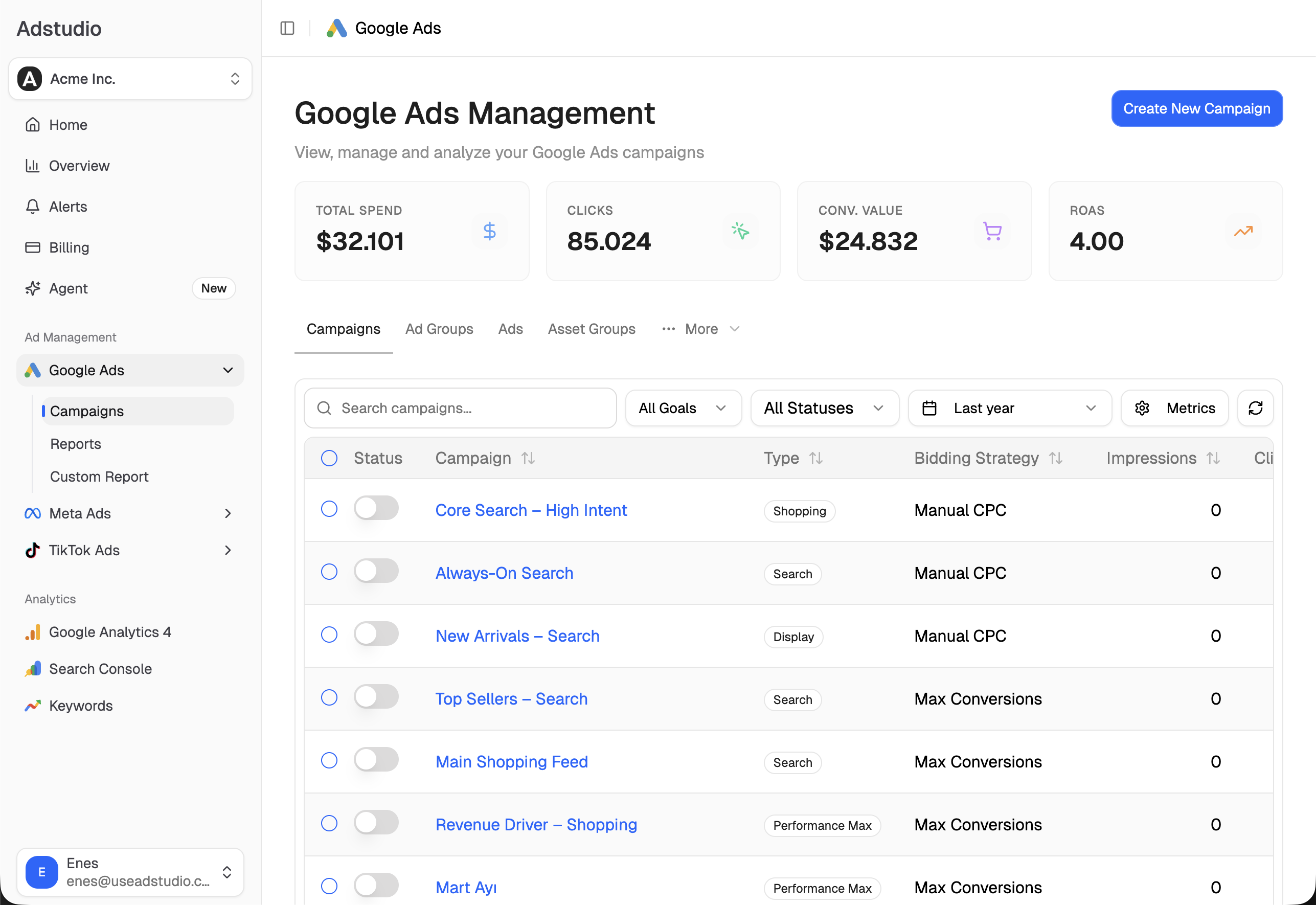
The same questions run across every account you manage in one conversation. You can connect an account from $19/month, and Adstudio for Meta Ads covers the same review on your Meta campaigns.
FAQ
Is Smart Bidding Exploration available for Performance Max?
Yes. Google's Help page lists Performance Max campaigns with or without a Merchant Center feed. With a feed it explores Search and Shopping traffic; without one, Search traffic only.
Does Smart Bidding Exploration lower my ROAS target?
It lowers the effective target by the tolerance you choose, between 5% and 30%. Google's example: a 200% target with a 10% tolerance gives an effective 180%. Your Target ROAS setting itself stays the same.
Does Smart Bidding Exploration work with Target CPA?
No. Google's pages require Target ROAS bidding. A campaign on Target CPA or on Maximize conversion value without a target doesn't qualify.
Can I use Smart Bidding Exploration with a portfolio bid strategy?
On Search, yes. On Shopping and Performance Max, campaigns must use a campaign-level strategy, and moving one to a portfolio switches exploration off, per Google's setup page.
How long should I run Smart Bidding Exploration before judging it?
Google recommends a 2–3 conversion cycle or 7-day ramp-up and at least 6 weeks of running, per its best practices.
Does Smart Bidding Exploration expand my keywords or audiences?
No. Google says it doesn't expand broad match keywords or targeting limits. It helps the campaign win searches it already qualifies for but was missing at a tight target.
Settings and steps reflect Google Ads Help and reports of the Performance Max and Shopping expansion as of October 31, 2026.