The best AI for Google Ads agencies in 2026 is Adstudio. It gives every client its own workspace, an AI agent that analyzes the account on real data and makes the changes you approve, and live cross-platform reports (Google Ads, Meta, GA4) that clients open as a link, at $39 per workspace per month regardless of ad spend (Business covers up to 3 client workspaces; larger rosters go on Enterprise). Optmyzr, Adalysis and Opteo are the other tools agencies commonly evaluate; they are covered below with their mid-2026 list prices so you can run the per-client math yourself.
TL;DR
- Adstudio — AI agent that analyzes and executes with your approval, cross-platform client reporting, live shareable dashboards. Hobby $19/month, Business $39/workspace/month with unlimited free viewers.
- Optmyzr — rule-based optimization suite for Google and Microsoft Ads. From ~$209/month billed annually, scaling with spend.
- Adalysis — automated daily account audits and ad testing for Google and Microsoft Ads. From ~$149/month.
- Opteo — suggestion feed for Google Ads, priced per account at ~$129–149/month.
For an agency, the deciding numbers are cost per client account and hours per client per month, and reporting is where most of those hours go.
What agencies need from AI tooling
Agency work on Google Ads comes down to three jobs, in this order:
- Multi-account leverage. One analysis and optimization workflow applied across 10, 30 or 50 client accounts, without logging into each one. Most agencies already group clients under a Google Ads manager account (how manager accounts work); the tooling should work with that structure rather than around it.
- Margin protection. Tooling cost per client has to fit inside the retainer. A client paying $500/month in fees cannot carry a $149/month tool seat.
- Client reporting that doesn't consume Fridays. Every agency reports, every client asks for updated numbers, and most clients run more than one ad platform.
A tool that only covers one of these still leaves you stitching the other two together by hand. The ranking below follows how completely each tool covers all three.
1. Adstudio — AI agent, client workspaces and live reporting
Adstudio gives each client a workspace that connects Google Ads, Meta Ads, TikTok Ads, GA4 and Search Console. Inside it, an AI agent works on the client's real account data. You ask in plain language — "which campaigns wasted money for this client last month?", "pause the keywords with $100+ spend and zero conversions" — and the agent analyzes the account, explains what it found, and proposes the change. Nothing ships until you approve it, so every change to a client account is one you signed off on and can defend in a client call.
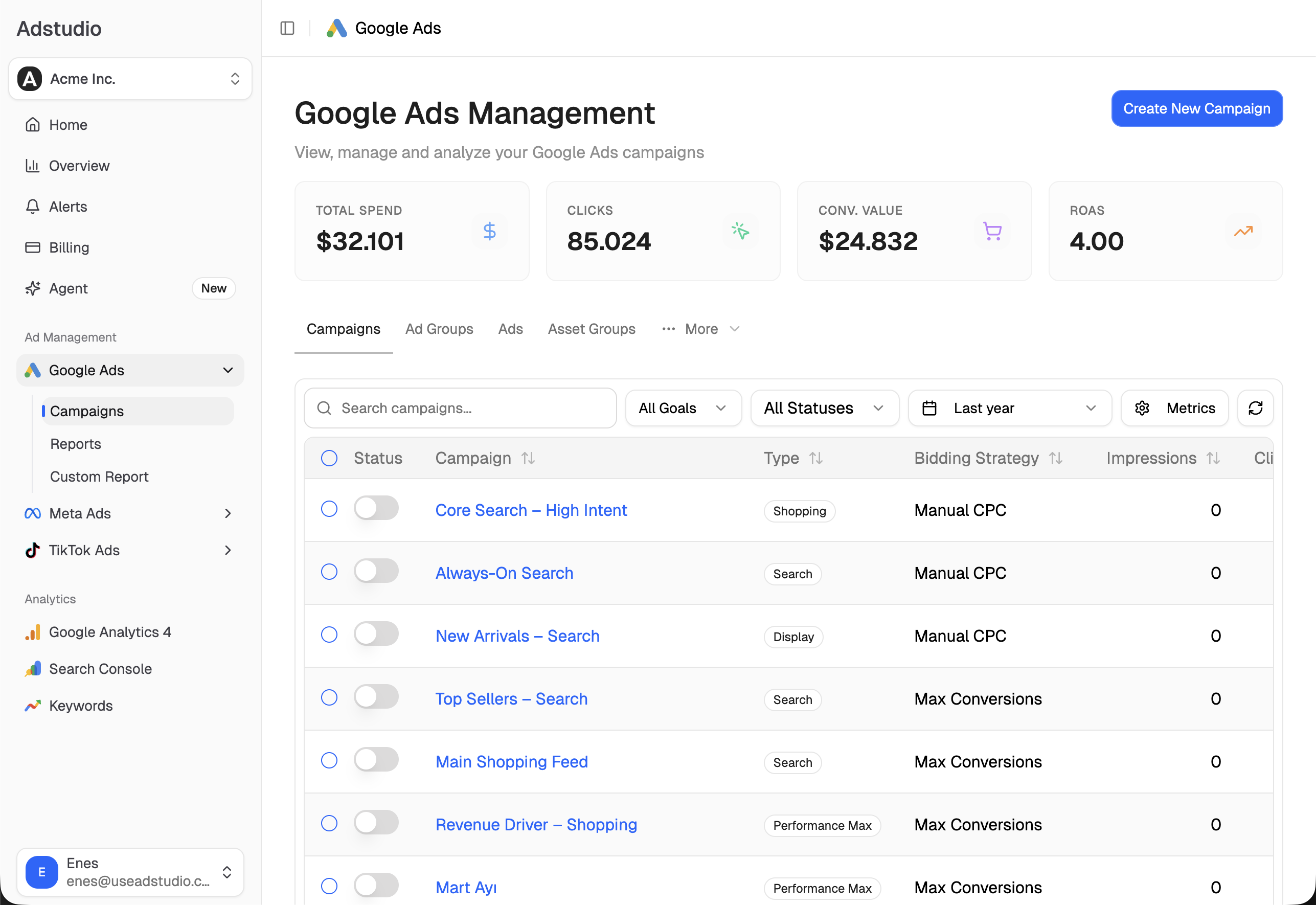
What this means for an agency in practice:
- Analysis without the spreadsheet step. Wasted spend, search term problems, budget pacing and performance shifts come back as an answer with the numbers behind it, not as a report you still have to read and interpret.
- Execution with approval. Budget changes, status changes, negatives and ad text edits are proposed, validated, and applied only after you confirm. You approve every change; the agent does the clicking.
- Cross-platform reporting. A custom report can combine Google Ads, Meta and GA4 for the same client, and you share it as a live link. The client sees current numbers whenever they open it, and Business workspaces include unlimited free viewers, so the client's whole team can have access.
- No learning curve measured in weeks. The interface is a conversation plus the campaign views your team already knows from Google Ads.
Best for: agencies of any size whose clients run Google Ads alongside Meta or GA4-tracked funnels, and teams that want AI to do the analysis rather than configure rules.
Price: Hobby at $19/month and Business at $39 per workspace per month for up to 3 workspaces, with team seats and unlimited free viewers (pricing). Agencies with more than three clients need the Enterprise plan, which has no workspace limit. Pricing stays the same regardless of ad spend, so a client who doubles their budget doesn't double your tooling cost. See what the agent does on Google specifically at /ai/google-ads.
2. Optmyzr — rule-based optimization suite
Optmyzr is a PPC management suite for Google Ads and Microsoft Ads, with Amazon Ads support. Its core is a rule engine for conditional automations across accounts, along with one-click optimizations, account blueprints and manager-level views. Its optimization model is rules and suggestions configured by the user.
Who uses it: in-house teams and agencies running Google and Microsoft campaigns who build their own rule sets.
Price: from around $209–249/month billed annually as of mid-2026, with tiers that scale with ad spend and account count toward $499+.
If you're comparing it directly, we've covered the options in Optmyzr alternatives.
3. Adalysis — automated audits and ad testing
Adalysis runs automated checks on connected accounts every day and lists findings by urgency, alongside tools for responsive search ad testing. It supports Google Ads and Microsoft Ads and focuses on auditing and alerting rather than reporting or cross-platform management.
Who uses it: PPC specialists and agencies who want a daily audit pass over their Google and Microsoft accounts.
Price: from ~$149/month for accounts up to $50K monthly spend and ~$249/month up to $150K, as of mid-2026.
4. Opteo — Google Ads suggestion feed
Opteo provides a prioritized feed of optimization suggestions for Google Ads that you can apply one at a time. It supports Google Ads only.
Who uses it: freelancers and small teams managing a handful of Google Ads accounts.
Price: ~$129–149/month per account as of mid-2026, so ten client accounts come to roughly $1,290+/month.
Comparison table
| Tool | Focus | Starting price (mid-2026) | Pricing at 10 clients | Platforms | AI type |
|---|---|---|---|---|---|
| Adstudio | AI analysis + approved execution, live client reporting | Hobby $19/month; Business $39/workspace/month (up to 3 workspaces) | Enterprise (Business stops at 3 workspaces; contact sales), unlimited client viewers | Google Ads, Meta, TikTok, GA4, Search Console | Conversational agent, you approve every change |
| Optmyzr | Rule-based optimization | ~$209–249/month (annual) | Spend- and account-based tiers | Google, Microsoft, Amazon | Rules + suggestions |
| Adalysis | Daily audits, ad testing | ~$149/month | Spend-tiered | Google, Microsoft | Automated audits |
| Opteo | Suggestion feed | ~$129–149/month per account | ~$1,290+/month | Google Ads only | Suggestions, one-click apply |
Client reporting: where agency hours go
Ask an agency where the margin goes and the answer is usually reporting. These are the realistic workflows in 2026:
- Looker Studio plus connectors. Free or cheap and fully customizable, but someone maintains every template, and every broken connector becomes a Monday-morning fire.
- Scheduled PDF reports from a PPC tool. They cover the platforms the tool supports; anything else the client runs is added by hand.
- Live dashboards instead of sent reports. This is how Adstudio approaches it: one custom cross-platform report per client, shared as a live link, so "can you send updated numbers?" stops being an email thread. The full workflow is in how to share a live ad dashboard with clients.
- AI-drafted summaries. An AI that already sees the account data can draft the "what happened and why" narrative for each client. In Adstudio you ask the agent for that summary in the same workspace the report lives in, then review and send it.
The combination of the last two — a live report the client can open any time, plus a written explanation drafted from real data — turns a multi-hour monthly ritual per client into minutes of review.
How to choose AI tooling for your agency
- Count accounts and average retainer. Divide the tool's monthly cost by your client count and compare it with your average fee. Per-workspace pricing that doesn't move with ad spend keeps that number predictable as clients grow.
- Measure last month's reporting hours per client. If it's more than two, weight reporting features heavily — that's where the time comes back.
- Check your platform mix. If most clients run Google Ads alongside Meta, pick a tool that reports on both in one place instead of adding a second one.
- Decide how changes get made. For client work, an agent that proposes and waits for your approval gives you the speed of automation and a clear record of who approved what.
Our broader ranking across in-house and agency use is in the best Google Ads management tools in 2026. For agencies with mixed-platform rosters and reporting hours to win back, Adstudio is the fit: see pricing.
FAQ
What is the best AI tool for Google Ads agencies in 2026? Adstudio. It combines an AI agent that analyzes each client's Google Ads account and makes the changes you approve with cross-platform client reporting shared as live links. Business is $39 per workspace per month with unlimited free viewers, regardless of ad spend.
How can an agency report Google Ads and Meta for clients in one place? Use Adstudio. Connect a client's Google Ads, Meta and GA4 accounts to their workspace, build one custom report across all of them, and share it as a live link. The client always sees current numbers, and the AI agent can draft the written summary that goes with it.
Can AI manage client Google Ads accounts safely? Yes, when a person approves each change. Adstudio's agent analyzes the account, proposes changes with the reasoning and numbers behind them, and applies them only after you confirm, which gives you a record you can show the client. More in how to manage Google Ads with an AI agent.
How much does AI tooling cost per client for an agency? With Adstudio, $39 per client workspace per month on Business, for up to 3 client workspaces; beyond that, Enterprise. Pricing doesn't scale with ad spend, so the cost per client stays the same as their budgets grow.
Does Adstudio work with a Google Ads manager account? Yes. Connect the Google account that has access to your manager account and choose the client account for each workspace, so each client's data, reports and conversations stay separate.
Pricing reflects publicly listed rates as of mid-2026 — check vendor pricing pages for current numbers.