Adstudio MCP: Connect Google Ads and Meta Ads to ChatGPT, Claude and Any AI Agent
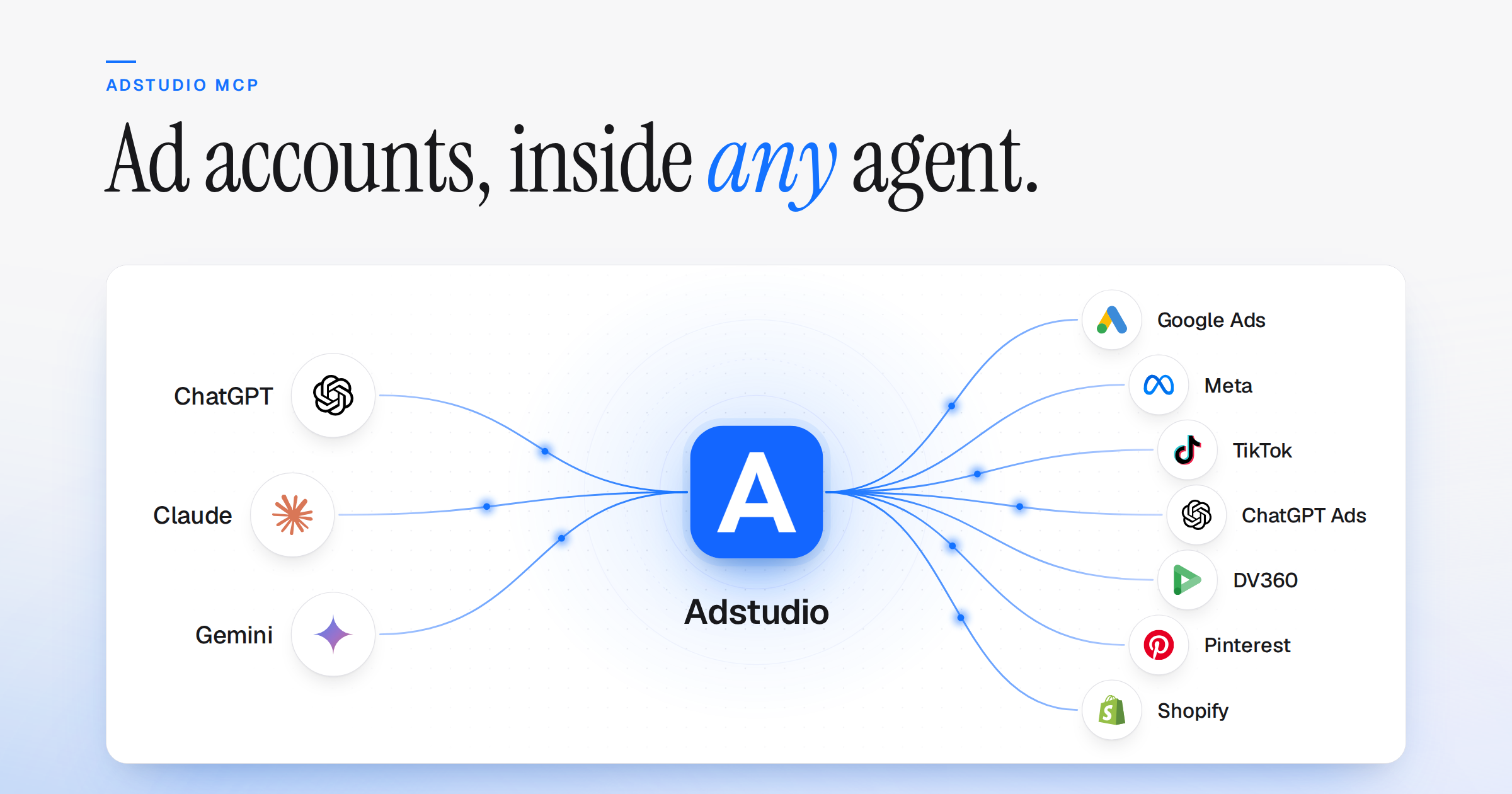
Adstudio now supports MCP. Add one address, https://useadstudio.com/api/mcp, to ChatGPT, Claude or any AI agent that speaks the Model Context Protocol, sign in with your Adstudio account, and the agent can read your live ad accounts across Google Ads, Meta, TikTok, ChatGPT Ads, DV360, Pinterest and Shopify. No screenshots, no CSV exports, no copy-pasting numbers into a chat. You decide what the agent may do: read your data, or read and act on it.
Why MCP instead of pasting screenshots
Most people "use AI for their ads" by exporting a report and pasting it into a chat. That works once and breaks every time after: the export is stale by the next morning, the date range is whatever you picked, and the model has no way to check a number it was handed.
MCP flips that. The agent asks for the data itself, when it needs it, for the exact account, level and dates the question calls for. Ask "why did CPA jump last week?" and it pulls last week and the week before, breaks the change down by campaign, then looks at the ad groups inside the one that moved. Each step is a real query against your account, not a guess about a table you pasted.
How it works
- Connect your ad accounts in Adstudio once. Your ad platforms are connected under Settings → Integrations, the same way you use them everywhere else in Adstudio. The MCP server never asks for platform passwords or API keys.
- Add the address to your AI. In ChatGPT, add Adstudio as an app or a custom connector. In Claude, add a custom connector. Any other MCP client that supports remote servers over Streamable HTTP works the same way.
- Sign in and ask. The client opens Adstudio's sign-in page (OAuth 2.1 with PKCE), you approve the connection, and the agent can start with "List my ad accounts in Adstudio".
MCP is on for every Adstudio user. Settings → MCP shows your address, an on/off switch and the access level. Turning it off ends every client's access immediately.
Step-by-step setup for each client, the discovery endpoints and troubleshooting live in the Adstudio MCP documentation.
What you can ask
These work as written once an account is connected:
- "How did my Google Ads campaigns perform last week compared with the week before?"
- "Why did the CPA of my Brand Search campaign go up in the last 14 days?"
- "Which Meta campaigns spent budget without converting this month?"
- "Rank the ads in my Summer Sale campaign by ROAS and show me what the top three say."
- "Break down my Meta Ads spend by placement for the last 30 days."
- "Give me a monthly summary of spend, conversions, CPA and ROAS across my Google and Meta accounts."
The agent does the arithmetic. Adstudio returns the raw rows (spend, impressions, clicks, conversions, conversion value, reach, frequency, video metrics) and the model derives CPA, ROAS and period-over-period change from them, so it can show its working.
The five tools
| Tool | What it returns |
|---|---|
list_accounts | Every workspace you belong to, the ad platforms connected in each, the selected account, and whether reading is allowed there |
describe_capabilities | The levels, metrics, breakdowns and limits a specific account supports |
query_performance | Performance rows at account, campaign, ad group, ad set or ad level, with an optional comparison period and one breakdown (date, device, placement, age, gender) |
get_entities | The campaign structure: campaigns, ad groups or ad sets, and ads, with status and type |
get_creatives | Ad copy, calls to action, media and destination URLs for any scope |
Every tool except list_accounts names the workspace, platform and account explicitly. Nothing is inferred or defaulted, so an agent working across ten client accounts cannot quietly mix two of them up.
Built to be trusted with real accounts
- You choose the access level. Settings → MCP offers Read only, or Read and write. Change it any time; the next request follows the new setting.
- Your access, never more. The connection belongs to you and reaches exactly the workspaces you are a member of, at your role. Access is re-checked on every request, so a change in Adstudio takes effect on the next call.
- The source travels with the number. Each response carries its provenance: platform, account, currency, date range, reporting timezone and attribution model. Anything that could not be retrieved is listed as unresolved rather than silently left out.
- Untrusted text stays data. Campaign names and ad copy are written outside Adstudio, so they come back marked as untrusted content that a client can treat as data rather than instructions.
The read vs write MCP guide walks through how to pick the right level for your team.
Every platform in your workspace
Adstudio MCP reaches the ad platforms you run in Adstudio: Google Ads, Meta, TikTok, ChatGPT Ads, DV360, Pinterest and Shopify. New platforms arrive as new values of the same tools, so an agent you have already connected picks them up without any setup on your side.
Use it in your client
- ChatGPT: see how to connect ChatGPT to your ad accounts and the ChatGPT setup page.
- Claude: see how to connect Claude to your ad accounts and the Claude setup page.
- Agencies: the MCP workflow for PPC agencies covers multi-client reporting without mixing client data.
- New to MCP: start with what an ad-platform MCP server is.
FAQ
Is Adstudio MCP free? MCP is part of every Adstudio account. You need an Adstudio account with at least one ad account connected.
Can the AI change my campaigns? Only if you allow it. Set the access level to Read only or Read and write in Settings → MCP, and the agent can never do more than your own role allows.
Which AI clients work? ChatGPT, Claude and any client that supports remote MCP servers with OAuth. Clients that only run local servers can connect through a bridge such as mcp-remote; the documentation has the config.
Does the AI see all my workspaces? It sees the workspaces you belong to, at your role, and every call must name one explicitly. Turning MCP off in Settings → MCP ends access for every client at once.
Why do the numbers differ from Ads Manager? Usually the date boundary, timezone, attribution window or conversion definition. Each answer states all four, so ask the agent to show them before treating a gap as a bug.
Get started at useadstudio.com/mcp.